Closed (fixed)
Project:
Site User List
Version:
5.x-1.x-dev
Component:
Code
Priority:
Normal
Category:
Bug report
Assigned:
Reporter:
Created:
20 Apr 2007 at 16:01 UTC
Updated:
24 Apr 2007 at 15:05 UTC


site_user_list information showing up for some users but not others?
Hello,
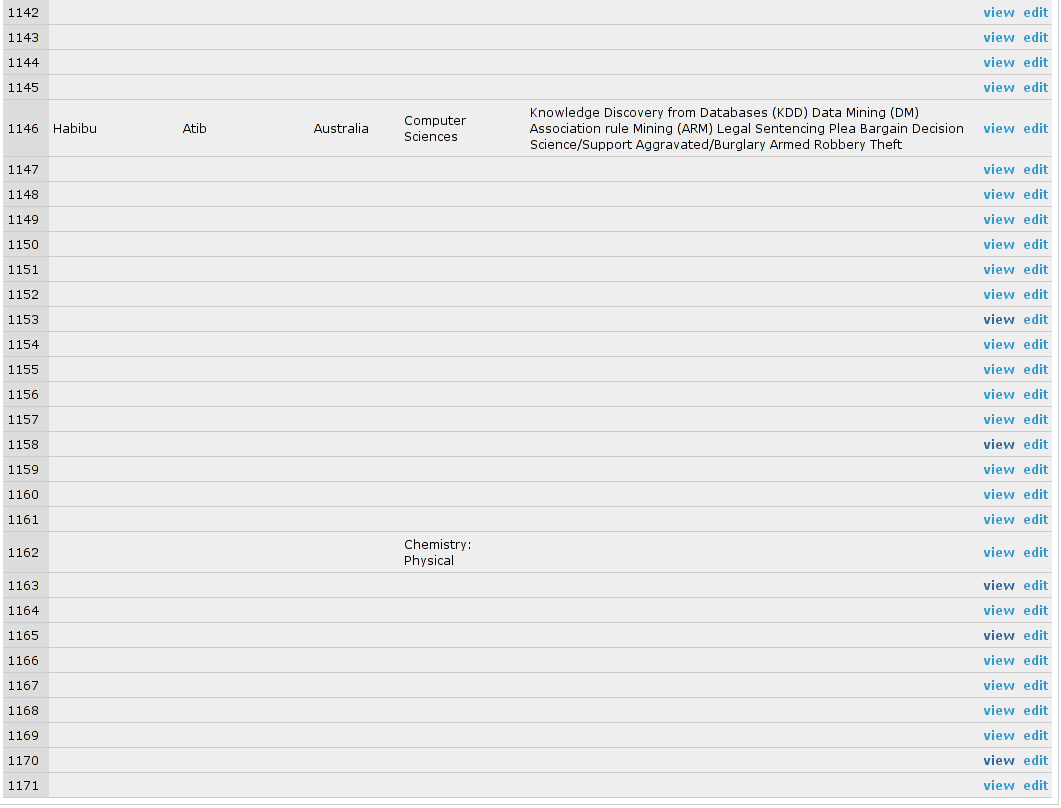
I've setup site_user_list recently (which was *exactly* what I was looking for!) and it works great. However, I've begun to notice that new users registering on my site are not getting listed in the user list.
Actually, they *are* listed, but their profile fields aren't...
Note that I installed this module after upgrading to Drupal 5, and it seems that most of the accounts that are *not* showing up are ones being created after the upgrade.
I've attached a screenshot, let me know if more information is needed.
Thanks!
s.
| Comment | File | Size | Author |
|---|---|---|---|
| site_user_missing.png | 47.9 KB | steven mansour |

Comments
Comment #1
pukku commentedHi! Two questions:
1) Are you certain that the users have entered this data into their profiles?
2) Are you using a table or a view?
Thanks,
Ricky
Comment #2
steven mansour commentedThanks for the quick response!
Yes, their profiles show up on other listing modules, such as profiles listings or members lists.
I'm using a table (the view shows up completely empty for me, though I think that might be a problem with views and not with site_user_list).
Comment #3
pukku commentedHi! First, the view in question is _not_ related at all to the 'Views' module. It's a database (SQL) view.
Have you regenerated the table? Do you have it set to regenerate using cron? The reason that I provide an option to use a database view is that it is always automatically up-to-date. With a table, any time data changes (adding a new user, or changing any data in a profile field) you'll need to regenerate the table.
What version of MySQL are you using (or PostgreSQL, if you'e using that)? If you're using 5.0 or later, try adding the 'CREATE VIEW' privilege to the database user (in the install instructions, it told you to create a database and give a bunch of privileges to the database user; you should be able to reuse those instructions with modifications to add 'CREATE VIEW') and using a view instead.
Let me know how things go...
Thanks,
Ricky
Comment #4
steven mansour commentedHi,
I did regenerate the table many times, as well as set it to be regenerated by cron.
MySQL version is 4.1.21.
I'm using a shared host, and my DB user has "all" right on his DB; I'm assuming this includes "create view".
s.
Comment #5
pukku commentedHi! In site_user_list.module, right around line 419, could you insert the following line (right after the definition of $internal_sql):
watchdog('site_user_list', $internal_sql, WATCHDOG_NOTICE);Then, regenerate the table, and look at your logs (admin/logs/watchdog). You should notice an entry from site_user_list with a bunch of SQL in it. If you could post that SQL here, I will then be able to ask you some followup questions.
Are you able to run queries directly against your database?
Thanks,
Ricky
Comment #6
steven mansour commentedHi!
I get:
SELECT u.uid as uid, u.name as name, u.mail as mail, t_2.value as profile_firstname, t_3.value as profile_lastname, t_6.value as profile_cor, t_14.value as profile_discipline, t_19.value as profile_activitieskey FROM {users} as u LEFT OUTER JOIN {profile_values} as t_2 on (u.uid = t_2.uid and t_2.fid = 2) LEFT OUTER JOIN {profile_values} as t_3 on (u.uid = t_3.uid and t_3.fid = 3) LEFT OUTER JOIN {profile_values} as t_6 on (u.uid = t_6.uid and t_6.fid = 6) LEFT OUTER JOIN {profile_values} as t_14 on (u.uid = t_14.uid and t_14.fid = 14) LEFT OUTER JOIN {profile_values} as t_19 on (u.uid = t_19.uid and t_19.fid = 19) WHERE u.status = 1Followed by:
You have an error in your SQL syntax; check the manual that corresponds to your MySQL server version for the right syntax to use near 'OR REPLACE VIEW site_user_list_view AS SELECT u.uid as uid, u.name as name, u.ma' at line 1 query: CREATE OR REPLACE VIEW site_user_list_view AS SELECT u.uid as uid, u.name as name, u.mail as mail, t_2.value as profile_firstname, t_3.value as profile_lastname, t_6.value as profile_cor, t_14.value as profile_discipline, t_19.value as profile_activitieskey FROM users as u LEFT OUTER JOIN profile_values as t_2 on (u.uid = t_2.uid and t_2.fid = 2) LEFT OUTER JOIN profile_values as t_3 on (u.uid = t_3.uid and t_3.fid = 3) LEFT OUTER JOIN profile_values as t_6 on (u.uid = t_6.uid and t_6.fid = 6) LEFT OUTER JOIN profile_values as t_14 on (u.uid = t_14.uid and t_14.fid = 14) LEFT OUTER JOIN profile_values as t_19 on (u.uid = t_19.uid and t_19.fid = 19) WHERE u.status = 1 in /home/waysneto/public_html/includes/database.mysql.inc on line 172.This is using the view.
Yes, I have phpmyadmin and can run queries directly.
Comment #7
pukku commentedHi! First, you need to use a table. MySQL 4.1 doesn't include support for SQL views — that was introduced in 5.0 apparently. I recently saw a way to test the database version that I will try to find to make the module know this.
Let's just look at the profile_firstname field: could you run the following queries (you may need to adjust the table names if you have a database table prefix)?
This should return first the number of users in your database, and then should show you all of their first names. Could you let me know what you get as a result of this?
Thanks,
Ricky
Comment #8
steven mansour commentedWhoops - looks like you were right after all...
Traced it back to a core bug in profile.module, not site_user_list... which is weird because other profile listings actually displayed ok.
http://drupal.org/node/119114
Thanks for all your help!
s.
Comment #9
pukku commentedCool — this may actually be the problem a number of other people have been having!
Ricky