

Closed (fixed)
Project:
Drupal for Facebook
Version:
7.x-3.x-dev
Component:
Facebook Connect
Priority:
Major
Category:
Bug report
Assigned:
Unassigned
Reporter:
Created:
22 Dec 2011 at 17:41 UTC
Updated:
13 Jul 2012 at 20:01 UTC
Jump to comment: Most recent file

Comments
Comment #1
Dave Cohen commentedAh, now I see that you did open an new issue!
Needs more details, though. http://drupal.org/node/73179
Comment #2
Alex Andrascu commentedYou can see it here http://dev.d6.gotpantheon.com/
I think that's the relevant line from the error log:
Hope it's enough info...let me know
Thanks alot!
Comment #3
Dave Cohen commentedIf that sql error is the underlying problem, you're going to have to figure out the entire query, and why it is failing. Doesn't look like anything to do with modules/fb.
Comment #4
Alex Andrascu commentedThere's no other error except that one :)
So i think you're still the one who will going to have to figure it.
I can't see any reason for the loop and no relevant error thrown.
I will however continue to investigate but all i ask is for you to review the code too. It isn't failing without a reason and when it does it's not throwing any relevant error.
Comment #5
Dave Cohen commentedIf you disable the facebook modules, is there still an error?
The error only has part of the SQL statement in it. You should make PHP or mysql more verbose so that you can see the entire statement.
Comment #6
bschilt commentedI'm experiencing this authorization loop. I happens when I try logging out using firefox. I haven't been able to reproduce this problem in IE. But I really don't know what the reproducible steps are.
In firebug I have this error showing:
uncaught exception: Error: Permission denied for <http://www.facebook.com> to get property Proxy.InstallTriggerThe loop is calling http://MYDOMAIN/fb/ajax/session_change over and over again.
I've tried deleting all browser cookies and even logged out of facebook through another tab but the looping continues.
Comment #7
bschilt commentedthe looping occurs when I'm logged out of my FB account. If I log into fb in a different tab, then my site will stop looping, but when I try logging out, it all happens again.
Comment #8
maarudth commentedi am seeing the same behaviour as #6.
though if i delete fb related cookie after i have logged out and the looping is in full swing - it stops.
i get the same :
"The loop is calling http://MYDOMAIN/fb/ajax/session_change over and over again."
firefox and chrome tested..
Comment #9
maarudth commentedok.
finally found a solution that works for me - please confirm:
module: fb.module
function: _fb_logout()
two lines: 770, 773
where the module tries to remove facebook cookies.
firstly, facebook cookies are renamed to "fbsr_" . apikey.. at least for me.
after that - i added as the last param given to the setcookie functions : , '.myDomainName.com'
that did it.
login out now works and no looping.
i am by no means a real developer - so i would be happy if someone qualified will look this over.
yeh!
edit:
one small thing that makes the flow even better:
in the fb_user.module:
function fb_user_user_logout();
after the global $user etc.. i call _fb_logout();
that makes it so that after clicking the logout - the next time the page comes up - i am allready logged out..
no need for the page to come up and then refresh and log me out...
Comment #10
giorgio79 commentedI dont see a patch here :)
Comment #11
maarudth commentedi wouldn't know where to begin and as i said - this requires someone qualified to check it...
ha.. because i changed it to fixed? yeh...
Comment #12
tvilms commented@maarudth, thanks much for your recommended fix. There are scores of comments and posts on many issues all getting at this problem, but yours appears to be the simplest solution. I can confirm that I'm on the latest 7.x-3.x-dev, and by following your points I was able to logout cleanly. Cheers!
Comment #13
Alex Andrascu commented@maarudth thanks alot for letting us know. As @tvilms said your simplest solution is indeed the winning one. After spining my head around this module i found it's causing more trouble then it's worth so i've decided to move on and just use the facebook php sdk library to achieve my needs. Offcourse i had to to create a custom module for that but i think that was for the best too (e.g. less useless/broken/macaroni code in favour for more app specific code).
Many thanks to the maintainer of this module for his effort in assisting us with this. Greatly apreciated.
I think this module(s) can use a couple more co-maintainers to sort out it's huge issue queue instead of asking users for impossible details or blaming Facebook for it's faults. Problem is i don't see it's seeking co-maintainer(s). This is not a co-maintainership request by any means...just a suggestion.
Comment #14
duckydan commented@maarudth
This part:
one small thing that makes the flow even better:
in the fb_user.module:
function fb_user_user_logout();
after the global $user etc.. i call _fb_logout();
that makes it so that after clicking the logout - the next time the page comes up - i am allready logged out..
no need for the page to come up and then refresh and log me out...
Worked for me and fixed the issue of endless reloads after log-out in the Drupal 6 version for me. My site works perfectly and log-outs are smooth. I tried to do the first part you said but I could not find the function.
Thank you!
Comment #15
maarudth commentedHi All.
i'm glad it helped!
really am.
sure does feel good.
@duckydan:
since you're calling that function - _fb_logout();
it's got to be there, somewhere... but if it works without changes to it... great.
Comment #16
resiii commentedmaarudth solution doesn't work for me :/
Any other ideas?
Comment #17
maarudth commentedHi.
please check the following:
in firefox, after you login through the facebook connect, right click and view page info -> security -> view cookies.
select the facebook cookie - fb..._*********
then you should make sure that the details of the cookie match what you put in the code:
name: fbsr_ - yes? fbs_?
domain - mine show : '.replaceWithYourDomainName.com'. (no disrespect - but here you are supposed to put your domain name - not '.myDomainName.com' - replace with what shows in the cookie under domain, exactly)
path: '/'.
does all the information match?
thanks,
Comment #18
resiii commentedHey,
I checked the information:
name: fbsr_***********
domain: .mydomain.com (and yes, I replaced it with my domain)
path: /
But one question: My drupal installation is in a subdir (myDomain.com/community). Does this make a difference? Do I have to change the path or something like that?
Comment #19
maarudth commenteddid you look inside the cookie? or just followed what i did?
in your case - subdir - maybe the path or the domain show up differently...
other than that - what is the problem that you are experiencing? the log out loop?
you can log in successfully?
edit:
this is what it look like on my site:
lines 770:
and the cookie information shows me that:
name: fbsr_**********
content: 345256345634347**********
Domain: .nicename.com
Path: /
hope it helps...
Comment #20
Juan C commentedThanks maarudth. Your solution works.
Comment #21
m_z commented@maarudth:
Many thanks - your solution in #9 and #19 works fine.
Maybe it could be further improved by generating the domain string dynamically (seems that the format is always ".MYDOMAIN.TOP_LEVEL_DOMAIN") e.g. by using Drupal's global $base_url variable as starting point.
@resiii:
My Drupal installation also runs inside a sub-directory and at least for me there were no problems with with maarudth's solution (the path inside the cookie is "/", too).
Comment #22
james.williamsI've got a patch here that deals with both fbs_* and fbsr_* cookies (in case FB goes back to fbs_*, who knows...), and fixes the cookies not being expired properly in javascript, which stops the infinite redirect. I suspect this might fix several issues about this, such as #1396590: infinite page reloads on connected page after logging out of facebook.com.
Comment #23
james.williamsThe above patch also fixes the call to FB.getUser() in JS which doesn't seem to exist any more, by calling FB.getUserID() if that function doesn't exist.
Comment #24
james.williamsAh - my mistake, I was using the
$cookie_domainvariable which is actually used for setting Drupal's cookie domain. Changed to using the app's base domain, which is what FB actually uses for the domain of the cookie. Attached patch should fix that.Comment #25
imoreno commentedTHX james,
This patch eliminated the problem for me on FF, IE, Chrome.
well done job,
Itzhak
Comment #26
jherencia commented@james.williams The patch you attached fails if you access the web site outside facebook apps, because $_fb_app is not defined in those cases (the SDK is not even loaded) so fb_call_method could not be called.
After applying the patch a minor bug was presented:
I added a check to fix this, but don't know if we are breaking something.
Comment #27
james.williamsGood catch -- I'll try and get an updated version of my patch sorted that includes your fix there, thanks.
Comment #28
james.williamsThanks again jherencia - I've incorporated your fix for the access_token warning in the below patch, and moved my original code inside the checks that already exist for
$_fband$_fb_app.Comment #29
pmannle commentedThanks guys. I am facing the same issue - I have applied the patch listed in post #28. The behavior I'm getting is this:
When I log out from facebook on my site, I get an infinite loop with the loading bar at the top of the page - but only when I have an iframe containing an embedded youtube video. I've tried added an iframe with just an image, and I don't get the same behavior. I also get the same loop whether the youtube video is privacy protected or not (I though this might be related to the cookie issue). I'll leave the page here for a while in case someone can take a look and verify the behavior or suggest a fix?
Also, I am only getting this in Vista Firefox, not Chrome.
http://drupal7.bluemidnight.com/
Thx!
Comment #30
jim_at_miramontes commentedI was also getting bit by this, but after installing the patch things started working again. (Thanks!) But now, some weirdness: When I check the cookies after a login, I'm seeing one of the form fbm_*********, where the asterisks are my app ID; the value is "base_domain=example.com", where example.com is my domain. Is anybody else seeing this? I've checked the code, and don't see such a cookie getting set anywhere. Any insights? Thanks!
Comment #31
james.williams@pmannle -- When I view your site in Chrome, the facebook connect button is not shown by javascript (i.e. it is just plain text), and the following error is displayed: "Unsafe JavaScript attempt to access frame with URL http://drupal7.bluemidnight.com/ from frame with URL http://www.youtube.com/embed/4QEGRRCj_98?rel=0. Domains, protocols and ports must match."
You might want to sync your app settings from drupal and then check your domain is set exactly correctly in your facebook app on the facebook side? Not sure if that's relevant, but I thought I'd take a quick look for you at least.
@jim_at_miramontes -- take a look at facebook's all.js (http://connect.facebook.net/en_GB/all.js) -- their code seems to set this cookie in certain cases (mine included). I seem to be able to logout without the loop despite that cookie getting left lying around (which it would be, since it does seem to be something new that fb module knows nothing about). Although I do now experience the issue you raised in #1364394: Log out of FB; site logout link => "Refused to display document because display forbidden by X-Frame-Options." but that's kind of a separate issue, probably unrelated to the fbm_* cookie.
Comment #32
william.lai commentedThanks, the patch fbsr-cookies-2.patch is work for me. however, i need to update following line in logoutHandler of fb_connect.js to make logout work.
From:
Drupal.settings.fb.reload_url = Drupal.settings.fb_connect.front_url;
return false;
To:
Drupal.settings.fb.reload_url = Drupal.settings.fb_connect.front_url;
return true;
Otherwise, it will not redirect user to front page after clicked the logout link.
Comment #33
james.williamsYou might be right -- we started to touch on this in #1364394: Log out of FB; site logout link => "Refused to display document because display forbidden by X-Frame-Options." this morning.
I would be reluctant to change that in this issue though, as I can't remember exactly why that was returning false; there may be a good reason. Dave?
Comment #34
pmannle commented@james.williams - I got it working! For some reason, turning on/off the Developer modules fixed both the javascript issue, and the authorization loop. Thanks.
Comment #35
william.lai commented@pmannle, me too, i need to turn off the developer module and update the fb_connect.js as well.
Comment #36
jim_at_miramontes commentedI'm also getting good results with the "return true" change (although if this is wrong for some deeper reason, I'm eager to hear about it).
Comment #37
Dave Cohen commentedI'm lost reading this thread. Sounds like some fixes are working for some users, and other fixes for others. One patch affects cookies, others are talking javascript. I don't like threads like this.
I can tell you that facebook's code uses cookies like "fbs_...." when oauth is not not use (the deprecated way) and "fbsr_..." when oauth is enabled (the currently recommended way). Modules/fb shouldn't have to deal with those cookies. It's facebook's SDK that sets them and therefore they should clean them up. Any cookie code in modules/fb is an undesirable hack, but maybe helpful.
I can also tell you that the event handler returning true or false is bacause of the way event handlers work in javascript. returning false is meant to indicate that the default event handler need not act on the current event. Or something close to that.
I'd much prefer to get rid of the cookie code rather than add to it. But, if it must be done it must be done. The patch James submitted could be a little cleaner, for example we don't have to support both apikey and id anymore, from now on they should always be the same (i.e. use id and never apikey anymore). But I suppose cleaning it up is like polishing a turd. No offense intended to James' patch, its just that all that cookie code is ugly to begin with. :)
Can the javascript be moved to another thread? Can anyone explain (in another thread) exactly how to reproduce that problem? Exactly which browsers? Using oauth? With the latest migrations enabled on facebook?
Comment #38
acubed commentedThere's something really broken here. In addition to browser and configuration settings, we need to be reporting if we're logged onto Facebook.
Firefox:
1. Not logged onto Facebook, not logged into website, no problems with website.
2. Login to Facebook, log out, not logged into website, no problems with website.
3. Click "Connect" button on Facebook Connect block, enter Facebook credentials (probably unrelated issue: Cannot see "https://facebook.com/" in pop-up window), redirects me to /node, infinite loop with progress bar showing on top. /node does have an embedded YouTube iframe. The user login form block does not show me as logged in, nor does the Facebook Connect block (which never fully loads, only showing "Connect" text instead of a proper button).
4. When I go to Facebook intending to explicitly log out, I find I'm logged in, but I click a link and I find myself logged out. Returning to the Drupal site, I find the reloading has gone away.
5. Not logged into Facebook, Login to Drupal site with regular username/password, no problem. Log out of site.
6. Not logged into website, log into Facebook. Load front page, reloads in infinite loop with progress bar.
7. Not logged into website, logged into facebook. Log out of Facebook. No problems with website.
8. Not logged into website. Log into Facebook, load non-front-page (has no YouTube content, except an outgoing link.) Infinite reload, not reported as logged in.
9. Logged into Facebook, not logged into website. Cancel page load when Connect button finishes rendering, clicking on it logs this to the console:
[17:30:31.798] FB.login() called when user is already connected. @ http://connect.facebook.net/en_US/all.js:310. Not logged into website, Log out of Facebook. No problem.
11. Not logged into website, not logged into Facebook. Log into website, no problems. Disable caching of blocks, JS, CSS. Clear caches.
12. Not logged into Facebook. Click "Connect", enter Facebook credentials, infinite loop with progress bar. I reload Facebook, and it brings up my news feed, but then shortly after pops up a message saying I'm Not Logged In. Reloading on website has stopped.
Well this is certainly bizarre isn't it. I do get the reload loop on Chrome, but I'm not willing to log out of Facebook there. I'm getting the feeling this may be two or more bugs with similar symptoms, given only one other person has mentioned a loading bar at the top appearing.
The account I am using has already been linked to my Facebook profile, only "Store tokens in session" under the Sessions header is checked, though the choice of boxes doesn't seem to change anything. I'm using custom AJAX-enabled Javascript code on my custom theme, but the bug affects the standard administration theme too.
ins: If I log into the website, then log into Facebook, I get the same problem. Somehow I managed to get logged into the website and Facebook at the same time, and when I click "Log out", it logged me out of Facebook too. There is no indication that this would happen, and it's actually rather disturbing that a website could log me out of Facebook. This should not happen.
Comment #39
Konstantin Boyandin commentedConfirming the infinite loop on login page, using the last 7.x-3.x-dev Drupal for Facebook version.
After the patch from #28 has been applied, login loop stops, but I can't log out if administrative dashboard is used.
Comment #40
aleada commentedI had the same problem on my website (D6).
I installed the 6x dev version and I don't have problem anymore.
Comment #41
j_ten_man commentedApplied the patch in #28. Sometimes it works, sometimes it throws an error: admin.getAppProperties: fb_call_method failed calling admin.getAppProperties. 0. (logged into facebook as 0). This is from the code being added to fb_init(). I have no idea why but seems to be random.
Comment #42
btweedy commentedI have applied patch 28, but still am have the error when the following happens:
1) Log into Facebook
2) Open the Drupal site with Facebook Connect installed -- This logs me in to the site as expected
3) Log out of Facebook
4) Go to a different page on the Drupal site. -- This continues the infinite loop and only stops once you log back into Facebook.
Comment #43
james.williamsHere's a new patch, incorporating my patch from comment #28 above, but with the following changes:
* The call to FB to get the base_domain for the app is now cached, to avoid calling it on every page load (this was making our site much slower), which should also avoid the issue j_ten_man identified in comment #41 as it will usually use the cache, and handle exceptions better. (This may still want some improvement though? If anyone knows a better way of getting the domain that FB will use for setting the cookies, we could avoid this call altogether.) If you update the app domain on FB, clearing Drupal's caches will get the new one.
* Dave said "Any cookie code in modules/fb is an undesirable hack, but maybe helpful." amongst other things about the patch... very very true. I don't know how things would need reworking to avoid this, so I'm improving things where I can. I have polished the turd a little by removing lines that remove the cookies with the apikey, so we only use the ID. Still a turd but at least it fixes this for most of us :-)
Comment #44
imoreno commentedthis new patch is working better for me now, page loads a bit faster.
I wish this new patch among some other improvements will roll out in a new DEV version as currently the last dev version with all these patches is very unstable.
Comment #45
imoreno commentedAfter installing fbsr-cookies-3.patch , i get this message from time to time :
Notice: Undefined offset: 2 ב-drupal_http_request() line 924 /public_html/includes/common.inc).
Any ideas if this is related to the cookies issue?
Comment #46
james.williamsWhen facebook makes its http response to the FB call that gets the app base_domains, it can sometimes return an invalid response. I would have thought this is facebook's problem, but maybe Drupal should handle it better. I don't know if this is really the Drupal for facebook module's problem to fix, rather one that it has uncovered. Anyone have any thoughts on this? If I can, I'll post the debug info here next time I see the problem.
Comment #47
james.williamsI just got this response from Facebook from fb_call_method() :
Because the first line isn't the expected 'HTTP/1.0 200 OK', drupal_http_request() kicks out this error. I assume this is Facebook's fault for sending invalid headers? I'm not very familiar with HTTP headers spec. I suspect this is a core issue, but I'd rather someone else could confirm this before I post a bug against Drupal itself!
Comment #48
william.lai commentedHi, just come across the http 1.0 rfc spec, it said "The client is not required to examine or display the Reason-Phrase."
Status-Line = HTTP-Version SP Status-Code SP Reason-Phrase CRLF
eg. HTTP/1.0 200 ok
so "HTTP/1.0 200" should be correct as well.
ref:
http://www.w3.org/Protocols/HTTP/1.0/spec.html#Response
Comment #49
udvranto commentedsubscribing...
Comment #50
tribsel commentedpatch 3 from #43 worked for me too, I get no redirect loops on logout now.
Comment #51
visuaLatte commentedHey-- the patch from #43 worked as far as removing the loop, but it does not allow me to log into Facebook at all anymore. When I click the "Connect" button, nothing happens in the browser. Looking at the web inspector (using Safari here), I get the following error:
FB.login() called before FB.init().This error is being generated by all.js, which is a JS file provided by Facebook. I am not 100% sure whether this error was present before I applied the patch, but I do know that it did pop up the Facebook connect window before.
Comment #52
mybinaryromance commentedpatch 3 from #43 did not work for me, using the latest 7x-3x-dev-release. problem can be easily reproduced on browsers not allowing 3rd-party cookies (tried firefox mac, firefox ubuntu, chrome mac), but won't occur on chromium/ubuntu:
if you have authorized the app already, go to facebook.com and login, then visit the drupal site. apparently you should be logged in by now, but the infinite reload loop occurs. clearing session data (from browser and db) or clearing cookies doesn't help.
on every reload i get another cookie from drupal (sessionid), but with always different content, plus one cookie fbsr_undefined with always different content. the url parameters change on every reload, from ?fbhash=0 to ?fbhash=somehash back to ?fbhash=0 and on to ?fbhash=someotherhash and so on. this means while writing this comment the page keeps reloading and i've gathered about 30+ cookies so far...
can someone please tell me where the fbsr_whatever cookie is being set? apparently there's something wrong with that, but i just can't find the setcookie() call.
Comment #53
james.williams@Bonzo meier, the 'fbsr_undefined' cookie should actually have your app ID rather than 'undefined'. It is set by Facebook's all.js code.
Have a look at the javascript Drupal.settings.fb.fb_init_settings object on the drupal side -- does it contain your app ID? Make sure your app is set up correctly on both the drupal & facebook sides, and sync from the drupal side, then try again.
@nateeanes are you still seeing this problem? Again, try syncing the apps. Do you have any other code, perhaps either custom-written or from another module, that deals with facebook?
Comment #54
mybinaryromance commentedjames.williams, thanks for the reply!
my Drupal.settings.fb.fb_init_settings object looks like this (taken from firebug via console.dir()), the appId is definitely there...
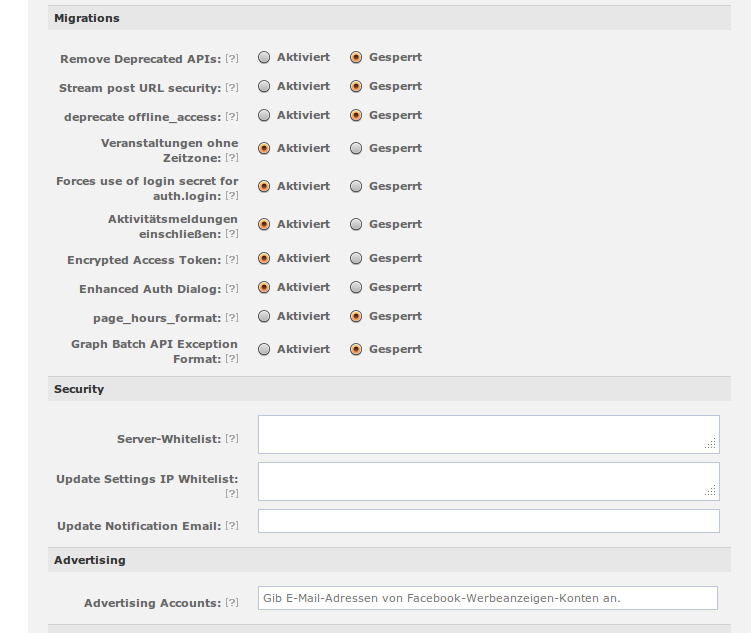
still, i am not quite sure if my app is set up correctly on the facebook side as there are some settings i absolutely dont understand. attached is a screenshot of my current settings.
Comment #55
mybinaryromance commentedokay, i think i found the error: i didn't add a
<div id="fbroot">myself (yes, i DID read the readme to the end...), but i had a widget from sharethis.com in the footer of the page that was adding a div with that id. it seems to work, at least for now...Comment #56
Dave Cohen commentedI'm trying to catch up with this thread, but don't know exactly what's going on.
@James.williams, is that problem with fb_call_method() the cause of a page refresh loop? Does drupal core need a patch to fix?
Although this thread has a lot of comments, I don't think everyone out there is experiencing this loop. Looking at the #43 patch makes me wonder, does this only happen when the cookie domain is set one way or another? It would help to know exactly how to reproduce this.
Comment #57
james.williamsHi Dave... if it helps to clear up the thread since I posted the patch in #43:
Comments 51 through 55 are slightly off-topic as they are about debugging an issue that those people spotted after applying the patch, that weren't actually because of the patch. Comments 45 - 48 are about Drupal's incorrect parsing of HTTP headers - it does indeed appear that core needs a patch, since the 'Reason-Phrase' (usually 'OK' for a 200) is not compulsory, but core throws a warning if it's not there.
When the fb_call_method() fails, the base domain for the cookie won't get set, so we can't delete the cookie -- which I guess could be a cause of a redirect loop, but without the patch & that call, we'd never get the base domain so could not delete the cookie at all, so I guess in this case the only solution is to refresh and try again? We cache the results of the call (when successful), so that we avoid making the call if possible. Do you know of a more fail-safe option for getting hold of the base domain of an app? I guess we could 'guess' that it should be the base domain of the website, and at least try deleting the cookie that way?
Comment #58
Dave Cohen commentedWhy have I not noticed this 'OK' thing? Is it just a warning that may not be showing up in my PHP? I try to keep my dev environments pretty verbose.
Drupal uses $cookie_domain defined (optionally) in settings.php. And drupal calls
ini_set('session.cookie_domain', $cookie_domain);. So, hopefully, maybe, facebook's cookies get set with the same domain. Since either facebook's php libs or facebook's javascript can set the cookies, I'm not certain. But it might be safe to simply use $cookie_domain.(I've always said I'd rather not have to delete those cookies. Since facebook's libs set them, they should also delete them. But I have introduced code to do so, as a workaround. I hope in a future version of modules/fb we will store an access token in Drupal's session and never use a facebook cookie.)
Comment #59
james.williamsFacebook seems to only sometimes (but quite often) return a response without the 'OK' bit. When it does, it just throws a PHP notice about the undefined index, so it's not exactly serious, but annoying if you have error logging to show all notices. I hack the following code in my common.inc in drupal_http_request() so i get told whenever it happens:
I did some debugging through Facebook's all.js to find out exactly where the domain in the fbs_*/fbsr_* cookie comes from -- it uses the 'App Domain' set in the app settings on facebook, rather than Drupal's cookie domain (since it doesn't know about that). Is that something that the DFF module sets though on syncing? (That's the bit I don't know) If it does, then I guess we can assume we can use whatever you use to set it, as if that's different, then the issue is that the apps just need syncing.
Comment #60
Dave Cohen commentedIt doesn't sync that property, because that's not one of the props that can be set via the api (last I checked). That property is on the front page of app settings with the description "Enter your site domains and press enter". I thought that setting is relevant only when you need an app to work across subdomains.
I wonder if your drupal is installed at example.com/drupal, it might be that PHP cookies are based on "example.com/drupal" whereas facebook's javascript cookies are based on "example.com" - does that make sense? In other words does this problem only appear when drupal is in a subdirectory? Does it only appear when facebook's "app domain" has been manually set?
Comment #61
imoreno commentedHi Dave,
I can confirm that my drupal installation WAS NOT on a sub-directory, and app domain was a root one like this exmple, www.domain.com, yet i had this redirection - authorization loop.
If this helps a bit.
BR
Itzhak
Comment #62
imoreno commentedThank you so much Dave!
New DEV version from 13/4/12 nailed it,
This is not happening any more on any of my sites.
Tested on Chrom, FF, IE
Itzhak
Comment #63
james.williamsItzhak - Presumably you mean it's fixed when you also apply the patch in comment 43? If it's fixed for you without it, that's great, however, some of us still need the patch for this to be fixed.
Setting status back to 'needs review', since it should either actually be 'reviewed & tested by the community' until the patch has actually been committed, or 'needs review' if it worked for him without the patch (as it's still needed for others).
Comment #64
Dave Cohen commentedI looked over the patch again. And while it makes me cringe to support so much code just to clean up the cookie mess, I have a couple thoughts.
The fb_app table has a data blob for various settings that dont need indexing. I wonder, should the cookie domain be stored there rather than Drupal's cache? The fb_app data will be loaded anyway...
Whether stored in Drupal's cache or fb_app table, it might be better to store it when properties are synced, rather than on some arbitrary page load. base_domains could be added to fb_admin_get_app_properties(), and saved in fb_app_admin_form_submit().
FInally in the JS I wonder if it would be simpler to just delete cookies named fbs_.... and fbsr_.... Rather try to figure out which to delete. Just a thought.
I think those changes could simplify the patch a lot. And while I'd rather facebook's code deleted the cookies, if this patch were simple I'd commit it.
Comment #65
james.williamsI really like the idea to store the cookie domain when properties are synced. That makes much more sense, feels right, and would also mean there would be no need to have a cache record that expires after some time to repeatedly check for a changed domain. That would indeed make things simpler. Storing it in the fb_app table probably makes sense too - the only reason I had gone with the Drupal cache was because I knew I could expire it really easily that way (I hadn't thought of updating it on syncing the app).
As for deleting all cookies named fbs_* or fbsr_* ... Can we guarantee that other cookies named that wouldn't be around? I presume that only one instance of an external Facebook session can be active on a site, in which case that would be much simpler, but is there any evidence that this is the case?
I'm all for fixing this in a completely different, simpler & better way - my patch was simply intended to fix the existing code / flow in a pragmatic way, even if not in the idealistic 'best' way.
Comment #66
Dave Cohen commentedI meant for deleting cookies if your app is 1234, delete both fbs_1234 and fbsr_1234, rather than have code that tries to be smart. No harm deleting both of those. Really fbs_.... should never be set anymore.
If you want take a stab at a new patch, assign this issue to yourself. Otherwise I'm not sure when I'd get to it. I still haven't encountered the problem that I know of. I trust you that your patch has solved a problem you've encountered.
Comment #67
jaydublu commentedI don't know if my experiences are related to this issue, but I'm also having problems getting authorisation to work. I've been trying to follow through the code to see what's going on, and I don't know if I'm missing something, but having compared this module with https://developers.facebook.com/docs/authentication/ I can't see any reference to where were're completing the the final authorisation step:
Steps to reproduce:
D7, app configured for both unathorised and authorised canvas requests to use a page node with PHP code text format and the following content:
First rendering of the page redirects to FB authorisation screen as expected. If allowed then enters a slow redirection loop - when you manage to stop it you see the page url is as described on the Facebook quote above. So it would seem my configuration is not completing the second step.
What am I missing?
Comment #68
Dave Cohen commentedI think fb_require_authorization is not up to date. However that's off-topic here. If you authorize via facebook connect button you don't need that code to access token stuff.
Comment #69
yareckon commentedDave could you describe what one would need to get fb_require_authorization() up to date over in this new thread-> #1489488: update fb_require_authorization() I am having a lot of reload issues with an app that is using fb_require_authorization() extensively.
Comment #70
yareckon commentedJames, could you reroll your patch against the latest dev from March 15th?
Comment #71
yareckon commentedHmm, part of the issue seems to be that Dave has rolled in some of the stuff from the patch (the big chunk from fb.module) into the new release, but not all of it.
Here is my take on merging those changes semi-manually into a patch against march15 dev.
Comment #72
Dave Cohen commentedI don't think I've applied any of it. Didn't mean to, anyway.
Comment #73
yareckon commentedMaybe the patch integrated other code that you have commited simultaneously to the new dev.
Comment #74
modctek commentedIs this still an issue in the latest dev (8-MAY)? I'm getting an authentication loop on both IE and Chrome at this point.
If I'm logged into FB on another tab, able to log out, but otherwise logging out on my drupal site auto logs me back in.
Comment #75
yareckon commentedThe biggest stability increase I found when building an app with drupal for facebook was to increase the amount of time fb.js waits for the facebook side of things to initialize before freaking out and reloading the page. Changing .5 seconds to 3 seconds really cut down on infinite loading bugs.
in fb.js:
hope this helps someone.
Comment #76
james.williams@yareckon Interesting. Did this actually fix the issue, or just leave more time between reloads?
Comment #77
5ivepointer commentedHey @yareckon, when I try to apply patch fb.infinite-reload.against-march15-dev.patch and I'm logged in with a facebook user, I get
Notice: Undefined index: uid in include_once() (line 223 of /var/www/5ivepoints/web/sites/all/modules/patched/fb/fb_settings.inc).
Also, does anyone know how to make sure that facebook sessions are not cached on the server? We seem to be having trouble with that...
Comment #78
Dave Cohen commentedThanks yareckon, I will test that timeout, maybe up to 5000. That was a hack to solve a problem when facebook's API simply never calls it's callback function. (which happens when third-party cookies are rejected, if I recall correctly)
I'm interested to hear if that change solves this problem for anyone else.
Comment #79
giorgio79 commentedI haven't seen this reload loop since applying #75.
Comment #80
Dave Cohen commentedMarking as fixed. The code is in latest .dev build. Thanks all.
Comment #81.0
(not verified) commentedfixed the issue formatting