

Active
Project:
Localization server
Version:
7.x-1.x-dev
Component:
Miscellaneous
Priority:
Normal
Category:
Feature request
Assigned:
Unassigned
Reporter:
Created:
30 Dec 2011 at 10:14 UTC
Updated:
29 Sep 2013 at 17:05 UTC
Jump to comment: Most recent file

Comments
Comment #1
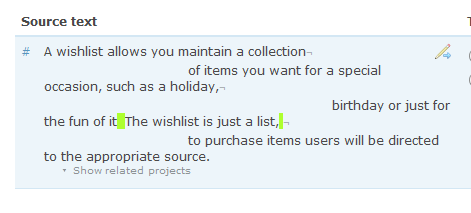
droplet commentedsomething like this:
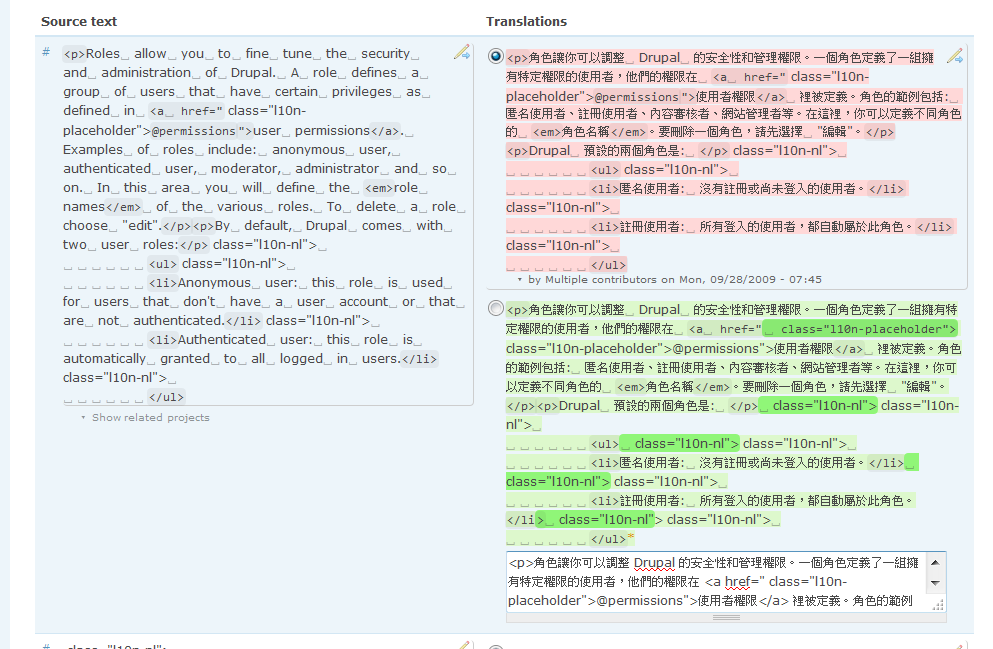
(unknown reason, it's almost freeze in firefox 9 and in my chrome ⎵ is a SQUARE, maybe font issue I bet)
Comment #2
droplet commentedbottom square bracket only shows correctly in firefox
http://code.google.com/p/chromium/issues/detail?id=3176#makechanges
Comment #3
SebCorbin commentedActually I was just thinking of highlighting only at beginning or end of the string, not in the middle.
The HTML entity codes for the character ⎵ (
⎵as decimal or⎵as hexadecimal) work for me in Chrome Mac OSX.Comment #4
droplet commenteduse background image or highlighted it would be better.
highlighting ending & spaces(2 or more spaces) between words. I think highlighting beginning spaces is meaningless.
Comment #5
SebCorbin commented