please see: ngetal.pair.com/bobpcw
Please click on FAQ/links in menu
please click on repair services>lighting
If you right click on lighting and open in new tab, you are taken to the correct info..
but if you just click on lighting it closes the repair services category.
what in the world have I done wrong?
pathauto 6.x-1.6
aliases as follows:
category/faq/repair-services/lighting
Existing system path: * http://ngetal.pair.com/bobpcw/taxonomy/term/21
Path alias: * http://ngetal.pair.com/bobpcw/faq/repair-services/lighting
Automated Alias Settings
- Node Paths>Pattern for all FAQ paths: faq/[termpath-raw]
- Taxonomy term paths>Pattern for all FAQ paths: faq/[catpath-raw]
- FAQ category path settings>Default path pattern: faq/[catpath-raw]
Lighting FAQ (actual item) set to:
- Terms selected: (under Repair Services) "Lighting" (note, parent term "repair services" is NOT selected.)
- Not in menu
- published
- URL path settings>no alias (just turned this off, wasn't working with it on...)
- URL redirects>no redirects
- Parent item>Primary Menu
I don't have any more faqs yet because I wanted to make sure this was working properly before continuing...
I'm so pleased to have found this module, now if I could just figure out what I'm doing wrong!
sigh.
Any help is greatly appreciated!
Audra


Comments
Comment #1
Steven Brown commentedThere have been a lot of minor issues that have been fixed in the 6.x-1.x-dev version. Please remove your current version of FAQ and download the latest dev version for Drupal 6. If the issue still persists then please comment.
Comment #2
audster commentedOkay, performed change to dev version as requested.
Did not delete or re-create or newly create any content.
Please go to ngetal.pair.com/bobpcw
faq link in menu works but then clicking on subcategory "lighting" behavior has changed to presenting lower half of blank page (in admin mode) and then collapsing category (config is set to accordion the answer when category clicked...)
Already existing block of recent FAQS displays nothing except "see all faqs" link - which works
Newly added "FAQ Categories" block displays and links work but isn't doing accordian for catgories (perhaps this is proper function)
If you like I can set up an admin account for you to poke around if needed, but I am also just as happy trouble shooting with you along side!
Thanks for your help!
A
Comment #3
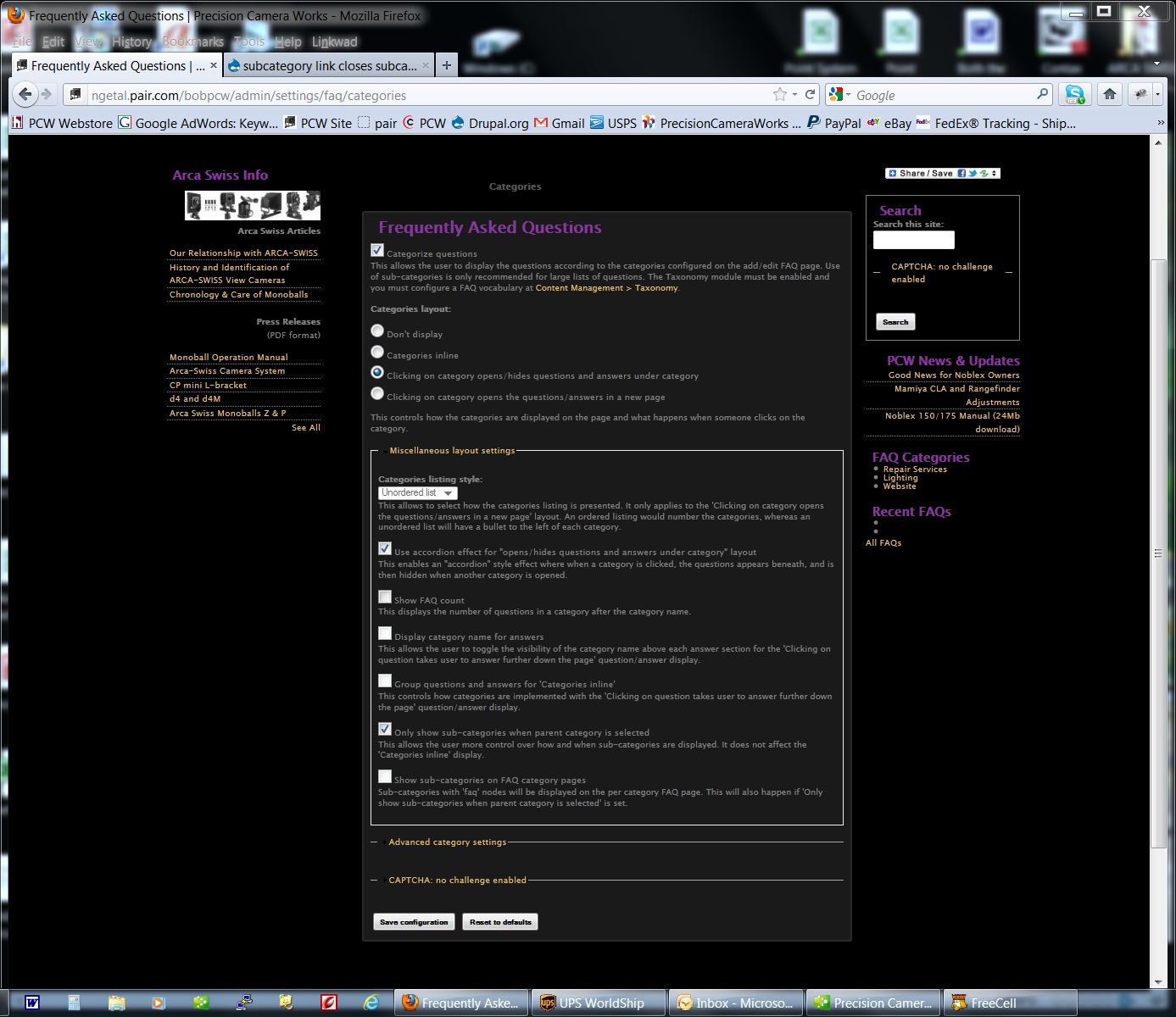
Steven Brown commentedPlease attach some screenshots of your configuration pages for FAQ module.
Comment #4
audster commentedHere you go...
A
Comment #5
audster commentedOops and here is the last image...
Comment #6
audster commentedUPDATE
I unchecked "Use accordion effect" under the categories section of the FAQ settings and
now clicking on a subcategory now works as described!
However, I'm still flummoxed as to why:
here's the output (firebug)
Thanks for sticking with me here! What should I try to get the blocks showing as I'm hoping?
A
Comment #7
audster commentedBTW, I just set up a sandbox for this site...
Let me know ...
A
Comment #8
audster commentedvery gentle and friendly ... bump ...
Comment #9
Steven Brown commentedI'm so sorry audster... I've been on a huge project from work and I haven't had much time. I'll do my best to work on the issues this weekend.
Comment #10
audster commentedAbsolutely NO PRESSURE!
(actually I was thinking that this now really falls under a different issue... "random faq doesn't list anything" ? )
I will keep poking around too!
Let me know (with pm) if you want me to set up an admin account for you on the sandbox...
Thanks!
Comment #11
stella commentedLooks like the original problem has been resolved. As for the "random/recent faqs" lists not displaying the questions, please open a new issue. However, you should check if you have a node title (short question) and / or a long question text configured. Which is displayed may depend on your faq question settings, though IIRC it's always the short one (for space reasons). Also, since you upgraded to the dev version recently, ensure you ran update.php