Posting this after initial discussions with quicksketch in #1407590: Media 7.x-1.0-rc3 breaks image resizing
As noted in that issue the commit in #1186434: Media field image formatter doesn't create width and height attributes. broke the ability of media images to be resized in a WYSIWYG. Custom width/height attributes added to the image (e.g. click and drag resize) are now always overridden by the media module.
After that commit (i.e. as part of rc3) the output from media_token_to_markup() returns an render $element as:
array(
  '#theme' => 'image_style',
  ...
  '#width' => 1000,
  '#height' => 850,
  '#attributes' => array(
    'height' => 85,
    'width' => 100,
  ),
);
Where 1000x850 is the original image size and 100x85 is the resized attributes. When the image comes to be rendered 1000x850 take precedent and override the attributes.
Prior to rc3 the #width and #height properties we not added to the $element, thus allowing the height and width values in #attributes to take effect.
Question is, how to work around this, or how to overcome it?



Comments
Comment #1
Argus commentedTo add some info about the behavior: also when not resizing images, I mean when setting width and height to 'empty', the original width and height of the image are still being passed on and rendered.
Comment #2
fenstrat@Argus, interesting, I hadn't noticed that. But it does fit with the problem here in #0, i.e. the media module overrides all image width and height values when it renders the image.
Comment #3
smira commentedchanged title to reflect issue present in media-7.x-2.0-unstable3 as well
here is the culprit function
can we just ad an if statement to check for the values in the #attributes array to this for now?
EDIT:
on another similar installation this error doesn't seem to be present, here are the details on the difference between the two:
broken installation =>
media-7.x-2.0-unstable3
wysiwyg-7.x-2.1 with TinyMCE 3.4.3.2
pathologic-7.x-1.4
image_resize_filter-7.x-1.13
with filter processing order => "Converts Media tags to Markup" => "Correct URLs with Pathologic" => "Image resize filter"
working installation =>
media-7.x-1.0-rc3
wysiwyg-7.x-2.1 with CKEditor 3.6.2.7275
and that's it... when i go to set an image size the changes apply as they should. I'll try installing the image resize filter to see what happens and let you know....
Comment #4
fenstratAttached is the rollback of the patch committed in #1186434: Media field image formatter doesn't create width and height attributes.
@smiro2000 That is indeed the culprit function, I haven't had any more time to look at this, just need this patch for a make file. I think you've got the right idea to only add the width and height if they are set in #attributes, however at first glance that function doesn't have access to #attributes? Did you get any further with your testing?
Comment #5
fenstratHmm, lets try that again, this time actually reversing the commit in #1186434: Media field image formatter doesn't create width and height attributes.
Comment #6
smira commentedafter looking into the media_toke_markup() function is looks like there are other checks in place to verify the structure of the $element array
from line 181 of media.filter.inc
i'm going to try adding something here, in the mean time though it seems like this error is TinyMCE specific
EDIT:
ok it looks like it is TinyMCE specific
here is the pre-formatted output for the two
Tinly => [[{"type":"media","view_mode":"media_original","fid":"8","attributes":{"alt":"","class":"media-image","height":"554","width":"426"}}]]
CKeditor => [[{"type":"media","view_mode":"media_original","fid":"181","attributes":{"alt":"","class":"media-image","height":"164","style":"width: 250px; height: 124px; ","typeof":"foaf:Image","width":"331"}}]]
notice in fact how CKeditor add the "style" array inside of "attributes"
i've been playing around with the above function to add some checks but i have a feeling i'm off track...
Comment #7
smira commentedi opted to mess with the media_get_file_without_label function on line #373 and add
however it seems to me that the patch that caused this issue is pretty useless to begin with...
here is my patch wich i guess solves the problem without reversing the file_entity patch
Comment #8
marco_mazzocchi commentedI get a resizing problem in WYSIWYG using the "media browser" button. The resize informations are lost after saving content changes.
I'm not able to use the patches above becouse, I think, files of Media module have been updated.
I'm using the last version available:
Comment #9
betoscopioI was having the same problem with media-7.x-1.1, but patch #7 fixed the problem.
Comment #10
betoscopioThe resize is working in Media 1.1 with patch #7, but when i insert an image in a text field i got this error message:
Comment #11
dandaman commentedYou're getting those errors because those values are not set when we're checking their value. I think code like this may make more sense, to just see if they're set before we overwrite the width and height:
Comment #12
fenstratFinally had some time to look at this again.
Everything here is pointing to this being a specific issue with TinyMCE as it ads width/height tags to the
imgtag directly, and not on the style attribute of theimgtag. There's a feature request to change this in TinyMCE directly: Stop Prepopulating Image Dimensions.However untill that is fixed, or for any instance where the width/height on the actual image needs to be be rendered (rather than the values returned from
image_load()as introduced in 1.0-rc3), there is a work around possible usinghook_media_token_to_markup_alter(). This is done in a custom module and as such overcomes the need to make changes/patch media module itself.Setting to Needs review, dispite this not being a patch. Would be interested if this works for others with this issue.
Comment #13
betoscopiodandaman's code seems to work for me, i can resize pictures in WYSIWYG and i'm not having those error messages anymore. I'm submiting a patch for this fix.
@fenstrat , seems that the issue is not TinyMCE specific, i'm having this problem with CKEditor 3.6.3. I'm not sure where to apply your code for test it, i'm just starting to watch the code of this module.
Thank you both for your help.
Comment #14
betoscopioOops, title changed in wrong way.
Comment #15
fenstrat@betoscopio Thanks for pointing out this is also happening with CKEditor.
It is unlikely that @smiro2000 and @dandaman approach you've rolled into a patch in #13 would make it into media module core. That's why I worked on #12. To implement that you need a cusotm module (in the example I've called it mymodule). Implemented this way you do not need to make any changes to the media module itself.
Comment #16
betoscopio@frenstrat, thanks for the explanation, now i understand the diference better. With your approach, wich would be a suitable module to implement it? I mean, this is a general use case and not specific for a particular site then i think this fix should go in some contrib module and no site specific code. Maybe not Media as you are suggesting, but some related module.
Comment #17
fenstrat@betoscopio Yep, good point, this doesn't seem like site specific code. However this issue only effects a small number of media users (those inserting media inline into a WYSIWYG field with an editor which places width/height attibutes on the img tag and not on its style attribute, such as TinyMCE) and as such a patch to media module itself doesn't seem to be getting any traction.
Additionally a module to implement the work around would litterally consist of the code in #12, nothing more. I'm honestly not sure of the best way forward with this. Would love some additional feedback.
p.s. Just saw you're in Chile, I'm currently living in Santiago, maybe we should meet up for a beer and discuss!
Comment #18
betoscopio@fenstrat, sure, beers while discussing issues would be great. I'm sending you a message.
Comment #19
zylootino commented#7 Solved the issue for me
Comment #20
drzraf commenteddidn't understood all, but in case it helps : #1448366: width and height attributes ignored
Comment #21
drzraf commentedIn order to clarify about this : which display mode are you using ? does your issue depends upon the one chosen ? (image, rendered file, file style, ...)
Comment #22
fenstrat@drzraf Using Full content or Teaser view mode. But this issue isn't dependent of display mode. It occurs whenever a media item is included in a text field with a text format which uses the "Convert Media tags to markup" text filter.
Comment #23
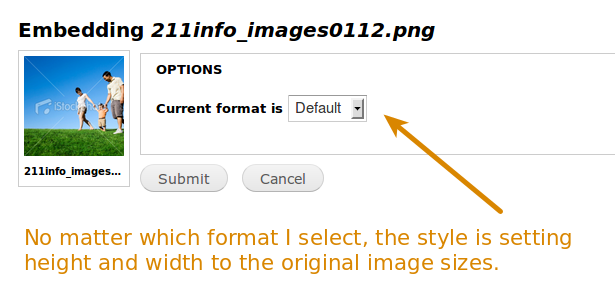
drzraf commentedI was wondering about which file display mode (chosen in the window following the views-based media manager) : the select-box which appears after a given media has been selected and "Submit" has been clicked. Could be "small", "large", "original", ...
Comment #24
fenstratSorry @drzraf, I'm using "Original" file display mode. Though I just double checked, "Small", "Large" or any other mode, all have the same issue. This is because this issue is caused by media not respecting width and height attibutes on an img tag, please see #12 for more detail.
Comment #25
drzraf commentedthanks fenstrat, thus my last question is : which "display" your "original" file display is bound to ?
If you customized this file display, the information can be found in :
/admin/structure/file-types/manage/image/file-display/media_original
by looking at checked checkboxes.
Comment #26
fenstrat@drzraf The "original" file display is bound to the "Image" display. All those settings are default, I've not changed any of them. Looking at the filepath you're using the 2.x branch of media, I'm on the 1.x where the path is /admin/config/media/file-types/manage/image/file-display/media_original. But this issue occurs on both the 1.x and 2.x branch of media.
It looks like you've outlined almost exactly the same issue in #1448366: width and height attributes ignored. Width and height styles set on an image are not respected.
I've just changed the "original" file display at /admin/config/media/file-types/manage/image/file-display/media_original from "Image" to "File style: original" and bingo, resizing starts working. This is exactly the same as your finding in #1448366: width and height attributes ignored. So this seems to be an issue only with the Image display formatter. Next question, where/how to fix this?
Comment #27
fenstratThe patch in #13 nor the work around in #12 address the root cause of this issue as outlined in #21 - #26, so back to needs work.
Comment #28
mpgeek commentedI'm wondering if all of this patching can be avoided by just using Image Resize Filter, as in http://drupal.org/node/1599070 ? It's my understanding that Media wouldn't support this functionality natively, and using the input filter is the way to go if you need resizable images in the WYSIWYG. Please correct me if I'm wrong.
This was also addressed in #944184: Generate scaled cached image when scaling in WYSIWYG editor, but I don't get why it is reported to not work in TinyMCE... the doc page goes over that.
Comment #29
fenstrat@mpgeek I originally raised this issue in the Image Resize Filter issue queue #1407590: Media 7.x-1.0-rc3 breaks image resizing. Using Image Resize Filter does not fix this issue, rather it causes it.
The fact is that anything which adds width and height attributes to the img tag will cause this issue. Whereas adding width and height attributes to the style attribute (i.e. inline css) of the img tag works fine.
Additionally this only effects the Image display, and not the File display as noted in #21 - #26. This is due to the change introduced in #1186434: Media field image formatter doesn't create width and height attributes., specifically this commit.
At this stage I'm not sure how to move this forward. I'm using the work around in #12, and the patch in #13 also achieves the same result. But niether address the root cause of this issue.
Comment #30
mpgeek commentedI'm not certain either, as i was assuming that overriding the native width and height attributes wasn't supposed to work. Thats the stance we've taken with our users, and that seems to be ok... they are now using display formatters instead of just resizing in the WYSIWYG. I think we'd need a decision as to whether or not this is *supposed* to work natively with Media or not.
Two cents deposited.
Comment #31
nrambeck commentedPatch #13 worked for me so that the "Convert Media tags to markup" filter actually honors the modified height/width attributes.
Comment #32
cameron prince commentedPatch #13 works for me as well (media 7.x-2.0-unstable6+83-dev).
Comment #33
drzraf commentedfinally works for me (7.x-2.x); congratz !After some pain I now went from file_styles to entity_view_mode (so without the ability to link thumbnails to original & co anymore, ...) anyway, the patch #13 works as expected for them.To my knowledge:
* file_styles : wysiwyg resizing supported
* entity_view_mode : wysiwyg resizing supported
* direct use of "image" module or old (1.x) media view_mode : wysiwyg resizing not supported
is that right ?
oooops... spoke too soon.
This does not work more with entity_view_mode than any other formatter.
It only works with my "original" view_mode which is bound to the "no image style" file view mode. Others seems not supporting resizing.
This's a major (and hard to tackle) issue...
Comment #34
ahillio commentedVery grateful for the fix in #12
Using media-7.x-1.2
Comment #35
arthurf commentedI think the issue that is being observed here is that file styles output through theme_image_styles. The "original" formatter only outputs through theme_image. theme_image_styles() forces the dimensions of the file from the image style, not the file- which to be fair is probably the right thing to do. It seems like to address this issue we may have to change the actual theme function that media_token_to_markup() uses to display. There are actually some advantages to this. Because we have $tag_info which has data from the WYSIWYG we could actually create our own image style which takes arguments from the WYSIWYG to properly size the image. This would also allow for cropping of the image.
Comment #36
arthurf commentedOk here's a rough concept of what this could look like. This is not sanity checked code. The data that the WYSIWYG passes back should be checked. I'm not sure if the way I've implemented the image style is a good idea either.
Comment #37
arthurf commentedComment #38
arthurf commentedSlight tweak to allow for multiple crops of the same image. Probably needs more thought.
Comment #39
fenstrat@firestickme Glad it was of help. We're still using that to solve this issue. I'm quite amazed that more people are not having this problem. I'm still unsure of the best way to solve it in terms of patching the module, but the custom module solution in #12 is a clean work around.
Comment #40
fenstratCross post with @arthurf
Interesting approach, will try it out and report back.
Comment #41
fenstratHmm hard to test this against 7.x-1.x due to the fact that it does not have the whole
if ($wysiwyg) {hunk 7.x-2.x does. So applying the patch fails on includes/media.filter.incWhat would this look like in 7.x-1.x?
Comment #42
arthurf commented@fenstrat - sorry, I set the issue to 2.x from some of the comments above. I think the issue is still with the image theme functions is still the same and so likely that this patch in some form could apply to 1.x. I think it needs some work before backporting (if at all) it to 1.x.
If you're trying to apply it, the main thing is that you need the $element['content'][file']['#theme']. I'm not sure if 1.x is passing the $tag_info along as well, but it shouldn't be that hard to make work.
Comment #43
arthurf commentedHere's a modified version of the above patch which seems to work for ckeditor and tinymce. It is probably the case that this should be a module rather than media core... not sure
Comment #44
drzraf commentedthanks a lot! I'll test that soon.
But as you dug far into that code, it could be useful to bring your insights to core dev' so that the bug (it is) in Drupal Image module could be fixed. If not somewhere else: #1448366: width and height attributes ignored
Comment #45
arthurf commented@drzaf - from my perspective this is not a bug- it is code that is manipulating images that does not do it correctly. theme_image() correctly renders images with their attributes set. The problem is the way that code in wysiwyg alters the markup of the image. In order to correctly resize the image the wysiwyg must implement a filter hook that can apply the correct attributes which would override what the theme_image_style() function applies. The patch that I created here- though completely barbaric- handles this by looking at what attributes wysiwyg has set and applying those rather than the ones in the image style.
The protocode here works with images inserted by media- it won't work with images inserted by wysiwyg without it. The reason for this is that media provides a hook to alter the inserted code before it is rendered.
Comment #46
fenstratI'm not sure if the inclusion of
image_style_create_derivative()is a good direction for this. A quick glance attheme_media_wysiwyg_image()shows it's trying to replicate the functionality of http://drupal.org/project/image_resize_filter which seems a better, already polished solution for this.Remember that this commit caused this issue. I think the key thing here is to get the width and height values which TinyMCE and CKEditor place in the *style* attribute out and into the base level *width* and *height* attributes.
Comment #47
arthurf commented@fenstrat when I look through the code it seems like the issue is the view mode that is selected. Because view modes that implement image styles will run the resulting images through theme_image_style() I think the height and width attributes of those images will always be reset to the image style.
I think the issue is ultimately that there needs to be a better mechanism of handling attributes on objects in the wysiwyg and how to format their output. Unfortunately this means making sure that different editors handle these attributes in the same way which is a whole other thing.
Comment #48
fenstrat@arthurf That does indeed seem to be an issue here, that editors do not handle nor apply attributes in a consistent way.
At the moment I've not got time to dig into this more, however I still feel the
image_style_create_derivative()section in #43 is not the way a solution should go.Comment #49
arthurf commentedWell I don't think the patch here is necessarily the answer, though I do think that anything being passed through the wysiwyg should be correctly resized because it sets the stage for properly sizing images as well as other options (crops, rotations, etc). Granted there isn't a derivative API that will let us track this yet and that's beyond the scope of this issue, however it at least gets us in the direction of uniformly handling content modified by the wysiwyg. For the mean time we may just want to document media_token_to_markup() a bit more clearly and add some information to the wiki pages about this.
Comment #50
ewijdemans commentedFrom my point of view (I'm not deeply involved here), the user inserts and image and specifying an image_view. The image get inserted into the editor and he's done.
Next, the user decides to resize the image, thus making the image_view obsolete by overriding it via the image it's width/height attributes.
So, in my opinion, these width/height values should be respected as #12 does and thus making it a valid solution, or am I completely missing something here?
Comment #51
drzraf commentednot tested yet, but from a quick look at the patch it seems that they are 2 distinct ways to consider the issue and possible solutions:
1) wysiwyg is the "reference", so derivative images are created (and stored) from the original file->uri without consideration to the requested file view mode (through the media button)
That's what the patch appears to do.
2) wysiwyg is an "additional hint": when we insert a media, we most often already selected a file view_mode which matched our needs (otherwise we wouldn't use it in the first place).
So wysiwyg is only a small modification of the dimension on top of this; not worth a new exact thumbnail generation.
In such a case the minimal solution is to only pass-on width and height without the need for a new derived image so we end up (if thumbnail was selected in the media popup) like:
<img src="files/styles/thumbnail/a.jpg" width="XXX" height="YYY" />= still using the file view mode requested, but with a client-side resizing (that's why height and width attributes exists).
please correct me if I've been misleaded in any way.
Comment #52
dalinI tend to agree that we should do 2) wysiwyg is an "additional hint". If you want derivatives to be created of the exact proper size, use Image Resize Filter module.
This means that the patch in #13 is the direction to go (though it needs some work).
Comment #53
guy_schneerson commentedYes #52 option (2) gets my vote, I am much more comfortable having the image style defined with a width & height set by the WYSIWYG.
Will try #13 with CKEditor 3.6.6.7689
Comment #54
dalinI should elaborate what I meant by "needs some work": In other places we do something like:
Comment #55
guy_schneerson commentedRe #13
Looks to me like the rendering of the image is controlled by the "style" element so I need to add the following to the patch to get it to work:
Not sure I like this approach as the media patch will probably conflict with the WYSIWYG :(
I can't restrict my users to only one way of setting the size.
(but still investigating)
Comment #56
guy_schneerson commentedThe attached patch is an update for #13 that fixes the issue for me with CKEditor 3.6.6.7689
Not sure it fixes it on any editor and I am not sure I am happy with this approach.
Also managed to get it working with media_token_to_markup_alter().
Comment #57
drzraf commentedThis apparently works with both "image" and "
rendered file" file view modes !(although worth being tested with file_view_mode and, why not, file_styles too)
Comment #58
mikeker commentedSlight update to #56:
Patch is against the latest -dev. I've also verified it works with 7.x-2.0-unstable7.
Comment #59
checker commentedI tested successfully patch #58 with a dev from 2013-02-05 and CKEditor 3.x
Comment #60
glnielsen commentedI installed this patch from #58 on latest Drupal 7, tinyMCE and media module. Worked fine for me.
Comment #61
mariacha1 commented[#58] is also working great for me using tinyMCE, media-2.0-unstable7, and Drupal 7, and as far as I can tell the code looks good.
Comment #62
mariacha1 commentedLooks like I was too hasty with rbtc. I found several issues while working with patch #58.
The first one was that all images loaded through media are given a style tag of their original dimensions.
So I have an image of 729px wide by 485px tall. I also have a teaser display mode set up, that should change the image into a max of 320px wide. When using patch #58, my file code was:
Or, in visual form (in the tinymce window)

Because height and width should always come from the "style" css attribute first (because that's what the browser uses), my image was always looking un-resized both my wysiwyg editor.
So we really don't want to add the initial height and width to an image when we select its display styles in this window.

Luckily, media already gives us a clue to when the display style window loads. It's the $settings['wysiwyg'] = TRUE.
So I fixed the issue by changing this line:
to:
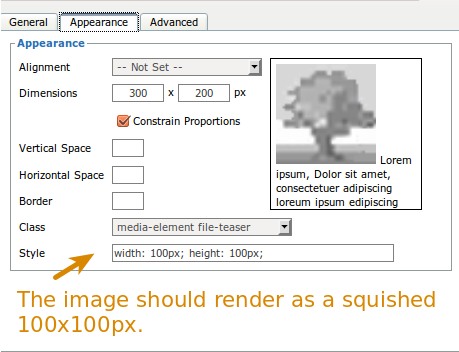
The second issue occured when I decided maybe I'd have a user savvy enough to put in their own dimensions in the style input area on the wysiwyg. Let's say they wanted to resize their 300px wide image to be 100px wide and 100px tall using only the style tag.
The image is now resized via php to be 100px by 100px, but it's showing up at 300x200 -- leading to an image blurry and squished.
Looking at the html it became clear why:
The trick there is the double width and height styles:
style="width: 100px; height: 100px; width: 300px; height: 200px;"The browser was reading from the second set of numbers, while image_resize_filter is reading from the first set.
The culprit there was this line:
That doubles height and width styles. The better way is to see what styles already exist, replace height and width, then re-save any existing styles, like so:
At least, that's what I thought. And indeed, in the wysiwyg editor, it showed the image at 100x100px. But on real page, everything was reverting back to what was in the height and width attributes instead of what was in my style attribute.
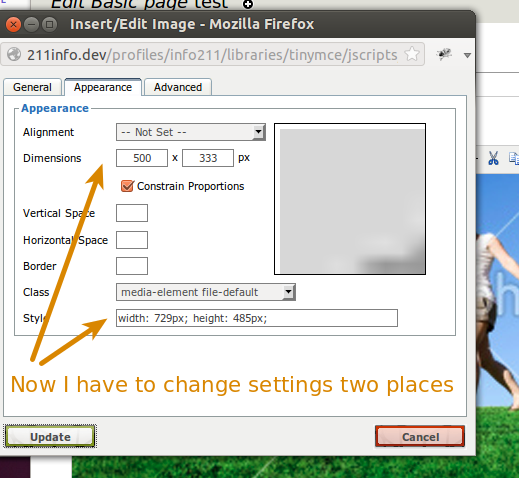
So then I had to dig through the code and figure out how to make that all work. I discovered the the $settings variable also gives you clues as to what the size should actually be. $settings['height'] and $settings['width'], if they exist, are the "style='height:100px;width:200px;'" values in html, aka the desired values.
If they don't exist, pull in the $settings['attribute']['height'] and width, as these represent your height="100" width="200" properties.
Finally, if none of that is set (which is only the case on the screen to pick a display type, from what I can tell) you have to just rely on what's in the $element['#attributes']['height'] and $element['#attributes']['width'] variables.
Attached is the code that should fix all issues, and an interdiff between this patch and #58.
Comment #64
moonray commentedThe patch actually passed, only the interdiff failed, so setting to needs review.
Comment #65
aaron commentedApplying the patch works however I get the following error message:
Notice: Undefined index: style in media_get_file_without_label() (line 711 of C:\wamp\www\drupal\sites\all\modules\media\includes\media.filter.inc).
Comment #66
moonray commentedI applied the patch to latest dev, updated to latest dev of file_entity, then updated db (update.php).
No errors for me; worked as advertised.
Comment #67
mrfelton commentedSeems to work well. Two warnings though.
Notice: Undefined index: width in media_get_file_without_label() (line 667 of /Users/tom/workspace/sac/sites/all/modules/contrib/media/includes/media.filter.inc). Backtrace:
Notice: Undefined index: height in media_get_file_without_label() (line 668 of /Users/tom/workspace/sac/sites/all/modules/contrib/media/includes/media.filter.inc). Backtrace:
Comment #68
mrfelton commentedUpdated patch with minor fix for undefined index warnings.
Comment #69
alar commentedThis patch media-resize_images_in_wysiwyg-1411340-68.patch appears to have solved our resize image issue.
Many thanks!
Comment #70
eigentor commentedFor those running into this issue and using Media 2.x with Image resize filter: use the "original" preset to avoid the problems.
I guess once the patch gets committed and into the 1.x and 2.x branch, it will also be possible to use other Image Style presets.
Comment #71
mariacha1 commentedThe logic for #68 is slightly wrong. This code:
means that the ideal settings for height and width ($settings['width'] & $settings['height']) aren't being looked at unless the $settings['attributes'] height and width are set. But we can't count on the two having anything to do with eachother. Instead, I think we're going to need to break this into another if statement like so:
I'm adding a patch to do this. I'm also cleaning up some coding standards errors in #68 patch.
Comment #72
jags880 commentedAnyone else find that the none of these patches work with the latest dev release? 2013-Sep-04
I've tried both #68 and #71 but once I insert the image into the wysiwyg area with the Media Browser button (using display as "Default") and then resize the image via the ckeditor image tool (i've tried TinyMCE too) everything looks fine...then I save and none of the size changes are saved. In fact no style settings are saved...float, border, padding, margin, none of them are output. Am I doing something wrong?
Comment #73
jrao commentedThose patches do not seem to work with image_formatter theme function, which needs width/height/attributes to be inside item array. Here's a hack to add them based on #71, but I don't know if this is the best way to fix this:
Comment #74
arthurf commentedHere's a snippit that allows content creators to use the CKEditor image options while not breaking responsive layouts. This is being done in JS because of how CKEditor updates image attributes. Additionally it captures the image floats and moves them to the parent element so that things like captions will follow the image. It's not the best approach as it would be better to have the markup correct when it is output from Drupal- hook_media_token_to_markup() would be the way to go there but CKEditor seems to get in the way.
Comment #75
sylus commentedAttaching updated patch based on #73. It seems to make image styles work again.
Comment #76
Yaron Tal commentedThe above patch wasn't working for me. I had to change the $element['#height'] = $height; line to $element['#item']['height'] = $height; to get this to work.
I attached the changed version of the patch by @sylus I used to get my resizing to work again. It now works in the node and in the editor (wysiwyg dev verson with ckeditor 4.x). I don't know why the above patch works for others, but since theme_image_formatter() uses the width and height from inside the item I can't see how it could.
Besides this I also need a patch for the JS to get resizing to work again. A colleague is currently working on that. It looks like all changes to the markup version are thrashed because of the way the tagmap is used.
Comment #78
rob c commented#76: media.wysiwyg-integration.1411340-76.patch queued for re-testing.
Comment #80
kaidjohnson commentedUgh -- I believe we've been working on the same issue in this thread here: https://drupal.org/node/2067063 and have taken slightly different approaches to resolve the issue. We should probably consolidate the work. The latest patch (https://drupal.org/files/media-missing-attributes-2067063-42.patch via https://drupal.org/node/2067063#comment-7936175) resolves a lot of issues surrounding general attribute handling (including height/width).
In addition to resizing images, we have been tackling floats and toggling the WYSIWYG filter, because they are all related to how media get handled in the WYSIWYG and how it ultimately gets rendered on the front end.
We should probably mark this thread or the other as a duplicate. Thoughts?
Also, It appears that sometime between September 30 and now, media is failing on simpletests, thus the patch in #76 won't pass and the patch in https://drupal.org/node/2067063#comment-7936175 won't pass either. I've poked at it a bit, but can't find the issue. It happens in the setUp of the simpletest and fails on enabling the media and file_entity modules, but I can't get it to tell me why...
Comment #81
Yaron Tal commentedI agree with closing this issue.
Maybe a good idea to cross post the last patch in #76 and possibly #75 (with the mention that it was created by @sylus, @jrao, @mariacha1 and @mrfelton).
Somehow the patches in that other issues don't work on my installation, but the above one at least fixes the PHP part of the problem.
Comment #82
mariacha1 commentedFWIW, I agree that https://drupal.org/node/2067063 is fixing a lot more of the problems I'm seeing with media in general, and that the code there is cleaner, once it's working fully.
Comment #83
kaidjohnson commentedClosing this issue as a duplicate. Let's consolidate to https://drupal.org/node/2067063.
Also, via #2107063: SimpleTests are failing. and #2109293: Media's 7.x-2.x dependencies are not being downloaded, it appears simpletests are working again.