

Closed (cannot reproduce)
Project:
FillPDF
Version:
6.x-1.16
Component:
Code
Priority:
Normal
Category:
Support request
Assigned:
Unassigned
Reporter:
Created:
24 Jan 2012 at 10:27 UTC
Updated:
17 Nov 2012 at 20:29 UTC
Jump to comment: Most recent file


Comments
Comment #1
wizonesolutionsHave you configured Fill PDF? If you haven't, it won't be able to retrieve the field info from the PDF. Also ensure the fields are actually able to be typed into.
Comment #2
wizonesolutionsReopen if still a problem.
Comment #3
dragon123 commentedHelp Needed I configured as it was given in the documentation part. Using version fillpdf-6.x-1.16.
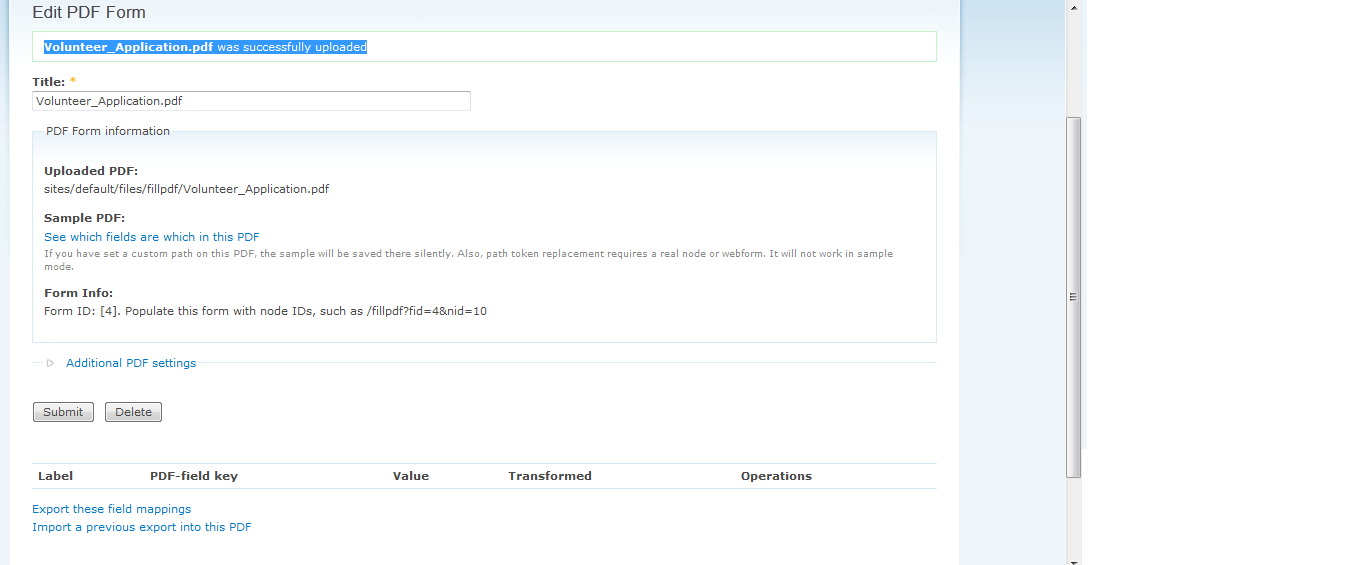
Succesfully uploaded the pdf but no options for mapping attaching the pdf.
Please provide a clear documentation of integration of module in drupal 6. Still not able to understand the missing part.
Already configured Fillpdf settings page and choosing Fillpdf as-a-service option.
Also to mention configuring fillpdf using webform-6.x-3.18.
Attaching pdf help needed....
Comment #4
wizonesolutionsBlank fields can mean:
- Your configuration is wrong. Double-check the settings page, and make sure your API key is correct.
- Your PDF doesn't contain editable fields. In other words, if I opened your PDF, there would be no fields inviting to me to type things in.
- Your PDF is secured or password-protected. The technology Fill PDF uses cannot read these PDFs.
Comment #5
dragon123 commentedThank you very much "wizonesolutions" for your valuable suggestion
API key is correct and working properly
Also to mention I am using webform-6.x-3.18.
Using modules cck, webform, token and fillpdf.
Plz mention modules in adition to the above to enjoy its complete functionality.
Is "fillpdf" best option for creating pdf file of my multiple webforms submissions????
Comment #6
aofatv commentedme too please help