Using the Views Slideshow method I'm having trouble getting the directional navigation to appear outside the .flexslider div as it is supposed to. I can get it to work, but only by overriding some of the css in the library (which it seems should not be necessary).
It seems that the template (flexslider-views-slideshow-main-frame.php) should output a wrapper div (class="flex-container") , and that this container should be set to position:relative. Still though, the position of the "flexslider" div would need to be set to static to allow the controls to flow outside the div (i.e. override the overflow:hidden property of that div). Yet, it is set to position:relative by the library.
I can't seem to find a way around this without hacking the library. Any thoughts? Am I over- (or under-) thinking this?


Comments
Comment #1
ishadakota commentedFWIW, this was my workaround:
I changed the module file /flexslider_views_slideshow/theme/flexslider-views-slideshow-main-frame.tpl.php to:
and added the following css:
Comment #2
Anonymous (not verified) commentedThe proper fix to this would be for the ol.flex-control-nav and ul.flex-direction-nav to be generated outside of div.flexslider.
I'm running out of time today for finding how that part is actually generated in this module (or my grep-fu is extremely lacking today), but I know that this issue is mostly solved after dragging these two elements outside of div.flexslider in Chrome just as they normally appear outside of Drupal.
Comment #3
bones commentedAlso having this problem. Taking ol.flex-control-nav and ul.flex-direction-nav out of the div.flexslider does the trick, but cannot find where this is in the code.
Comment #4
bones commentedBit more info, it is actually the flexslider js which puts the controls in the div.flexslider, whereas it should be after that. You can override by setting {controlsContainer: ".flexslider-container"} with that class being the container class.
Comment #5
rade commentedThe
olandulyou are looking for are printed from the flexslider library itself, not from the Drupal module. See sites/all/libraries/flexslider/jquery.flexslider.js or the minified version.Comment #6
minoroffense commentedI'm having a similar issue when using vertical slide direction. I'm still unsure if this is an issue with the Drupal templates the module uses or an issue with Flex Slider itself. If anyone can provide links to some more examples of this issue along with information regarding configuration that would be appreciated.
Thanks!
Comment #7
bones commentedI actually ended up not using this module and implementing flexslider through my theme. Not very helpful for you I know, sorry!
My understanding was that the default setting for 'controlsContainer' which is the flexslider element, does not work (I cannot see how it would) and this is a flexslider issue.
A simple work round is to set the 'controlsContainer' value to the container instead.
Hope that helps.
Comment #8
minoroffense commentedSounds like you recommend just changing the default value for controlsContainer to the default Flex Slider container class? If so, I could make that change in the default configuration.
Comment #9
bones commentedYes, that is what I suggest. Set it in the default.
I have done this with my own implementation of flexslider (as this module wasn't working for me) and it fixes it.
Comment #10
minoroffense commentedI've added a potential fix for the issue. Please see commit http://drupalcode.org/project/flexslider.git/commit/8ee57b7 and report back results.
P.S. You'll have to go and recreate your option sets to include the default value of '.flex-nav-container' or create a new one to test this.
Thanks
Comment #11
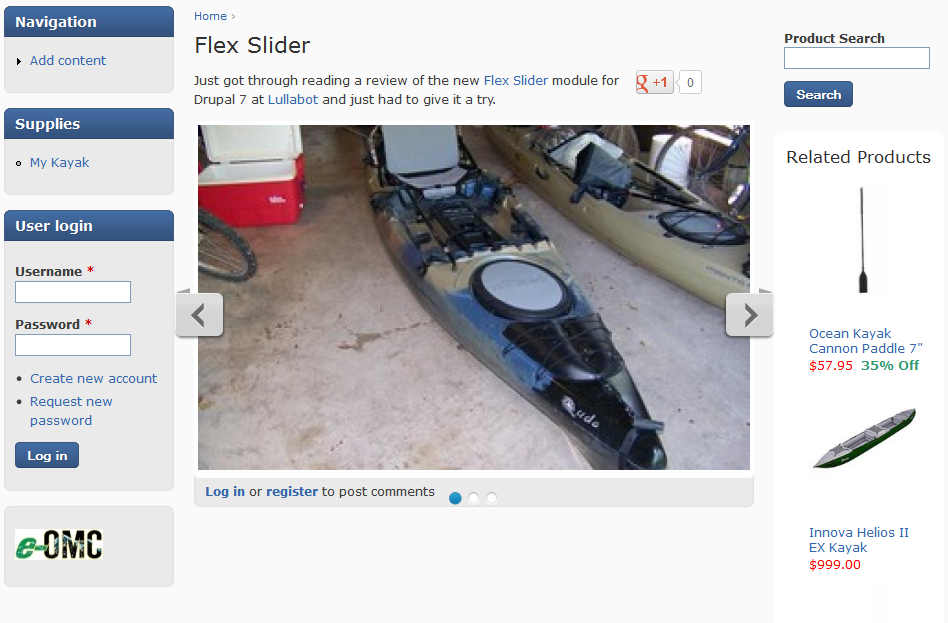
mermentau commentedI installed Flex Slider on two sites today using 7.x-1.0-rc2 which at the moment is the same as the dev release. Both are Zen sub-themes, but different ones. The problem is that when using Flex Slider in a field with the article content type there is some over lap at the bottom between the navigation controls and the tags or login links that are just below the slider. It's such that the links in some cases aren't active and can't be clicked.
I was able to tweak flexslider_img.css in one case and it looked great, but the same fix didn't work with the other theme so I couldn't say that I had a fix to share.
Comment #12
minoroffense commentedCan you post the css you used to adjust the one site?
Comment #13
mermentau commentedThis theme is my conversion of the Drupal 6 version of Airy Blue. There was no D7 version at the time.
Code in action here.
Comment #14
minoroffense commentedI tried it out on Bartik and the navigation tends to overlap the fields below. I think adding a reasonable default margin below would suffice.
But I doubt there's a case that will work everywhere but at least if we provide a decent default that should be good enough.
Comment #15
minoroffense commentedAdded margin-bottom: 30px to the nav container. Should suffice for the most part. Any other updates will have to be applied in the theme.
See http://drupalcode.org/project/flexslider.git/commit/d3af3ce
Comment #16
ssaha commentedHi
We are trying to implement the FlexSlider Pause/Play button and we have our theme developed by a consultant.The flexslider is a part of our theme.I am no theming expert and I tried to change the javascript inside our theme.But it doesn't work.So can you please let us know what you did so we can use it as our guide.
I tried to create a simple html with the felxslider and that works ie has the Pause/Play button.But when I am trying to do the same thing inside drupal doesn't work.I can't see the Pause/Play button.
Comment #17
gittosj commentedManaged to do this in Zen 7.5 (and may work in other themes) with the following css in my custom theme
ul.flex-direction-nav {
position:absolute;
overflow: show;
top:0;
right: -50px;
bottom:0;
left: -50px;
}
with that I get the directional control arrows appearing on either side of the slideshow - reset set this with @media declaration to be responsive for smaller screens