

Closed (duplicate)
Project:
D7 Media
Version:
7.x-2.x-dev
Component:
Media Browser
Priority:
Major
Category:
Bug report
Assigned:
Unassigned
Reporter:
Created:
26 Jan 2012 at 10:04 UTC
Updated:
6 Jun 2012 at 08:08 UTC
Jump to comment: Most recent file



Comments
Comment #1
dave reidBoth buttons do nothing? Have you checked your browser's JavaScript console for errors? That's typically the problem when this doesn't work. Also be sure to include what theme you are using. And I'll also ask the stupid question of "did you actually select any media files in the libray tab before clicking submit?".
Comment #2
rlmumfordThansk for the pointer, I get this error:
And yes, I have selected the media bore clicking submit.
Comment #3
rlmumfordComment #4
andrewbelcher commentedHi, I did some more debugging on this one. I found a solution, but I don't know if it's a solution because it fixes it, or because it takes a different approach. I traced back the js error and found that the issue was at js/plugins/media.views.js:31. The issue was that it was looking for
Drupal.settings.media.files[fid]. On inspection ofDrupal.settings.media.filesit looks like somewhere between media.views.inc:76 and it being processed by the javascript the array of files indexed by file id was being converted to a js array rather than an object (ie loss of associative keys).My guess was this was due to it having a numeric key. I tried using a type converstion to a string for the key, but it looks like even that was still getting assumed to be a non-associative array, either by Drupals js settings functions, or json_encode (or other method to convert to a json object). So my 'fix' was to prefix the key with 'f' as in the attached patch. That solved the problem, but as I said, possibly not a solution to the root cause.
Comment #5
murzGot the same issue on Drupal 7.12 (Cancel button works, Submit shows error), but patch didn't solve it, the error is in string:
The error string is last of
I do the breakpoint on this line and see that "mediaFile" is undefined on this step, mediaFiles array too.
If I use media 7.x-1.x (the same js code), mediaFile and mediaFiles works normally.
This issue is exist only in "View Library" tab, on "Library" tab all works well.
Comment #6
a_thakur commentedGetting the same problem. The cancel button works, but submit doesn't for the View Library.
Comment #7
bigsyke commentedSame here - Admin works, but for any other role, only the cancel button works.
Comment #8
ddyrr commentedThe root problem is that mediaFiles is not available at all because it's in iframes. The root function where mediaFiles must be available is in Drupal.media.popups.mediaBrowser in the wysiwyg-media.js file. The data is supposed to be added in a setting for media.files, which is added in a js setting in the template_preprocess_media_views_view_media_browser function in media.views.inc.... but it's not available, because that is loaded into the iframe. Does anyone know how to get that setting from in the root document javascript?
Comment #9
andrewbelcher commentedddyrr - I may be completely misunderstanding your comment, or the way media works, but as per my comment above, when I did some debugging it looked to me like the files were set, it's just they had been treated as a non-indexed array somwhere in the conversion to the Drupal.settings object, due to the numeric indexes (ids).
Comment #10
ddyrr commentedWhen I did some debugging, the files were completely unset for me, and exist only within the iframe version of the page (as that is where the js is set). I'm in the same boat as Murz. Your patch won't work for me.
Comment #11
ddyrr commentedI should have mentioned that non-admin users have the worst problems.
Comment #12
adarkling commentedDrupal 7.12
PHP 5.3.9-ZS5.6.0
Media 7.x-2.0-unstable3
Chaos tools 7.x-1.0+10-dev
Views 7.x-3.3
Cancel button works, Submit button does not.
andrewbelcher's solution [#4] worked for me. I had to rework the code slightly though, to spare the second iteration of the $files array & also because the code had changed slightly since his patch.
As he indicated, it does look like the problem is in drupal_array_merge_deep_array() in /includes/common.inc line 4211, which emulates array_merge_recursive() by renumbering any integer keys.
His fix seems to be the best that doesn't involve reworking core functions to allow drupal_add_js() to accept pre- JSON-encoded data, or providing a switch for drupal_array_merge_deep_array() to work in "assume everything is associative" mode.
Please review & lets get this bug resolved.
Comment #13
h00dwynk commentedPatch #12 works on cancel as aDarkling said, still not submit button yet.
Comment #14
murzCancel button works well also without this patch. But submit button don't work with or without patch from #12.
How to reproduce (Firefox 11 browser):
1. Open node edit page with media field (with already uploaded some images).
2. Press "Select media", go to "View Library" tab.
3. Select some image, press "Submit".
The form must be submitted and image attached to field, but nothing happens.
Comment #15
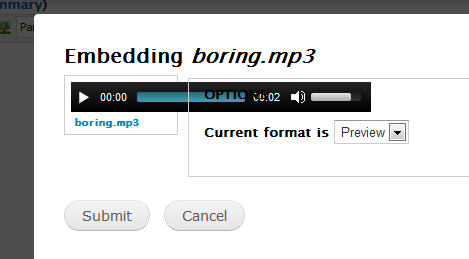
smalltalkman commentedI get the same result. On the preview dialog, the player works fine.
Submit gives the attached error. I get the same result with 1x and 1x dev.
Cancel and library functions are fine.
I use tinymce. The "disable rich text" link gives an error. Likely something with my setup. :(
I moved back to TinMCE 3.4.9. That fixed the disable problem. Still no submit.
Chrome & IE
Comment #16
drzraf commented1) It's major (at least)
2) the patch does not solve the issue (in my case) : mediaFile is still NULL in
Drupal.media.popups.mediaStyleSelector3)
console.log(mediaFiles);inmediaBrowserOnSelect(js/wysiwyg-media.js) :[undefined]!Comment #17
drzraf commentedI don't know if I'm talking about a different bug but in my case (where only the submit button seems to be inefficient), the issue is worst than that. The button may or may not work, but the issue is at a higher level, when
Drupal.behaviors.experimentalMediaBrowser.attach()is called,Drupal.settings.media.selectedMediais[undefined]: it contains 1 NULL element.Comment #18
drzraf commentedOk, I now understand how it relates to view and markup.
1) markup is crazy and buggy (see below)
2) jQuery() use parent()
3) only to fetch the nid which is almost everywhere (see markup below)
The markup is buggy in two ways, there is an empty
<a>and the<img>'s <div>is not clickable.I was forced to use the text link for some time, it should be confirmed but that's the probable cause for this issue.
Comment #19
drzraf commentedthus a patch which is obviously a workaround for a deeper problem which is all this complex markup and scripting.
Comment #20
mnlund commentedFor those struggling with the markup explained in #18 - disable the File styles module. I don't think this is needed any more because of the handling of view modes from File entity. I don't miss it though.
Comment #21
agoradesign commenteddrzraf: does this really work for you??? Do you have a different markup in your view? Because for me, the old selector does work, because the link is a parent of the .media-item element and not a child, as your solution proposes.
I have spent about 5 hours this morning to figure out the problem. And finally I've found a solution: it seems that the Drupal.media.browser.selectMedia function (in the media.browser.js file) is called twice - and the second time with an array containing an undefined value. So I just put an check inside the function, if the parameter is really containing real values:
Two reasons because I don't provide a patch here:
Comment #22
drzraf commentedin case it explains my workaround : I'm using file styles (style module).
Comment #23
murzPatch from #19 didn't solve the problem for me (on current dev version).
If I add check from #21 I got "You have not selected anything!" popup after clicking "Submit", but I select item (it changed background to yellow). Disabling File styles module didn't help.
What can I try more?
Comment #24
ddyrr commentedI figured out awhile ago that part of the problem may have to do with the iframe. Sometimes the js for creating the required variables is added within the iframe, but called outside of the iframe. This doesn't always happen, however. I've had a few cases where the code works, and other times when it doesn't. When it doesn't, that seems to be the reason. I'm not sure what causes it to act differently in different cases, but maybe that's a starting point. I haven't looked at it for awhile though.
Comment #25
redndahead commentedLet's see if this patch helps. It works for me for getting that error, but it seems there may be multiple reasons people are getting it.
Comment #27
redndahead commentedComment #28
redndahead commented#25: 1417436-d7-1.patch queued for re-testing.
Comment #29
dmurkerson commentedI am also having the problem of the Submit button not working, but the Cancel button does work in the Library View. However, the Submit button seemed to stop working for me when I had either MediaFront or MediaElement.js installed as a player for Video files. Before I installed either of those two modules the Submit button was working fine for me, however, since there is no native video player with this module I was just getting an image that looked like film where my video was supposed to be.
Comment #30
thamasUsing CKEditor module (and CKEditor, of course…) and File Entity / Media unstable5.
Views Library: Cancel button OK, Submit button does not work –– but just on the first page of the view. However it works on the first page too when I turn to an other page and than back to the first.
Strange.
Comment #31
checker commented#25 is working for me (submit is possible) but i get another error with this patch "Error: attempt to run compile-and-go script on a cleared scope /misc/jquery.js?v=1.4.4 Row: 64".
Comment #32
redndahead commentedI don't think it has to do with this patch. Maybe it's from another commit that has happened? Here is a stack overflow post on the error: http://stackoverflow.com/questions/5433415/error-attempt-to-run-compile-...
Comment #33
damontgomery commentedI have attached a patch which is an extension of #25.
This patch does two things.
1. Use the LI ID as the source of the media fid.
Reason: Previously a wrapper A was used to get this. It had an attribute that stored the data, but because of the styling / structure, this wrapper would not actually wrap the media-item DIV. I believe this was because there were A's inside A's and this caused issues. All of the items are inside LI's, so I modified the jQuery traversing script to find this and take the number off the end of the ID attribute. The structure is also different between PDF media files and Image ones.
2. Fix the selection of the media item (this is pulled from #25.
Reason: #25 fixes an issue where the FID was used to look up and attach the media object, however (as was described previously with the associative array vs object), the IDs were stored as values, not as keys. This patch goes over each item in the array and checks the value.
This patch is sort of hacky, but so is everything here. I'm not sure what the underlying issues are, but this seems to fix the issue for me.
Comment #34
czigor commented#33 works for me.
Comment #35
drzraf commentedalso works for me. I would only add :
* please use some replace() "media-item-" => " " instead of substr(11), I think the code is convoluted enough to avoid some more magic values :|
* there are some leading/trailing whitespace in the provided patch
Comment #36
damontgomery commentedIn response to #35,
We can definitely replace the substr() function with a replace one.
What's the deal with the whitespace? Is it at the beginning / end of lines or is it an issue with the end of the file / spacing to make the code more readable? My understanding was each js / css file needs a return at the end of the file so I added one there.
If it's easier to submit a patch with the changes than explain, please feel free to do so.
Thanks and happy it's working. Even if it's a hack, it should point someone who knows more about what's happening in the correct direction.
Comment #37
dave reidDidn't realize we had two issues open for the same bug, so let's merge this issue into #1562164: Unable to select files when two or more Views browser plugins are active.
Comment #38
drzraf commentedI'm reopening (or should I create a new one ?), because #1562164: Unable to select files when two or more Views browser plugins are active does not fix the issue with file styles.
does not allow selecting the right element.
Either the above patch should be taken into account, either the file styles module should be explicitly marked as incompatible with media, either the gotchas of file styles used with the views browser should be stated somewhere.
Eg : the "media-preview" view mode is used for the views-based media-browser and should be left as-is, or at least not associated to any "file style"(-module)-based display
Note 1 : "media_preview" (/admin/structure/file-types/manage/image/file-display/media_preview) is translated in french by "Aperçu" (ie: "Preview" only) : confusing
Note 2 : I switched to "rendered file", but the media-browser now leaves me with image-x-generic.png (while submit-click now works...), whatever view-mode is chosen.
Comment #39
dave reidThe file styles module is already considered in conflict with Media 2.x, but core provides us no way of actually enforcing that conflict.
Comment #40
drzraf commentedI can recall of modules relying on both media AND styles (but I'm not using one of them myself).
These issues about "file styles" and "view modes" are painful so thank you for clarifying about "file styles" compat (but please note that there is no occurrence of "file styles" in the module).
It may looks like a bug hijacking but could you please define which display the media_preview "file display" should be using ? eg : image or rendered file ?
And what happens if the media_preview "file display" is not customized (unchecked in "manage displays") ?