

 The 2026 Drupal Business Survey is open. Your response will help shape the future of the Drupal business ecosystem.
I'm trying to hide all the tabs at the top of an advanced forum page, because they look odd in the theme that I'm using. I have:
- NOT checked the "add a tab for forum view page" and "add a tab for included views that have their own pages"
- edited the views (advanced_forum_ active_topics, advanced_forum_new_topics, Unanswered forum topics) to have no menu entry
- cleared all caches
but the tabs won't go away.
What have I missed?
| Comment | File | Size | Author |
|---|---|---|---|
| #10 | AF-View-menu-tab.png | 10.72 KB | michelle |

Comments
Comment #1
michelleThe tabs are coming from Views. If there are no menu entries there, then I don't know where they are coming from... Try clearing the cache a few more times.
Michelle
Comment #2
atiras commentedI finally got rid of them, by:
Something odd going on, but I have the result I wanted.
Comment #3
atiras commentedComment #5
jay.lee.bio commentedFor 7.x-2.3, all I had to do was disable "Advanced Forum active topics", "Advanced Forum new topics", "Advanced Forum unanswered topics" in Views & clear cache.
Comment #6
jay.lee.bio commentedComment #7
extexan commentedEven though this issue is more than three years old, I thought I'd change the status (and other details) instead of creating a duplicate - this still seems to be a bug.
When I saw that unchecking "Add a tab for included views that have their own pages" (and clearing caches) didn't remove those tabs, I did a search for "views_as_tabs" in all components of advanced_forum. It only appears in two places... lines 83 and 86 of settings.inc.
So, if it is only set in config, but never referenced anywhere else in the code, I don't see how it could work - and, in fact, it doesn't.
Comment #8
osopolar@ExTexan: See #5, and disable these views (or change their menu settings). The Tabs will disappear.
Anyway, would be nice if the settings would work properly.
Comment #9
extexan commented@osopolar,
Thanks for the suggestion. The "fix" in #5 wouldn't work for me because I DO want the views, I just don't want the tabs. I have menu items for those pages in a right sidebar menu block, so the tabs were redundant.
I can't remember now what I did as a work-around. As you said, it would be nice if that setting actually worked.
Comment #10
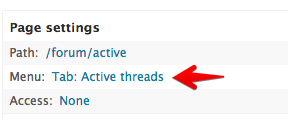
michelleI did some poking around and it looks like the setting was ported to Drupal 7 but not the code that makes use of it. The setting isn't strictly needed, though. As I said 3 years ago, the tabs are coming from Views, not AF. All the setting did was provide a way to turn off the tab without modifying the view, which meant you could do it without having the view be overridden in the database. As it's unlikely that the D7 version will get any changes to the views at this point, having them be overridden isn't a big issue. If I get some time, I'll see if I can port the option but, in the mean time, if you don't want the tabs, just edit the views.