Postponed
Project:
Menu Minipanels
Version:
7.x-1.0-rc3
Component:
User interface
Priority:
Normal
Category:
Bug report
Assigned:
Unassigned
Reporter:
Created:
31 Jan 2012 at 03:30 UTC
Updated:
5 Dec 2012 at 18:36 UTC


Hi Guys,
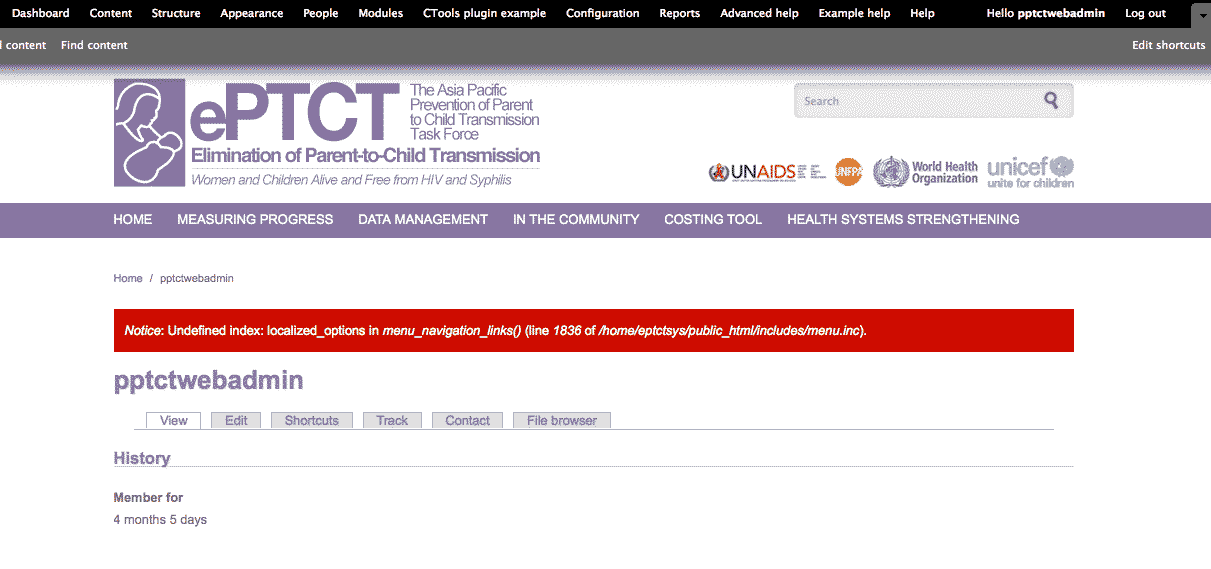
Hope someone can help me out. I seem to be getting this error when I have menu minipanels enabled. Disabling the module removes the error, and it seems all the fixes I've browsed around in this forums have already been committed. I disabled all the menu options in my theme, even deleted the secondary links in my main menu since I use this module. It's an error that comes out on just the user account page. I've attached a screenshot.
Thanks!
| Comment | File | Size | Author |
|---|---|---|---|
| error.png | 22.3 KB | ArchangelGuidz |

Comments
Comment #1
DeNelo commentedI get this too. But I don't have minipanels...
Comment #2
ArchangelGuidz commentedThis patch seemed to have fixed it for the said line:
http://drupal.org/files/issues/menu_148.patch
It fixed the error for me, but it seems like a band-aid solution for now.
It might have issues once localized options are actually present.
The thread for that is here:
http://drupal.org/node/1018614
Hope this helps anybody having the same issues.
Comment #3
damienmckennaPostponing this until there's movement on the core bug.
Comment #4
ey commentedI don't know if it is a core related bug, but I get this notice, too, if I enable the Menu Minipanels module. If I disable it, the notice disappears as well.
It occurs only on user pages, in other words, on the paths: user/*
Comment #5
ey commentedSo, I have found and solved the problem easily. The problem was on the menu 'Navigation'. This menu doesn't have a localized_option key. Since the Menu Minipanels loops through all menus which are allowed to be used with Menu_MiniPanels, it gives this notice when it comes to Navigation Menu.
The solution is so simple, you just have to uncheck the option on Navigation Menu edit form:
admin/structure/menu/manage/navigation/edit
The notice will disappear.
Comment #6
scottsawyerThank you @pc-wurm, in my case it was a custom menu. Once I found the offending menu and checked the box for menu minipanels, the error went away.