

 The 2026 Drupal Business Survey is open. Your response will help shape the future of the Drupal business ecosystem.
What am I missing here?
I have (besides having activated the mailchimp modules incluing the list module)
1) Created account at mailchimp.com
2) Created an API key and inserted it into drupal mailchimp
Still, the list of lists remain empty.
I've tried emtying the caches and running cron.
| Comment | File | Size | Author |
|---|---|---|---|
| #15 | 8866608_293230034_19811941.png | 155.2 KB | joey-santiago |



Comments
Comment #1
thomas1977 commentedComment #2
waltf commentedFor people having the same problem, run cron..
Your lists will show up after that.
Comment #3
Lloyd commentedI ran cron, lists still aren't showing up. And there is no authorized application listed on the Mail Chimp site.
Comment #4
Lloyd commentedSo I expected that refreshing the email lists would actually display the lists previously created in Mail Chimp. That's not the case. You then have to add a list and within that form select which list from Mail Chimp to associate. A bit confusing.
Comment #5
Scorpio26 commentedI run cron, lists still aren't showing up.
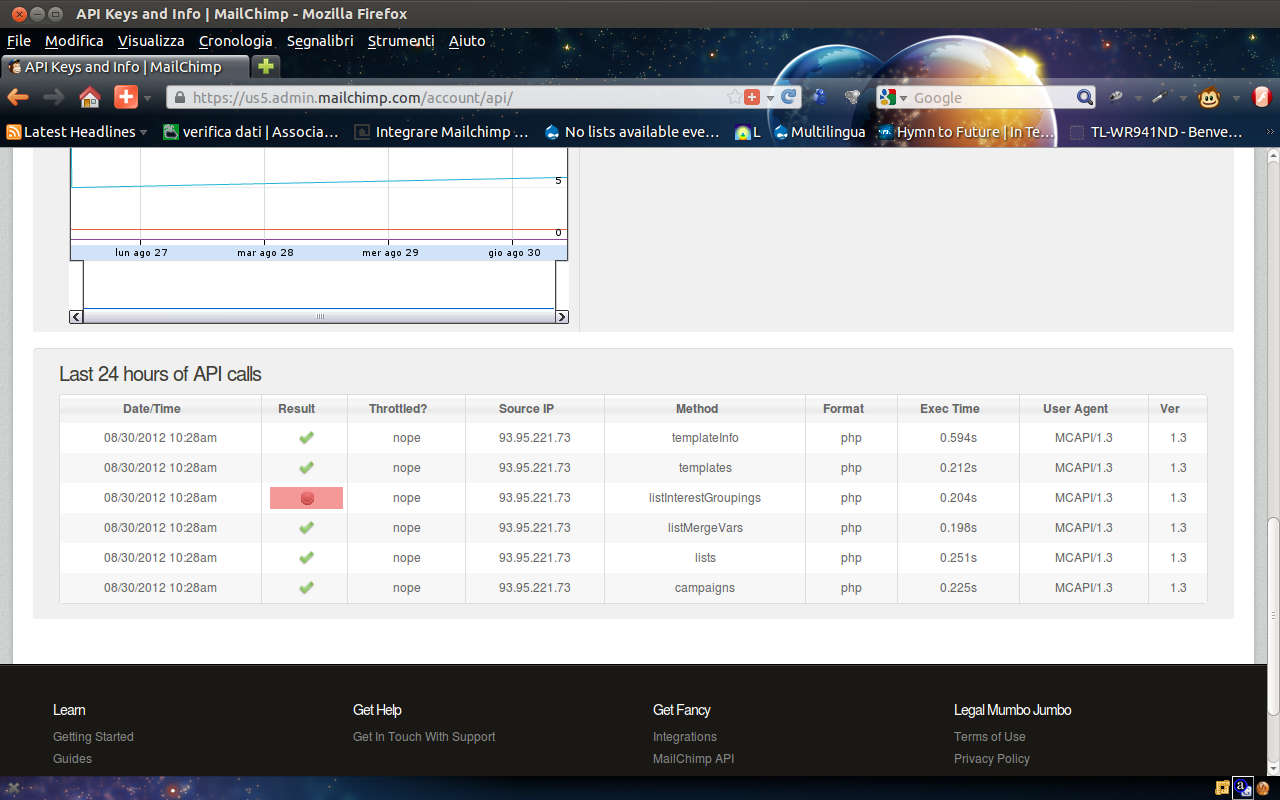
In https://us5.admin.mailchimp.com/account/api/ i have an error for listInterestGroupings Api
Comment #6
Anonymous (not verified) commentedI was confused a bit by this as well, same as #4. You have to manually add a list and link it up. Better documentation on that page might be required.
Comment #7
Scorpio26 commentedHello afestein
I describe the steps that I did.
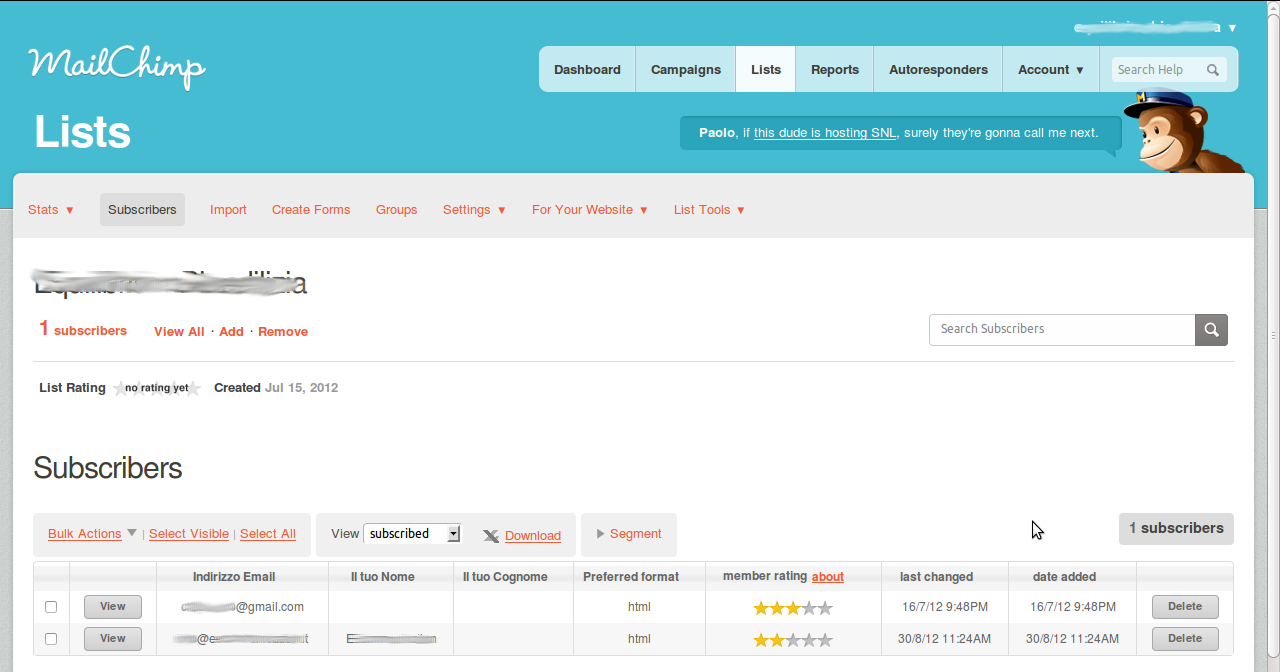
I created a list in Maichimp (lists.png)
On my site I run cron (admin/config/system/cron)
I went to the page (admin/config/services/mailchimp/lists) and I clicked on Refresh lists from MailChimp, but the list in my page (admin/config/services/mailchimp/lists) is empy
In Mailchimp page us5.admin.mailchimp.com/account/api/ I have an error on the row listInterestGroupings (last-api-call.png)
Thanks
Comment #8
jade.mese commentedHello!
My lists also does not show up.
I have 3 lists in MailChimp.
I installed MailChimp module. Main & Lists module are turned on.
I installed the MailChimp API library.
I have given the API key to the module. Drupal found it. (The MailChimp MCAPI wrapper library is installed correctly.)
I ran cron and flushed all caches.
The lists still does not show up in the select options when I want to add a list.
And I neither have any API calls at https://us7.admin.mailchimp.com/account/api/.
Can this be because of some server settings? Or what? Do you have any more ideas?
Thanks!
Emese
Comment #9
Welsby commentedSame problem here. I've generated and linked the API key, created lists within MailChimp with users in and i've refreshed the mailchimp lists in drupal and run cron a few times since - but when I go into adding a new list the 'MailChimp List' dropdown remains empty.
Nothing in Watchdog or the server logs to indicate any sort of problem has occured.
Comment #10
tomfallowfield commentedThis had me foxed until I installed the Mailchimp API library in /libraries/mailchimp then it worked fine
Comment #11
JasonLee87 commentedMy lists also does not show up. I've
- Installed the latest version of mailchimp 7.x-3.4 (https://www.drupal.org/project/mailchimp)
- Copied the libraries(https://bitbucket.org/mailchimp/mailchimp-api-php/get/03ae0dba64d1.zip) to the library folder
- Created MailChimp list
- Copied over the API Key to my Drupal backend.
Am I missing something? I also ran cron and flushed all caches.
Comment #12
melixann commentedcan someone help with this issue please?
Comment #13
JasonLee87 commentedI fixed my problem by installing and enabling the chr module (https://www.drupal.org/project/chr).
Comment #14
kdechant commentedThere seem to be some platform-specific issues here.
I was unable to query the lists on my Windows dev machine running XAMPP. The API calls were failing due to inability to verify the SSL certificate. This may be related to mismatched versions of OpenSSL (see also https://www.drupal.org/node/1879970) but I haven't precisely confirmed this. OpenSSL version on my machine is 1.0.2d.
Using the same settings, it works fine on my Linux dev server. (OpenSSL v1.0.1e)
Comment #15
joey-santiago commentedTo me it looks like there's a problem on mailchimp side. Isn't it? I'm getting a 500 error from the call.
thanks for helping out :)
Comment #16
Badlapje commentedAlso having this issue on windows in a local environment with Drupal 8.0.5 and php 7
Comment #17
greg boggsI'm sorry you're having trouble.
The first thing to try is switching to a stable, non-beta release of PHP because PHP7 is not supported yet. The second thing to try is using a non-windows machine because it might be a Windows or Wamp Issue. Assuming you are using Wamp of course.
If you really are having the issue in this post, then #4 solved it 4 years ago. However, I can't tell you that it would still work with the current version of MailChimp.
~Greg
Comment #18
ryanjbaron commented@badlapje, @kdechant I was having a similar issue with a drupal 8 install on xampp. Even though I had the correct mailchimp api key and lists created in my mailchimp account I was not able to see any of my mailchimp lists in the drupal mailchimp admin.
I solved the issue by downloading a cacert.pem file https://curl.haxx.se/ca/cacert.pem and then updating my php.ini file:
curl.cainfo = "C:\path_to_cert\cacert.pem
http://stackoverflow.com/questions/21114371/php-curl-error-code-60