

Closed (works as designed)
Project:
GraphMind
Version:
6.x-1.5
Component:
User interface
Priority:
Major
Category:
Support request
Assigned:
Unassigned
Reporter:
Created:
13 Feb 2012 at 23:37 UTC
Updated:
22 May 2012 at 11:11 UTC
Jump to comment: Most recent file


Comments
Comment #1
jandekezel commentedI did some more testing and can import a mindmap by pasting the .mm file in the edit window.
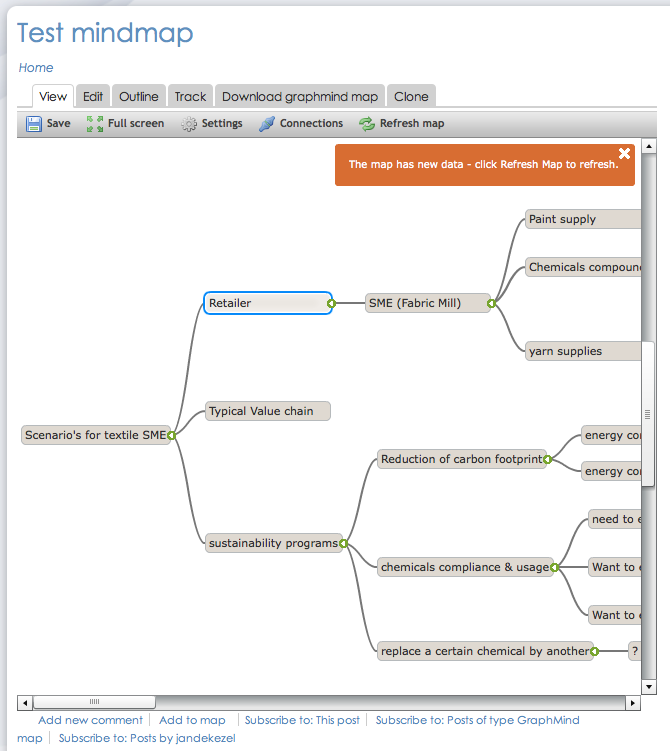
Also, once the map is there, I can drag & drop content and can expand/collapse branches.
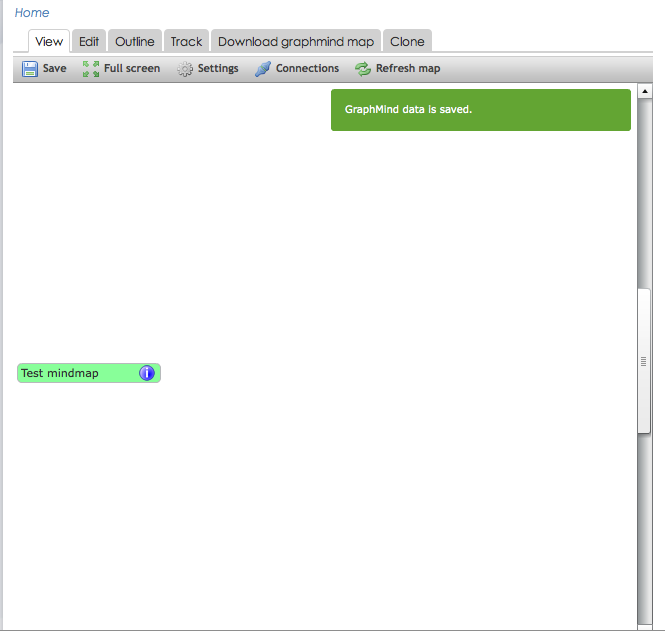
However, a message 'Graph has new content' appears, and when I refresh the graph, I lose all content.
see attached screenshot.
Comment #2
itarato commentedHi Jandekezel,
What GraphMind features and plugins are turned on on that particular node? I will know more then. Thanks!
Comment #3
jandekezel commentedHi itarato, see the 2 attached pics. I've activated all I have, but no difference.
BTW the map that you see wat created by pasting the content of an .mm file in the graphmind xml field.
But for my application it's very important that we can collaborate and modify mindmaps online.
Comment #4
jayaram commentedI have the same issues, I activated all graph mine features but still do not see the + sign or the dashboard on the left of the editor!
Please let me know how to solve this issue.
Thanks
Comment #5
itarato commentedThe Relationship plugin removes the add button and adds the same functionality to the local menu.
Turn off the Relationship plugin and you should see the green + sign on the mouse hover event.
Comment #6
jandekezel commentedGreat, this did the trick indeed! Thanks!
Comment #7
itarato commentedCheers :)
Comment #8
efarg commented#5: so far, sogut; understood.
Still fhelt in me in my installations nodeInfo (the Edit-Box).
Have I overlooked something, or updates of the programme?
My installations:
but also with:
Thanks for a feedback and greetings!