

 The 2026 Drupal Business Survey is open. Your response will help shape the future of the Drupal business ecosystem.
Hey
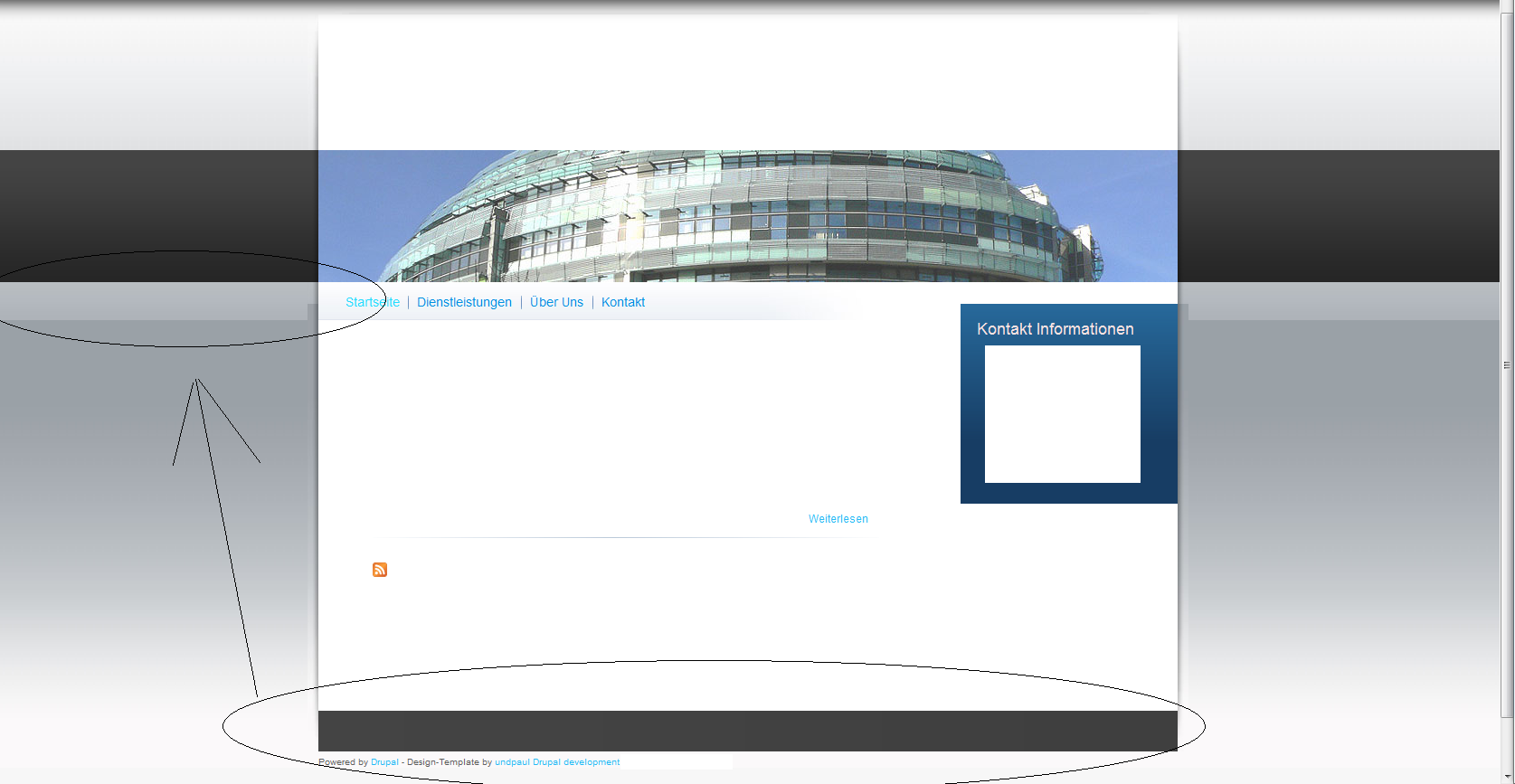
I really like the theme - the only thing I do not like is the big footer so I wanted to change the following:
#page-footer {
background: #3e2b2a url(footer_bg.jpg) repeat-y 0 0;
min-height: 135px;
height: auto !important;
height: 135px;
margin-top: 12px;
padding-bottom: 10px;
clear: both;
width: 100%;
}
to
#page-footer {
background: #3e2b2a url(footer_bg.jpg) repeat-y 0 0;
min-height: 35px;
height: auto !important;
height: 35px;
margin-top: 12px;
padding-bottom: 10px;
clear: both;
width: 100%;
}
So far so good, footer is smaller now.
But problem is now, that the rest of the site isnt correct anymore and I cant fix it...I'm not really a CSS pro.
Any help is appreciated!
| Comment | File | Size | Author |
|---|---|---|---|
| Unbenannt.png | 314.32 KB | tenhouse |

Comments
Comment #1
Anonymous (not verified) commentedHi, I was equally frustrated, it's a nice theme but no documentation or help anywhere it seems.
Anyway hunted and pecked a little.
IF you add 100 pixels (the same amount you subtracted from the footer) to the content id (line 404) that seems to fix it.
What I found weird was that I kept trying to edit the file at sites/all/themes/busy/css/style.css when it really needed to be sites/default/files/color/busy-9786a612/style.css
That's probably just a NEWBIE mistake.
hth,
jim