I'm getting this error when I try to save the dragging:
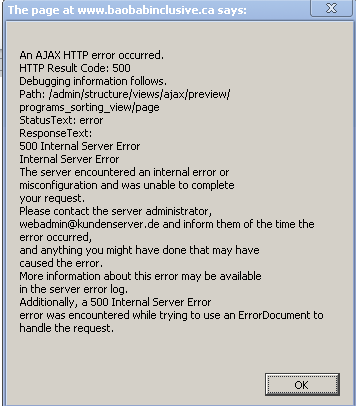
An AJAX HTTP error occurred.
HTTP Result Code: 500
Debugging information follows.
Path: /system/ajax
StatusText: Internal Server Error
ResponseText: PDOException: SQLSTATE[22001]: String data, right truncated: 1406 Data too long for column 'args' at row 1: INSERT INTO {draggableviews_structure} (view_name, view_display, args, entity_id, weight) VALUES (:db_insert_placeholder_0, :db_insert_placeholder_1, :db_insert_placeholder_2, :db_insert_placeholder_3, :db_insert_placeholder_4); Array
(
[:db_insert_placeholder_0] => sidebar
[:db_insert_placeholder_1] => block
[:db_insert_placeholder_2] => {"Drupal_tableDrag_showWeight":"0","Drupal_toolbar_collapsed":"0","SESS15ae967c8fb2b77c3373284108e7b098":"m77ZznyWlbSL5oUoFB_0kRnIrAFfk3HJhMVbYedfONg","_triggering_element_name":"op","_triggering_element_value":"Update preview","ctools-collapsible-state":"views-ui-advanced-column-sidebar:1","has_js":"1","live_preview":"1"}
[:db_insert_placeholder_3] => 6
[:db_insert_placeholder_4] => 0
)
in drupal_write_record() (line 6975 of
I also can't see the draggable table style available for selection for my view?


Comments
Comment #1
gumanist commentedDon't use sorting on live preview on View edit page. Create a view and sort using it.
Comment #2
supermoos commentedHow would I do that, I added a page and set it up to be a draggable view - but when I navigate to the page and press save the changes in order aren't being saved?
Comment #3
keesee commentedDid you add proper sorting to your view?
#5 in the instructions for using the view.
5) Click Add button at the "Sort criteria" section and choose field "Content:Draggable views weight", add and choose sort asc, then apply.
--
J.
Comment #4
supermoos commentedComment #5
Cablestein commentedJust confirming the solution:
Do your dragging&saving when viewing a View regularly, NOT within the Views edit preview. If you're using different styling than a table, then make two different View pages: one for regular display (sorted by Draggable weight), one for dragging&saving.
My error code was slightly different (error 200 instead of 500):
I guess there should be a friendly way to handle this.
Comment #6
Pinscher commentedi made a new post.
Comment #7
bzsim commentedSo what is the solution to this problem? I followed this YouTube tutorial http://www.youtube.com/watch?v=pxetnlKzZBE but can't get the second view (the one that sorts the content) to save. I get the attached error. Please help!
Comment #8
ygerasimov commentedPlease do NOT try to save order of the view in preview. I have added additional check so now in preview "Save" button is not shown.
If you get AJAX error in another case, please open new issue.