Closed (fixed)
Project:
Views (for Drupal 7)
Version:
7.x-3.3
Component:
exposed filters
Priority:
Normal
Category:
Bug report
Assigned:
Unassigned
Reporter:
Created:
29 Feb 2012 at 19:03 UTC
Updated:
3 Apr 2012 at 15:30 UTC


Hello:
First great work!!!, there is a problem when use format in a fields with reference display.
In order to replicate the error.
1. In a reference field create a view (reference display) to use in a Reference_Field
2. Set "References list" as format
3. Rewrite the output in order to concatenate two fields of the node to be referer: [title] ([entity_id_2])
4. Use the Reference List in the Reference_Field
5. The output must be a select list for the Reference_Field
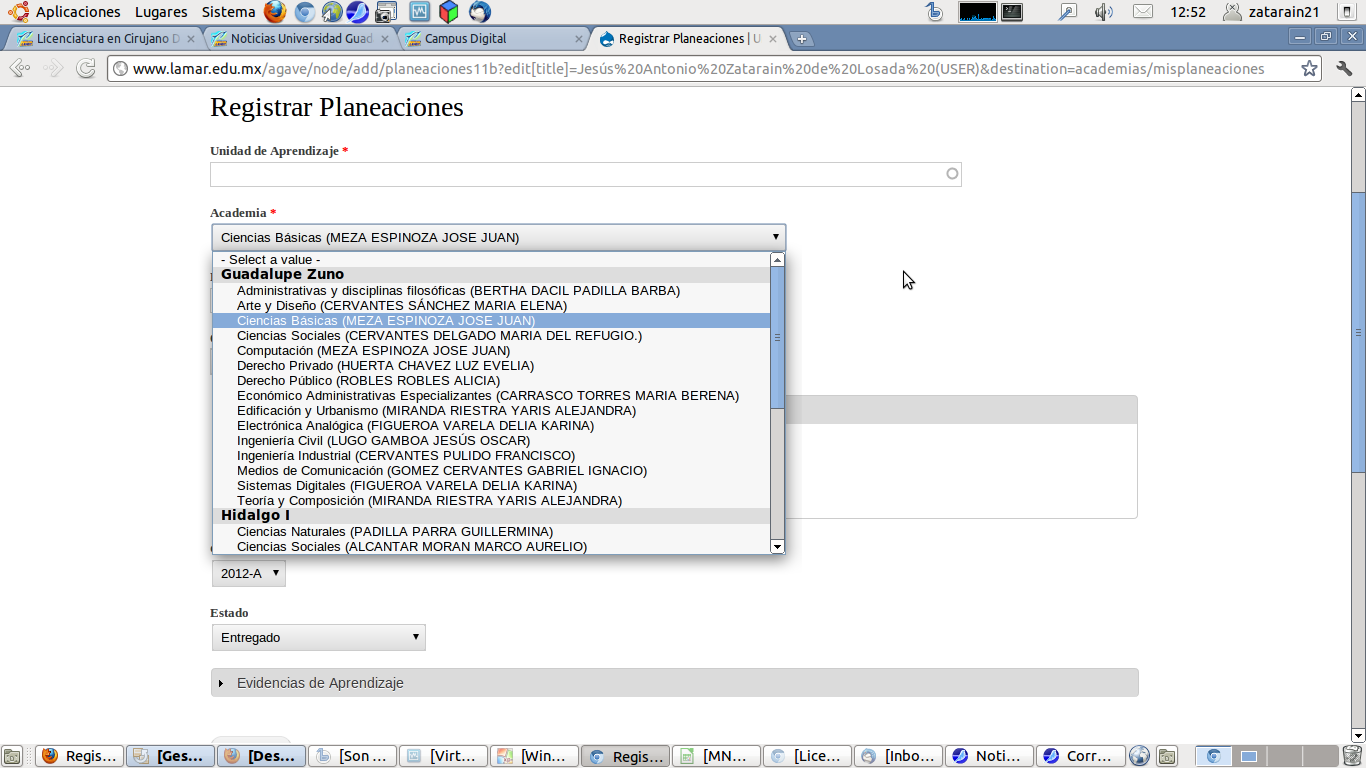
6. The is not problem when you create a New Node, the list display without problem
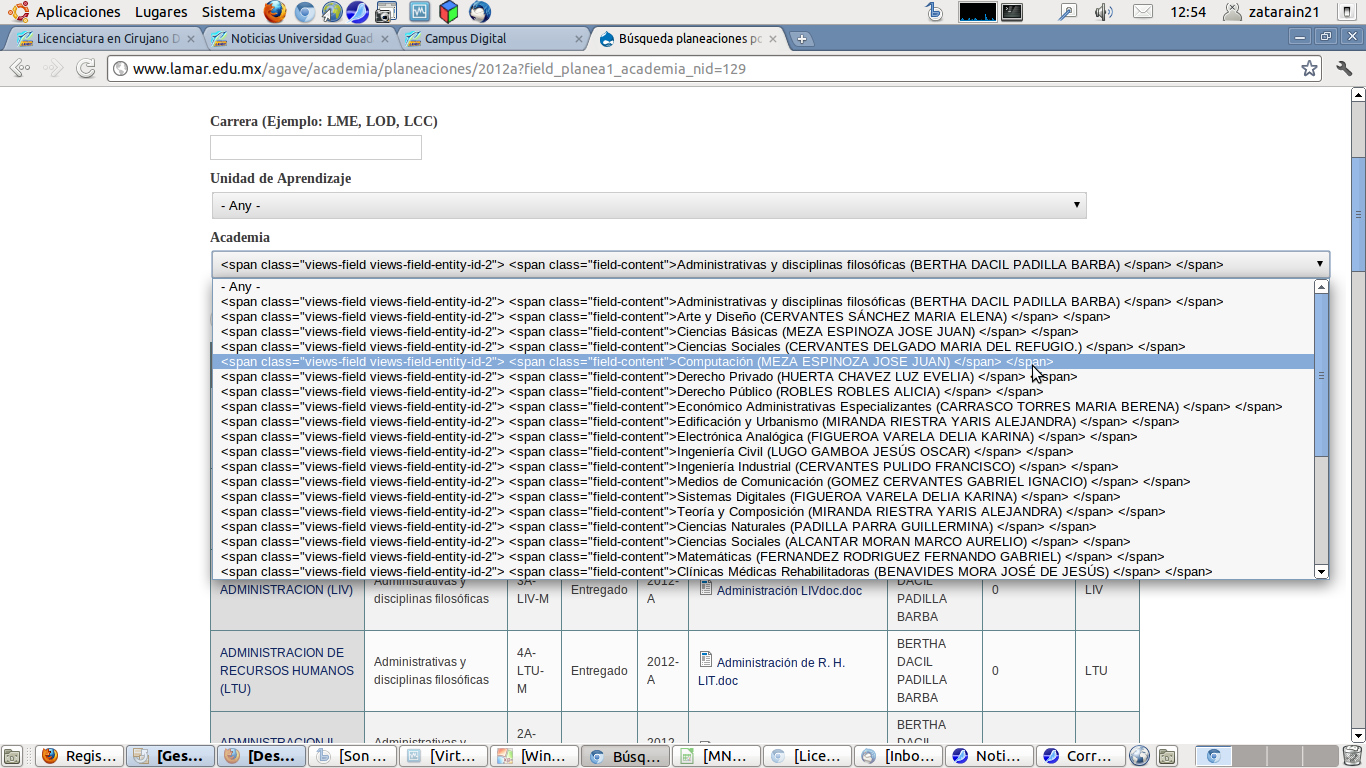
7. But when you use the Reference_Field as Exposed Filter the output show html code
| Comment | File | Size | Author |
|---|---|---|---|
| Casewithproblem.png | 198.46 KB | zatarain21 | |
| Case_withoutproblem.png | 140.87 KB | zatarain21 |

Comments
Comment #1
dawehnerCan't you disable the field template in the settings?
Comment #2
mshaver commentedI noticed this as well, but luckily views provides a nice "Strip HTML tags" within the Rewrite the Results area. This was the only method that worked for a date field, as the "none" option within the style settings did not strip the HTML.
Comment #3
dawehnerThanks @mshaver to provide a possible solution for the problem.
Comment #4.0
(not verified) commentedJust fixed format