

Closed (fixed)
Project:
Multisite Manager
Version:
5.x-0.9
Component:
Miscellaneous
Priority:
Normal
Category:
Support request
Assigned:
Unassigned
Reporter:
Created:
25 May 2007 at 15:33 UTC
Updated:
22 Feb 2008 at 22:33 UTC
Jump to comment: Most recent file

Comments
Comment #1
muhsink commentedI was successfully install drupal with name portal.mydomain.com, then I create a site with name portal.mydomain .com/site/{shortname} using Multisite Manager. My problem is when I click on newly created site (portal.mydomain.com/site/{shortname}) the IE or Firefox return page not found. I follow actual steps shown in the INSTALL.txt inside multisite_manager folder. I think its a httpd.conf error:
VirtualHost *:80
AliasMatch ^/site/\w+/(.*) /var/www/html/drupal/$1
DocumentRoot /var/www/html/drupal/
/VirtualHost
I'm using Fedora Core 6.
Can anyone solve my problem....thank you.
Comment #2
schuyler1d commentedIs it an apache 'Page not found' 404 or a Drupal 404 'Page not found'?
If the latter, then you may not have your sites directory set up correctly. Do you have a directory in there with the name 'portal.mydomain.com.site' with the configuration described in the INSTALL.txt file?
If it's the former, then is your drupal install actually at /var/www/html ? That was in the INSTALL.txt, but is a placeholder for the root directory of your drupal install.
Comment #3
muhsink commentedIts a IE's page not found error.
Let me briefly highlight to you what was doing:
I have default drupal running with portal.mydomain.com address. I am intended to do multisite such as following:
1.portal.mydomain.com/site/it
2.portal.mydomain.com/site/hr
So, I installed the multisite module. Then I create folder portal.mydomain.com.site and configure the settings.php as shown in the INSTALL.txt file:
$requri = explode('/', request_uri());
if (sizeof($requri) >1 && $requri[1]=='site' && $requri[2] != '') {
$my_site_base = $requri[2];
#this will be the database shared between the main site and the shared sites
$db_url = 'mysql://root@localhost/drupal';
$db_prefix = $my_site_base."_";
$base_url = "http://portal.mydomain.com/site/$my_site_base";
}
Then I configure the httpd.conf:
VirtualHost *:80
AliasMatch ^/site/\w+/(.*) /var/www/html/drupal/$1
DocumentRoot /var/www/html/drupal/
VirtualHost
Then I go to drupal main site and create drupal site, the site and database was created but when I click on the link the IE or firefox return page not found.
Comment #4
schuyler1d commentedis your drupal code actually at /var/www/html/drupal ?
Also, if you've gone with the simpler configuration, make sure 'Clean URLs' aren't turned on in Drupal.
Comment #5
muhsink commentedMy drupal installation is at /var/www/html/drupal ?
How to turn on and off 'Clean URLs'?
Comment #6
muhsink commentedMy drupal installation is at /var/www/html/drupal ?
How to turn on and off 'Clean URLs'?
Comment #7
schuyler1d commentedMaybe you should include the relevant parts of your apache conf file, including what was working with your portal.mydomain.com drupal site before you made the changes. It was working before, right?
Comment #8
muhsink commentedThe portal.mydomain.com is working. Following is my httpd.conf:
VirtualHost *:80
ServerName portal.mydomain.com
ServerAlias portal.*
DocumentRoot /var/www/html/drupal/
VirtualHost
But after modify above setting to multisite module's setting, the portal.mydomain.com is still working but the portal.mydomain.com/hr aren't working. Following is the multisite module's httpd.conf setting:
VirtualHost *:80
AliasMatch ^/site/\w+/(.*) /var/www/html/drupal/$1
DocumentRoot /var/www/html/drupal/
VirtualHost
Comment #9
muhsink commentedI manage to make it work. Its my httpd.conf error. But I cannot login, both main and subsite....why?
Comment #10
schuyler1d commentedtry clearing your cookies. What did you change in your httpd.conf, for posterity?
Comment #11
muhsink commentedAfter clear the cookies the main site can login but the multi site cannot login.
httpd.conf:
DocumentRoot /var/www/html/drupal
AliasMatch ^/site/\w+/index.php /var/www/html/drupal/index.php
AliasMatch ^/site/\w+/(modules|misc|files|themes|sites)/(.*)$ /var/www/html/drupal/$1/$2
RewriteEngine on
RewriteCond %{REQUEST_FILENAME} !-f
RewriteCond %{REQUEST_FILENAME} !-d
RewriteRule ^var/www/html/drupal(.*)$ index.php?q=$1 [L,QSA]
RewriteEngine on
RewriteCond %{REQUEST_URI} ^/site/
RewriteCond %{REQUEST_URI} !index.php
RewriteCond %{REQUEST_FILENAME} !-f
RewriteCond %{REQUEST_FILENAME} !-d
RewriteRule ^/var/www/html/drupal/site/(\w+)(/)?(.*)$ http://portal.remcorp.com/site/$1/index.php?q=$3 [L,QSA]
Comment #12
muhsink commentedI'm Sorry, some words automatically deleted. I have attached the proper one.
Please help me on login problem.
Thanks.
Comment #13
schuyler1d commentedIf you clear your cookies again, and go to one of your /site/ 's can you login then? Also remember that the new site, won't have the same users setup, unless you've specifically shared the users table in your configure.php.
Comment #14
muhsink commentedStill cannot login...I have tried using shared and separate database, but the outcome is same.
Comment #15
schuyler1d commentedmore data is better..... can you run a 'select * from {users} ' in your mysql db for the sub-site, and confirm that you have an account (and maybe set the 'pass' column for admin to the same password as your original site's admin pass-field value. At this point, I'm guessing login/password issues from the db side.
Also, you might just try for debugging purposes set the
$db_prefix = array(
'default'=> $my_site_base."_",
'users' => 'main_'
}
in your settings.php (that's what I meant when i incorrectly said 'configure.php' before), and see if that works.
Comment #16
muhsink commentedStill cannot login. I'm tired of trying....
Comment #17
schuyler1d commentedok, this might be related to PHP sessionID, etc.--two drupals could override their own session data, perhaps, but the worst this would do should be to make session persistence unpredictable--but logging in at all doesn't seem to be in the scope of the module itself.
Comment #18
leoman730 commentedWhile I am trying to configure my multi-site manager module, I have encounter the similar problem as muhsink describe on the first post. The different is i am using WINDOW XP while he is using Fedora.
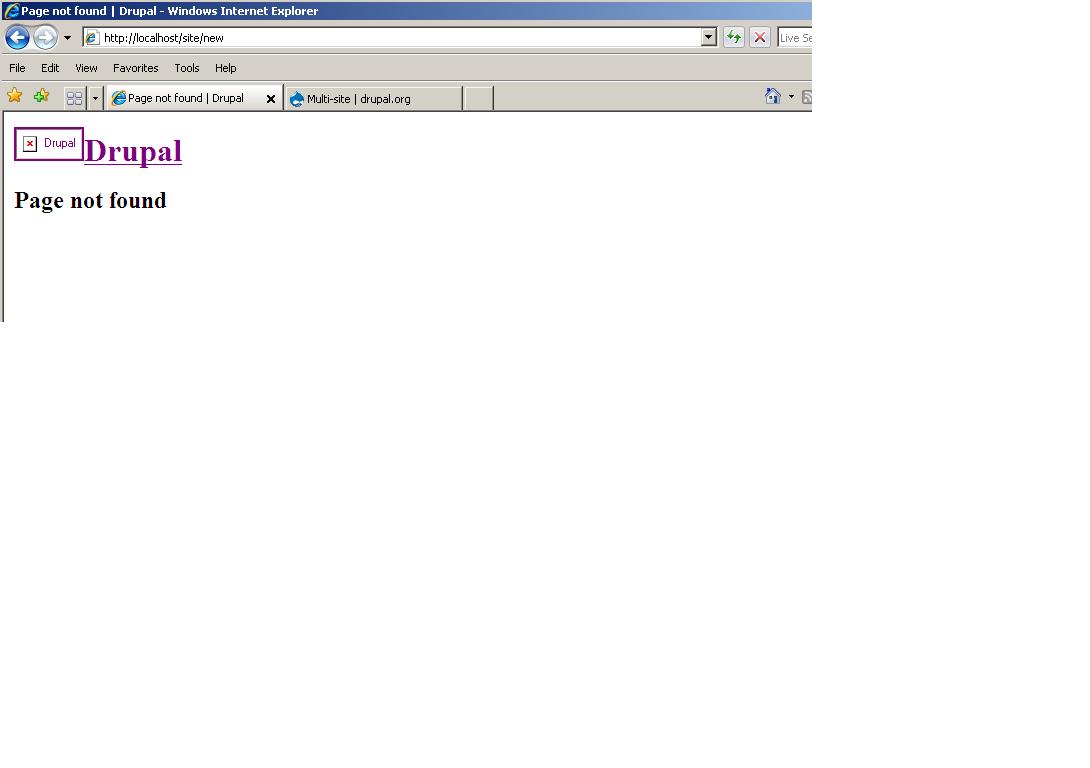
I have follow the INSTALL.txt file that comes with the module; however, when create a new site, it throws a drupal page not found page. (See Attachment). My assumption is that there's a configuration error on my httpd.conf, here is my setting:
httpd.conf:
AliasMatch ^/site/\w+/(.*) "d:/wamp/www/drupal"
DocumentRoot "d:/wamp/www/drupal"
DocumentRoot "d:/wamp/www/drupal"
# If you figure it out, then go for it. Otherwise, what ain't broken...
AliasMatch ^/site/\w+/(\w+).php d:/wamp/www/drupal/$1.php
AliasMatch ^/site/\w+/(modules|misc|files|themes|sites)/(.*)$ d:/wamp/www/drupal/$1/$2
RewriteEngine on
RewriteCond %{REQUEST_FILENAME} !-f
RewriteCond %{REQUEST_FILENAME} !-d
RewriteRule ^d:/wamp/www/drupal(.*)$ index.php?q=$1 [L,QSA]
RewriteEngine on
RewriteCond %{REQUEST_URI} ^/site/
RewriteCond %{REQUEST_URI} !index.php
RewriteCond %{REQUEST_FILENAME} !-f
RewriteCond %{REQUEST_FILENAME} !-d
RewriteRule ^/d:/wamp/www/drupal/site/(\w+)(/)?(.*)$ http://localhost/site/$1/index.php?q=$3 [L,QSA]
sites/default/settings.php
$requri = explode('/', request_uri());
if (sizeof($requri) >1 && $requri[1]=='site' && $requri[2] != '') {
$my_site_base = $requri[2];
#this will be the database shared between the main site and the shared sites
$db_url = 'mysql://username:password@localhost/drupal_test';
$db_prefix = $my_site_base."_";
$base_url = "http://localhost/site/$my_site_base";
}
htaccess:
# Rewrite current-style URLs of the form 'index.php?q=x'.
RewriteCond %{REQUEST_FILENAME} !-f
RewriteCond %{REQUEST_FILENAME} !-d
RewriteRule ^(.*)$ index.php?q=$1 [L,QSA]
Also notices that the new site does create all the new database tables. Does anyone can point out where i did wrong on this configuration??? Many thanks.
Comment #19
schuyler1d commentedthere's another way described in the most recent version of install.txt which can be done through .htaccess. you might try that too.
Comment #20
Anonymous (not verified) commentedAutomatically closed -- issue fixed for two weeks with no activity.