Closed (fixed)
Project:
Cache Graceful
Version:
7.x-1.2
Component:
Code
Priority:
Major
Category:
Bug report
Assigned:
Unassigned
Reporter:
Created:
22 Mar 2012 at 15:18 UTC
Updated:
14 Apr 2012 at 01:21 UTC


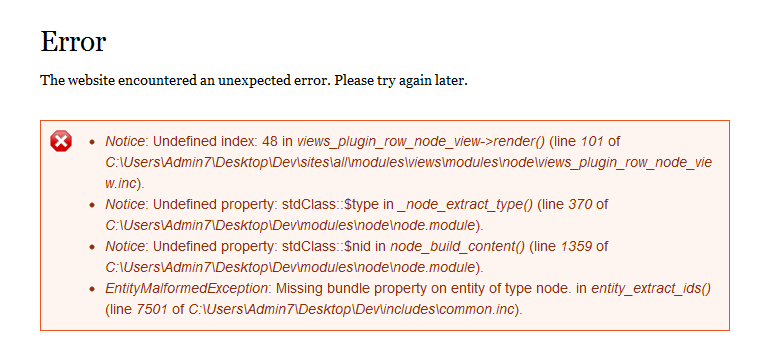
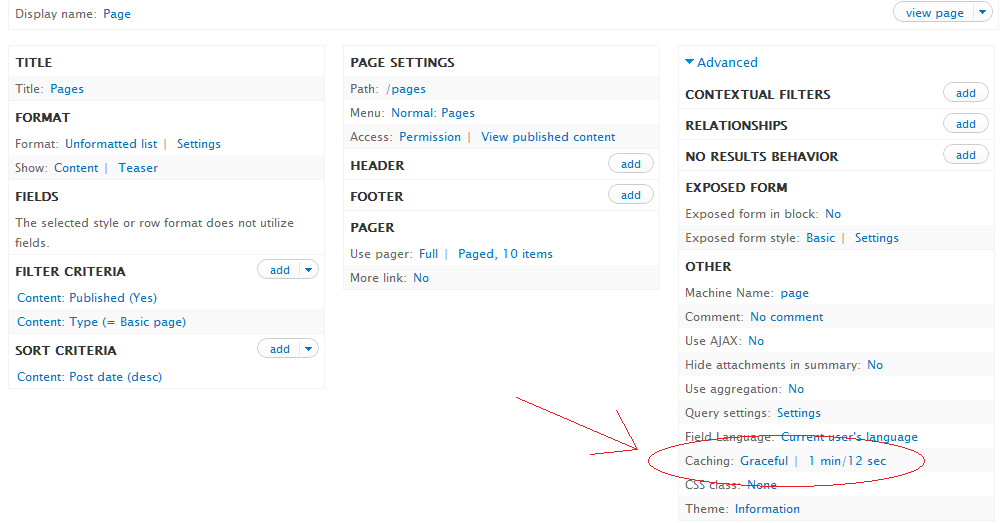
I have views that is displaying list of basic pages residing at "localhost/pages" and which is now using graceful cache option (as seen in the attachement "views_cache_graceful.png" below). When you go to "localhost/pages" and delete any node, I get a major error as seen in the attachment below "delete_error_cache_graceful.png". I cannot access page at "localhost/pages".
In a nutshell deleting a node, which is under graceful cache is showing me errors. But when you "clear cache all", everything works perfect.
p.s. I am using Acquia Dev for development on Windows 7 and php 5.2
| Comment | File | Size | Author |
|---|---|---|---|
| delete_error_cache_graceful.png | 25.02 KB | denny84 | |
| views_cache_graceful.png | 49.27 KB | denny84 |

Comments
Comment #1
gielfeldt commentedHi Denny
Thanks for the bug report. I'll look into it.
Comment #2
gielfeldt commentedThis is a tough one. I've also noticed the "built-in" Timebased cache does this. I'm not sure how to fix this the right way. I will try to look in the Views issue queue or file one for this error.
The easy way out could be to cache the rendered view, instead of the result. But that would of course display links to non-existant nodes.
Thoughts?
Comment #3
denny84 commentedHey thanks for looking into.. no problem
Comment #4
gielfeldt commentedFYI, I've posted a support request Views (of course using the built-in time based caching as an example instead of Cache Graceful): #1503026: Views and time based caching
Comment #5
denny84 commentedThanks, but I am unable to reproduce same error for time based caching. Time based caching works perfect. I think somewhere in this module there is a need to clear cache before generating a page . Views somehow still looks for the same cached result while generating the page, which I think is wrong. This is in context with the user who deleted the content. Others shall see the effect only after the time expires ( 60 seconds in this example). Yes I agree with you, that this is a bit tricky.
Comment #6
gielfeldt commentedThat's odd? I just re-installed a clean drupal7 and i still get the same error. Here's what i did.
1.) Downloaded drupal-7.12.tar.gz
2.) Extracted it
3.) Setup vhost in apache
4.) chmod -R 777 sites/default
5.) Went to example.com/ and performed a standard install
6.) drush dl ctools views
7.) drush en views_ui
8.) drush cc all
9.) Performed the steps from #1503026: Views and time based caching
Are you sure you did the steps from #1503026: Views and time based caching in the right order and fast enough (you said cache time 60 seconds)? You need to populate the cache, delete the node and revisit the page before the cache expires.
Comment #7
denny84 commentedYou are right, I didnt see the "rendered output" cache time was 0 seconds(Never Cache). Now I get the same error as mentioned in Views and time based caching.
Comment #8
denny84 commentedI haven't tried your coreNode row render patch yet, but do you think this is helping to clear out the error message?
Thanks a lot for the effort.
Comment #9
gielfeldt commentedIt should, but I havent tested it with cache graceful yet. I will try it today.
Comment #10
gielfeldt commentedHi again
Confirmed. The patch fixes the issue for Cache Graceful as well.
Comment #11
denny84 commentedHey great news. Thanks for all the effort. Marking as fixed as the real culprit is the core module itself.