Closed (fixed)
Project:
Avatar gallery
Version:
5.x-1.x-dev
Component:
Code
Priority:
Critical
Category:
Support request
Assigned:
Reporter:
Created:
7 Jun 2007 at 14:50 UTC
Updated:
6 Jun 2008 at 06:02 UTC


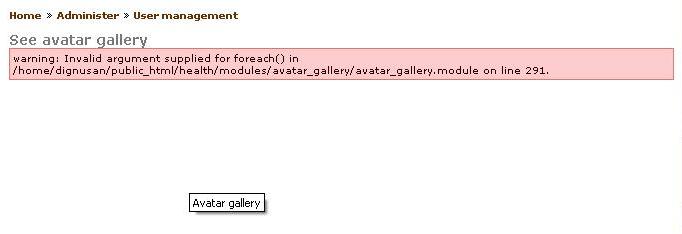
I have got an message like this when i try to access the avatar module....Let me know how to fix it
warning: Invalid argument supplied for foreach() in modules/avatar_gallery/avatar_gallery.module on line 291
| Comment | File | Size | Author |
|---|---|---|---|
| error_2.JPG | 14.49 KB | dhayalan_ms |

Comments
Comment #1
sinewaver commentedMe too. Invalid argument foreach()...
i have avatars loaded, ( also avatar selection + approval) but cannot change or renew pictures.
I'm running Drupal 5.2 and php 5.2.4
Comment #2
sinewaver commentedWhat 'more info' is required?
Comment #3
sinewaver commentedAnother thing I've noticed is that when I click on regenerate avatar gallery the menu option flicks over to see avatar gallery and nothing changes...
Comment #4
sinewaver commentedErr...Is anybody out there?
Comment #5
ekrispin commentedI will try to help. As I don't encounter this problem in my case, I cannot simulate it... Obviously $coords which is supposed to be an array is null in a particular case, i.e. cache_get for some reason does not deliver anything (the cache_get and cache_set in avatar_gallery_regenerate() + the serialization/unserialization look ok).
In order to progress, please do the following and post here the results:
Insert in line 288 a debug printing:
print_r($cache);and let us know what it prints if anything.Check with phpMyAdmin or other util the "cache" table in your database and see if there is a record with a cid = "avatar_gallery_coordinates".
Comment #6
seanberto commentedDo you have the imagecache module installed? I enabled imagecache before I installed the avatar gallery and encountered this error. So, I disabled imagecache and regenerated my avatar gallery. This got rid of the error. I then re-enabled imagecache and everything seems to be working fine.
-s
Comment #7
unitec commentedI've got the same error message.
I had enabled the CCK image modul but not the the image module in the image box at admin/build/modules .
After selecting this module it works fine for me.
Juergen
Pimp My Blog
Comment #8
snerky commentedI was getting this problem when I installed Avatar Gallery, it happened as soon as I added my photo via My Account. I was administrator account.
BUT the problem went away as soon as another user uploaded their photo.
Only problem now is avatar gallery is showing blank. I'm off to fix that next.
Comment #9
splashworx commentedI got the error message at first but then it went. Now, I have no avatars showing (there are avatars uploaded and sitting in the correct directory).
Nothing shows up - any ideas?
Comment #10
Richard_ commentedSame here ony my avatar is there. I tried to change mine avatar but changes have not been reflecting.
There seems to be lack of rebuilding....
Comment #11
fuquam commentedSame here. I changed my avatar but it took me clearing cache on the server before it would show up. I've tried a few things for get rid of the error on line 291 but to no avail. anyone figure it out yet?
Comment #12
pfournier commentedFixed the warning in the 5.x-1.x-dev version of May 6, 2008.
Comment #13
ChristieLuv commentedI just installed this and its giving me the same error except at line 361
Comment #14
pfournier commentedHi,
You can safely ignore this warning.
I just fixed it; it will be available in the next nightly dev release.
Patrick
Comment #15
ChristieLuv commentedThank you so much! I tried the new release and its working like a charm! ^_^ This is an amazing module!
Comment #16
dhayalan_ms commentedits works good