Now that we have Drupal Case Studies in place, we need to look at the design, style and theming of that page.
The dev site is http://cases-drupal.redesign.devdrupal.org/case-studies (use drupal/drupal for authentication).
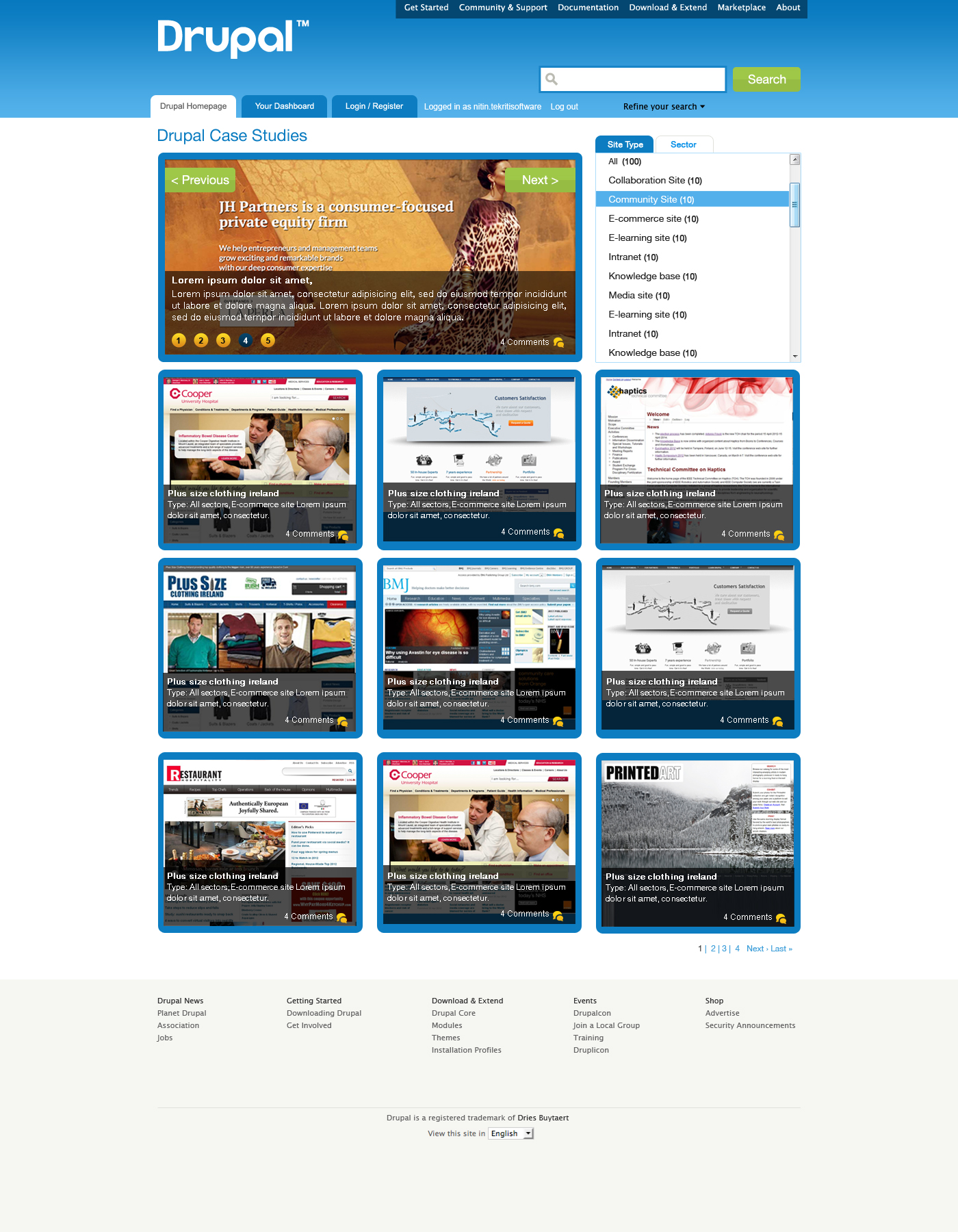
We are implementing this mockup.
Deployment instructions:
1. Add new imagecache preset (name case198 on dev site) with 2 actions:
Scale: width 300, height 100%
Crop: width 300, height 198, X offset left, Y offset top added to feature
2. Update case-studies feature, drupalorg.module, drupalorg_crosssite.module and bluecheese theme
3. Make sure images on Default display of drupalorg_casestudy view use preset from step1
4. Casestudy content type will get new field "Status", we need to add values for existing case studies.
The ones with "promote to front page" checked should get "Featured" status (it's basically 2 case studies now), everything else - "community".
UPDATE content_type_casestudy SET field_status_value = 'Community';
Featured: node/1496954/edit, node/1495516/edit
5. Change content of "About case studies" block to:
<a href="/node/add/casestudy" class="action-button">Add your case study</a>

<a href="/node/1588136">Case Study guidelines</a>
Show this block only on:
case-studies
case-studies/*
6. Place block "drupalorg_casestudies: Sidebar navigation" to right column under "About case studies".
Show this block only on:
case-studies
case-studies/*
7. Id of sidebar navigation block on dev site: block-views-drupalorg_casestudies-block_2, check if Id is different on live site - update css files in Bluecheese.
To-do: add active trail for individual case studies


Comments
Comment #1
larowlanLisa, can you grant my user account (larowlan) access so I can start on these changes.
Comment #2
larowlanHave
a) Added grid layout using css (not tables) - note css is in the view header in a style tag which is yuck, but I don't have access to the theme - feel free to add this there instead
b) Have increased number of items to 12
c) Added sector filter (exposed)
d) Added clear-block class to view to reflect all floated children.
Lee
Comment #3
drummComment #4
lisarex commentedMoving to the right project
Comment #5
drummI committed a version of this. I skipped (a) and (d) since we want any changes like that to go into the theme for all views like this to use. I included a new display for #1498606: Convert home page to use new case studies in the feature export.
To work on the theme directly, http://drupal.org/node/1018084.
Comment #6
lisarex commentedI don't think we can close this yet. A whole bunch of things from the issue summary remain unfixed.
Comment #7
Ashish Gupta - Tekriti Software commentedPlease see the first version of the design:
• URL : http://tekmedia.tekritisoftware.com/Drupal-Case-Studies
• Username : drupal
• Password : DRUPAL@123
Let me know your views.
We did have a discussion on a more impactful design but got a feeling that it might be too disruptive to the site so stopped work on it. Let me know if you feel that you want us to give it a shot.
Comment #8
larowlanNice! Great job
My 2c: not sure on the drop shadows in titles - don't think they're used anywhere else on d.o
Comment #9
aspilicious commentedYeah gradients aren't allowed.
In fact there is a style guide for drupal.org: http://drupal.org/node/1050556
Comment #10
tvn commentedThis is a great start Ashish!
We do want this page to have impactful design, but let's bring it more inline with overall Bluecheese style.
As noted above, this means gradients won't work, as well as new backgrounds on page body and footer and text-shadows on titles.
You indeed might want to take a look at Visual language guide developed during drupal.org redesign. And also prototypes of various pages, for example marketplace.
As to functionality, social media and email links probably aren't needed on this page, there is no social media integration on case studies and I'm not sure what they'll be linking to.
There is no "like" functionality also, so let's leave only "X comments".
As for the gallery on top - I am afraid it will add unwanted complexity as we'll need a process of picking/updating which case studies to show there. Maybe we could go with just 1 big case study image there?
Overall I like where this is going, if we just bring it closer to Bluecheese style it'll look really good.
Comment #11
lisarex commentedHi Ashish! Thanks for getting started on this. Are you only providing visual guidance or do you (and/or your team) want to help implement it too? drumm could get you set up with a dev site so that you could develop it with the Bluecheese theme (I expect you'd re-use the majority of the styling, but could amend as needed).
I like the thumbnail with the overlaid text, but the other comments above re: styling are correct. We have a style guide to adhere to.
As for the actual implementation, there's a lot more categories for the case studies. http://drupal.org/case-studies
There's a Sector and Type of site, so the navigation you've proposed won't suit it.
And 'Most Popular' ... we should think about how that would actually be driven. Ithink "Featured" makes more sense because it would be the ones that got promoted to the front page (and so that would be the filter on the View).
Comment #12
Ashish Gupta - Tekriti Software commentedThanks Guys,
I'll get my team to do a review of the designs based on the guidelines and the inputs above.
@Lisa, we don't mind participating in the implementation too. @drumm, kindly help us out with the setup (pls mail me directly via the contact so we can take that discussion offline).
Comment #13
tvn commentedAshish, for the dev site please follow steps listed on this page: Develop on our server. drumm will setup a site once you complete steps 1 and 2.
Comment #14
tvn commentedAshish, any news on the designs?
Comment #15
bmaheshs commentedHi,
This is Mahesh from Tekriti Software. Ashish has asked me to take this forward. We are making changes to the designs based on the feedback provided in this thread and recommendations from the style guide. I will upload the revised design by tomorrow for sure.
Comment #16
bmaheshs commentedPlease find attached the revised designs. Our idea of the gallery is to show the latest case studies that are uploaded.
The inner page can be used when someone wants to see the case studies from any particular sector/type in the
@drumm, I will let you know as soon as we complete step 1 and step 2 so that you can setup the site.
Comment #17
tvn commentedRe-uploading images from #16 without .zip so people could easier see them and give feedback.
Mahesh, thanks for your work on this! We already got development site (http://cases-drupal.redesign.devdrupal.org/) so you only need to request SSH access to work on it. However first let's get some feedback on latest mockups and probably do few more iterations, before we start implementing it.
Comment #18
lisarex commenteddefinitely a step in the right direction.
I think my only issue so far is with the filtering. We want people to be able to filter on multiple vocabularies. It's not a requirement yet, but it would also be very cool to filter by module, or organization etc. And if it wasn't mentioned before, a keyword 'search within' the case studies would be superb.
Check out these design patterns.
http://www.alistapart.com/articles/design-patterns-faceted-navigation/
Particularly http://www.alistapart.com/d/design-patterns-faceted-navigation/SP_CH01_c...
There's more http://www.thingsontop.com/3-quick-patterns-better-facet-design-889.html and more (0ooh nice) http://patterns.endeca.com/content/library/en/home/topics/faceted_naviga...
Comment #19
tvn commentedlisarex and I discussed case studies page today and I am working on revised mockup, will be posting it tomorrow.
Comment #20
tvn commentedMockup attached.
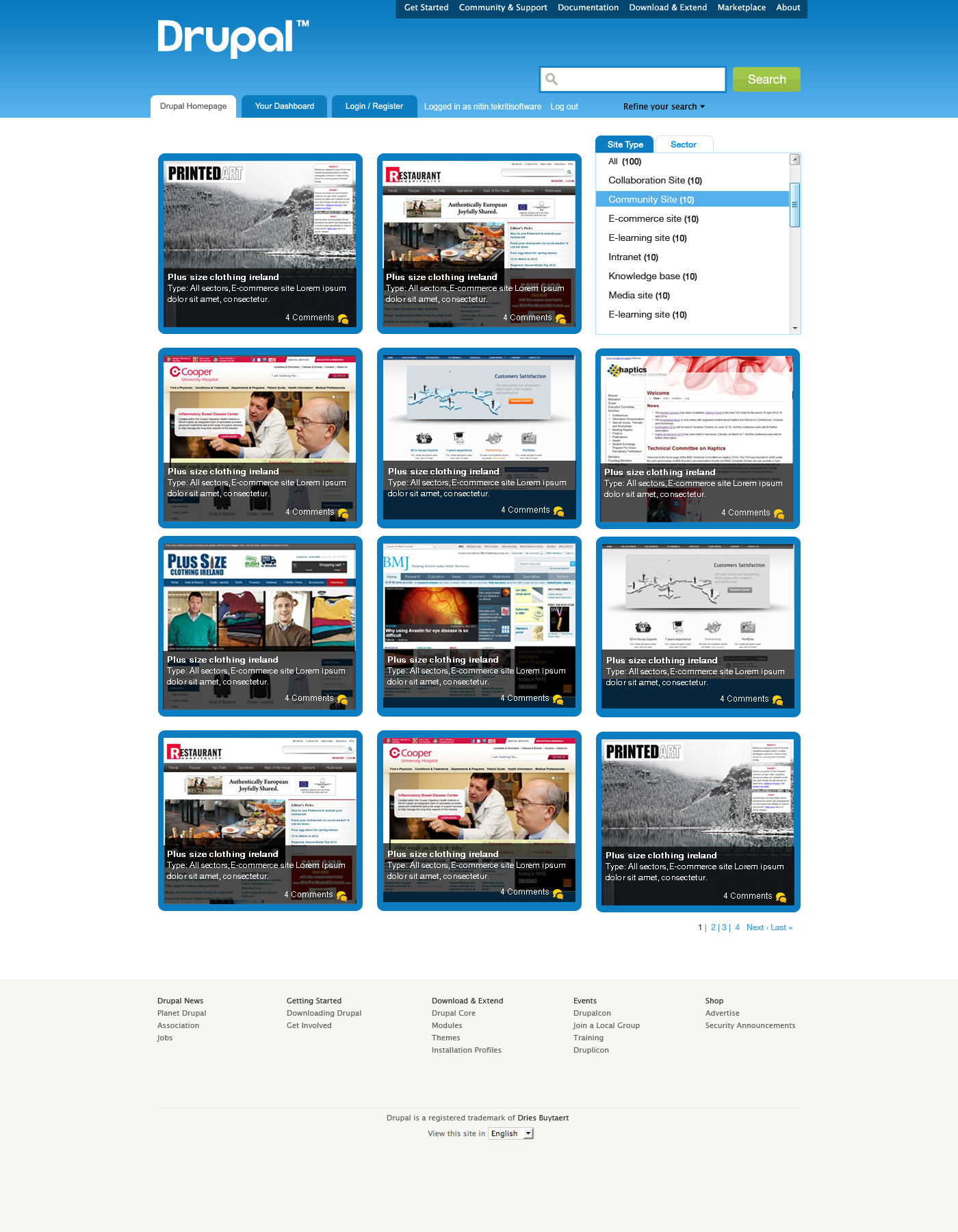
I've added separation for 2 types of case studies - Featured and Community, "add case study" link and link to guidelines. After discussion with lisarex we concluded that current taxonomy for case studies is not really useful. List of sectors is way too long, we decided to group them into Categories and thus provide 2 level navigation. "Type of site" vocabulary will probably be removed or replaced with something else, so I've added "Type" navigation to the sidebar as a placeholder.
Borders around images do not really fit with our style as well as overlays (I did try couple of variants with overlays of various colours), so I removed them.
Slideshow on top is only for the main page of Featured case studies. When clicking on category, I think list of sectors inside category could take its place (or else we can show them at sidebar).
I'm also thinking whether we should show site url next to names of case studies, for easier access if someone just wants to see the site.
Comment #21
gdemetThis should be updated to include year written, as well as the ability to view outdated ("classic", "hall of fame") case studies. See: http://drupal.org/node/1588892
Comment #22
bmaheshs commented@tvn, just wanted to let you know that we received the SSH access for the development site : http://cases-drupal.redesign.devdrupal.org/ and are ready to start the development as soon as the designs are finalized
Comment #23
tvn commentedMahesh, great! I am going to discuss specifics of implementation with drumm today and post detailed write-up later this evening, just so we do it right from the start with no need to re-do things before deployment on live site. So you can start working on this tomorrow! Looking forward to implementing new design with your help!
Comment #23.0
tvn commentedadded instructions
Comment #23.1
tvn commentedadding implementation steps
Comment #23.2
tvn commentedadding steps
Comment #23.3
tvn commented.
Comment #23.4
tvn commented.
Comment #23.5
tvn commented.
Comment #24
tvn commentedI updated issue summary with the list of things we need to do to implement the mockup in #20.
I already created field status and 2 views for featured and community case studies. I will do items 2-4, 6.
Mahesh, would be great if you could take item 5 and implement slideshow.
If you have any questions feel free to find me or drumm at IRC (#drupal-infrastructure channel) or post here.
Then we will see what to do with sidebar navigation.
Comment #24.0
tvn commented.
Comment #24.1
tvn commentededits
Comment #24.2
tvn commentedadding completed items
Comment #25
bmaheshs commentedThanks tvn.
I have asked our developer to work on create slideshow(item 5). He started the work. I will keep you all posted
Comment #25.0
bmaheshs commented1 more item
Comment #25.1
tvn commentedmore items
Comment #26
tvn commentedI did all steps but 5 (slideshow). I think we can deploy this without slideshow for now and add it later when it's ready.
Case study content type now has status field for featured/community case studies and drupalorg_casestudies view updated.
For images on listings I used new imagecache preset to make them all same width.
Sidebar navigation is also a view - block display in drupalorg_casestudies view. I decided to start from simple navigation first and implement 2-step one later, when we'll get more case studies. So taxonomy vocabulary reorganization is not needed for now.
Comment #27
tvn commentedPatches
Comment #28
drummIf there are section tabs, we always want one selected. For example, http://cases-drupal.redesign.devdrupal.org/popular-science, should have featured selected.
I like that nearly all the theme changes are adding more uses of existing styles. I'm not 100% sure about the grey block divider line since it isn't used in that way anywhere else. We rely on whitespace for dividing all other blocks.
I think the "Category" header should be more action-oriented, maybe "Filter by category" or "Browse by category"
On the home page,
drush rebuild-statswill regenerate the data used on the home page, so that can be debugged. It just says "Array" right now.Comment #29
tvn commentedAgree on selected tabs for individual case studies pages, I tried to implement this today but can't get it to work, will need your help here.
I changed "Category" to "Browse by category". Home page seems to work fine, I changed number of items per page to 10 for that view to show more different screenshots.
Grey divider is needed there for better visual separation since bottom block has no grey background as they usually do. We also use such dividers on front page. They were present on MBD prototype as well so it's not some big innovation.
Going to update issue summary with deployment instructions now.
@bmaheshs I moved slideshow task to separate issue #1600692: Implement slideshow on /case-studies page, please when you will post your updates do it there.
Comment #29.0
tvn commentedupdates
Comment #29.1
tvn commenteddeployment instructions
Comment #30
tvn commentedRecreated feature attached
Comment #30.0
tvn commentedmore updates
Comment #30.1
drummpresets in feature now
Comment #30.2
drummmore deployment instructions
Comment #31
drummI did a bit of cleanup:
and deployed this.
Comment #32.0
(not verified) commenteddone todo