

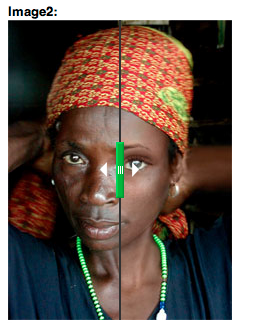
Before/After image formatter provides a field formatter for image fields.
This module was created after the example of the NY times article In the Future, the City’s Streets Are to Behave.
1.x version
Before/After image formatter depends on the beforeafter jQuery plugin.
Installation:
- Download the module
- Add the Before/After library to the libraries folder "libraries/beforeafter/jquery.beforeafter.js"
Download url: beforeafter jQuery plugin - Install the module
- Go to Configuration » Media » Before/After and play around with the
settings. - Add an image field (only makes sense with multiple images).
- Go to that field's display settings and select "Before/After image".
Note: In case you're using this for a commercial project, the creator of the jquery plugin needs to be contacted at admin@notonebit.com
@TODO:
- Get the keyboard control to work
2.x version
Work has started on a complete rewrite, which is now available as an alpha release.
Updated description/instructions will be available soon.
Supporting organizations:
2.x rewrite
Project information
- Project categories: Site structure, Developer tools
 46 sites report using this module
- Created by geertvd on , updated
 Stable releases for this project are covered by the security advisory policy.
There are currently no supported stable releases.


