Closed (fixed)
Project:
Julio
Version:
7.x-1.x-dev
Component:
Code
Priority:
Normal
Category:
Bug report
Assigned:
Reporter:
Created:
12 Apr 2012 at 13:08 UTC
Updated:
26 Apr 2012 at 23:51 UTC


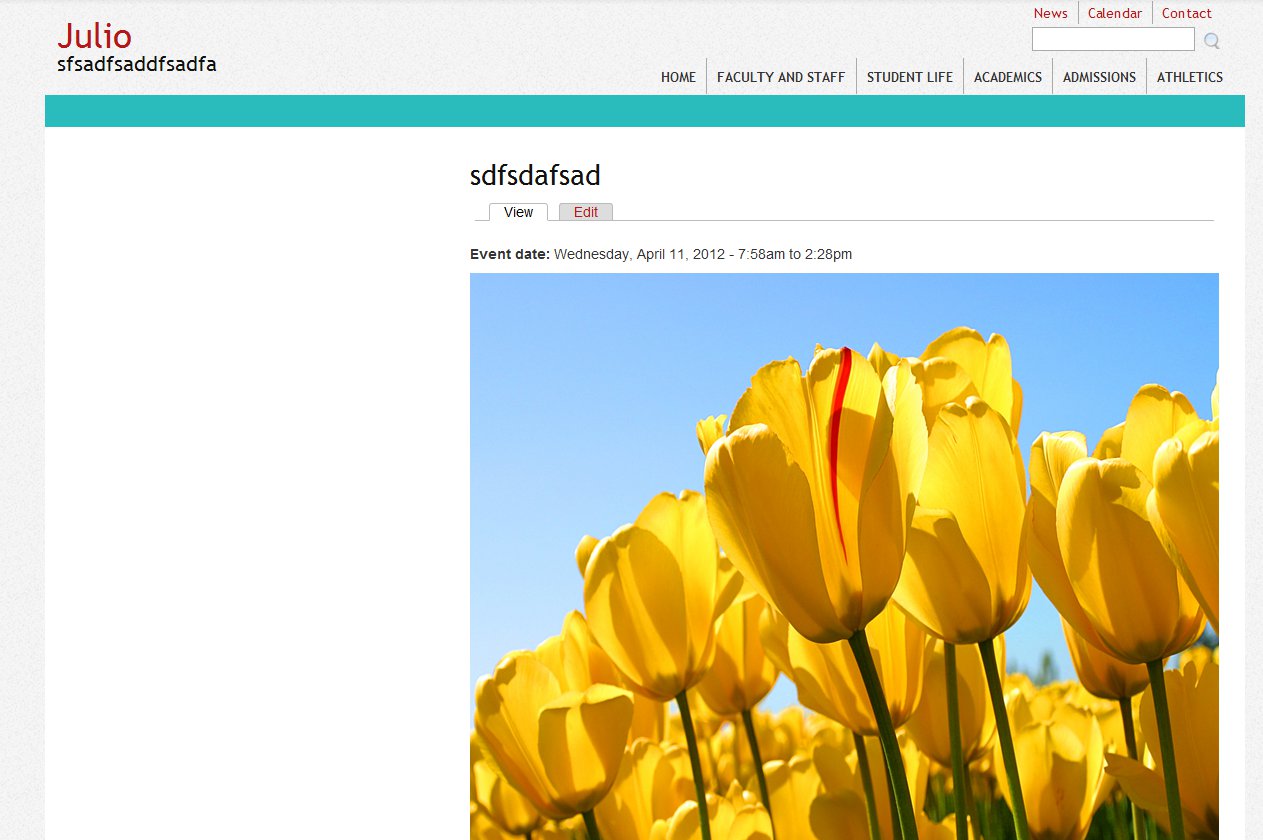
Something in the theme seems to be squeezing images to fit in the confines of the page? At least I presume so, because I thought the general behaviour of images too big for their containers was to force the container bigger.
In any case, it doesn't maintain aspect ratio when it comes to inline embedded images (in either the colorbox or normal page).
Images in fields, on the other hand, get shrunk with aspect ratio maintained. In fact, even when the dimensions in an image tag are set to 1024x768, field images still present themselves neatly inside the colorbox which has sized itself to its other content, with a width less than 500px, and when viewed on a page, the images neatly fill the width of the region.
See screenshots.
| Comment | File | Size | Author |
|---|---|---|---|
| inline-page.jpg | 114.28 KB | lightsurge | |
| inlineimages-colorbox.png | 247.19 KB | lightsurge |


Comments
Comment #1
jgraham commentedComment #2
penguininja commentedFixed, commit 6861585. I added a height: auto to those images to maintain the aspect ratio. (There is a sitewide max-width: 100% on all images on the site because Watt is a responsive theme.)
As far as the image fields, those are actually going away in favor of the Media upload method (inline images).
Thanks!
Update: I can't seem to push this to d.o right now, but it *will* be fixed shortly.
Comment #3
penguininja commentedOkay, should be fixed now.