Needs review
Project:
Julio
Version:
7.x-1.x-dev
Component:
Code
Priority:
Normal
Category:
Feature request
Assigned:
Reporter:
Created:
16 Apr 2012 at 16:48 UTC
Updated:
24 Sep 2012 at 09:51 UTC
Jump to comment: Most recent file


Given that contexts and suchlike are now using nid rather than path... Would it make sense to get rid of static references to "Student Life" in the Views display handlers and get the current relevant node title instead (if that's possible)?
Otherwise, at the moment the 'Student Life' node could have its title changed to 'Students', but within it the block views etc. would still have text like 'All Student Life News').
| Comment | File | Size | Author |
|---|---|---|---|
| #20 | SubSectionMenuLocation.png | 332.22 KB | mobcdi |
| #18 | julio_sections.tgz | 6.51 KB | lightsurge |
| #14 | dynamic_section_titles-1535668-13.patch | 28.25 KB | lightsurge |
| #12 | dynamic_section_titles-1535668.patch | 37.15 KB | lightsurge |
| #10 | clubs_dynamic.patch | 6.81 KB | lightsurge |



Comments
Comment #1
lightsurge commentedThis is my attempt at this. Unfortunately though, it requires a cache flush for the Views to respond to the new titles.
Comment #2
lightsurge commentedWe could call features_flush_caches() (I'm presuming that's the right hook_flush_caches unless it's a Views one) each time a main section node is updated. This would also help with #1536902: Can't post top level content into Student Life / Athletics / Departments if taking the same approach there of calling variable_get() or a global variable in the exported view.
Comment #3
lightsurge commentedcache_clear_all('*', 'cache_views', TRUE);seemed like the best cache to flush.I don't know if all this would have been better done with a views hook, both methods seemed a bit messy.
Linking to #1538274: Make group listing titles reflect active menu title as an offshoot feature request.
Comment #4
lightsurge commentedNo this is pants, I think the hook_boot here would clear the views cache on every load, I added this because I ended up with an empty section title post-install.
Think it's the wrong approach in general tho. Related is #1538274: Make group listing titles reflect active menu title, and the url_alias/menu title/section title would be best set with variable_set on install and adjusted on node_update and menu item update (if there is such a hook). And indeed would be better to use a views hook than messing about with the exported View, seems hook_views_default_views_alter would be a good one to look at.
Comment #5
lightsurge commentedMarking needs work
Comment #6
lightsurge commentedHrm, hook_views_default_views_alter works well but overrides the feature which is no good. The method of using persistent variables in the exported view in #3 doesn't seem to override features, so still an option, although the methodology seems a bit clunky.
Other than that, there's features_override module, but obviously not very user-friendly.
Comment #7
jgraham commentedClearing all caches on one of our "special" node saves should be sufficient. While the nids of these nodes are static and related to contexts other various details about the node like path and title these should be reflected in appropriate sections of code including views and menu entries.
Let's use this issue to itemise those views that need adjustments to account for titles. Please just follow up with the view name and particular displays unless all displays are affected.
We should also update the primary menu entries to reflect any updated paths as well.
Comment #8
jgraham commentedComment #9
lightsurge commentedAs far as section titles go (i.e. Student Life, Academics etc.), think these are the Views to target:
The discrepancies between group types relate to the fact that:
As far as menu item titles / views page paths go (i.e. clubs/teams etc.)...
For a good UX it seems to make sense to allow these special menu items to be edited from the og menu edit form? However, currently the menu items are detached from the View and set in the feature, so if a user alters the menu title/description/path here, it overrides the parent feature which sets those menu items.
One option would be to re-attach them to the View, but in my testing there were problems with attaching them to the View, getting reverted, difficulty changing the path etc...
An alternative would be to leave these menu items in the feature, and hijack their menu edit form, such that instead of altering the actual menu item, it leaves them alone and sets up 3 new persistent menu override variables for title/description/path. Probably also removing the ability to delete the menu item.
For the title/description variables, could use menu hooks to alter the rendered item there using the new info set, and set page view titles in the exported views with variable_get(). Page views to target, I think, are:
For the menu item / views page paths, rather than synchronising them, we could instead programatically create a path alias using our path override variable which would then automatically override the path displayed without needing to interfere with either the view or the menu item. In my testing this works quite well and seems better than meddling with the view internal paths which the user might already be 'on' behind the form overlay.
Comment #10
lightsurge commentedIf it's any use, this is as far as I got with the second part of #9 (menu item titles / views page paths). Just for clubs.
So basically it hijacks the particular menu item edit form, passing input into persistent variables rather than altering the actual menu items themselves. So using form_alter/form_submit/preprocess page can achieve the sort of behaviour described.
Comment #11
lightsurge commentedI managed to get the mlid variable set in julio_clubs_node.install by calling features_rebuild() before querying the database, so it didn't have to be set in the profile which obviously wouldn't work for uninstall/reinstall in feature sets.
Unfortunately then discovered that approach in #9/#10 seems to be cursed by the fact that with every features_rebuild() the menu items can be assigned a different mlid, making them pretty much impossible to track, or their forms.
Which also made me aware of related issue #1548432: Uninstalling/re-installing club/team/department feature sets from admin dashboard breaks menu links and their dependent contexts
Comment #12
lightsurge commentedActually, can do it this way:
Here's a patch that can apply. Rather hook-hacky, but it works ;-)
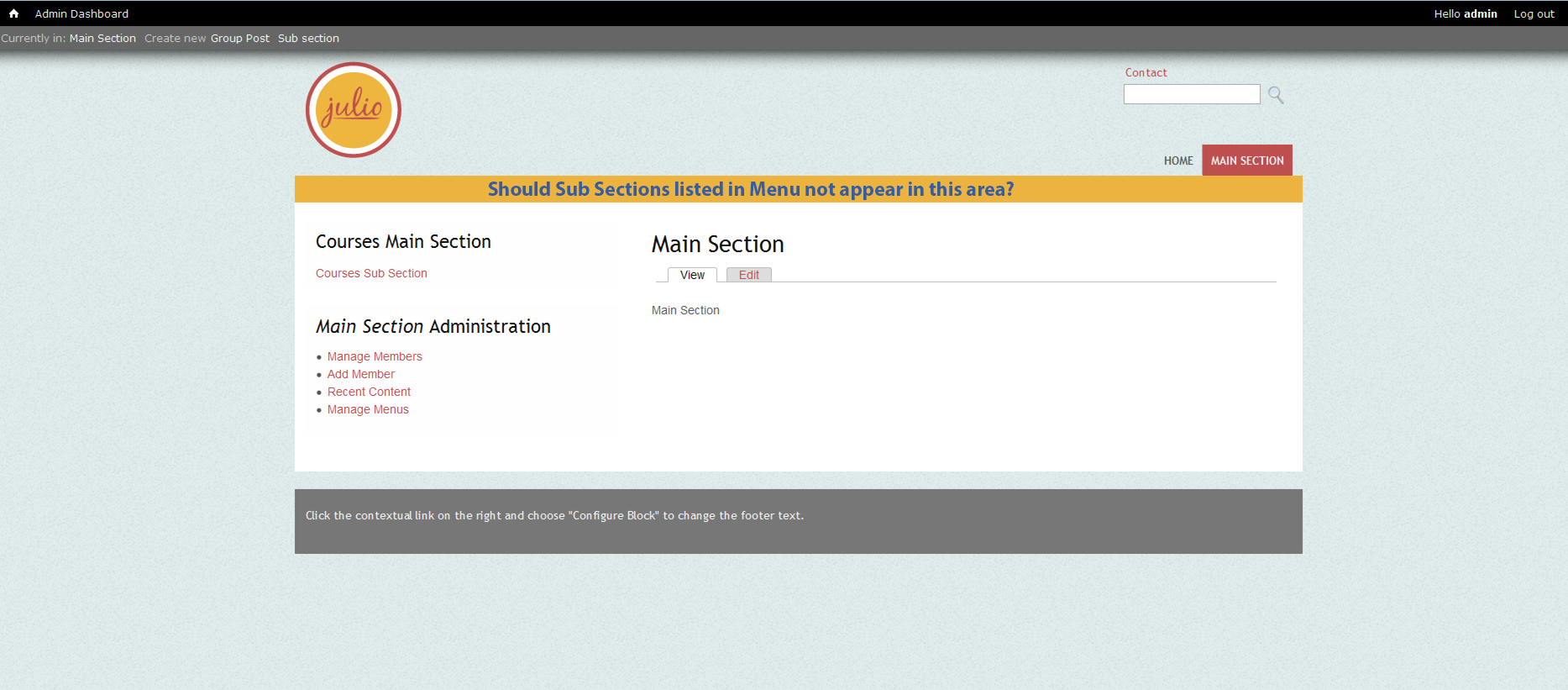
Few screenshots too to illustrate the dynamic section/menus and the menu-item-edit form hijack.
Comment #13
lightsurge commentedComment #14
lightsurge commentedI cleaned this up a bit by moving the bulk of the code into julio_core, creating a hook for the section modules.
There's probably a better way than using hook_preprocess_page to alter the menu items, perhaps just by having globals in the exported menu items, as with the Views. But given the issues with default menu items in features, I opted for the former method.
In any case, I fixed a problem that it didn't work for anonymous users. For some reason while for logged in users the menu items were within $variables['page']['header'][$menu_name]['content'][$mlid], for anonymous users they were within $variables['page']['header'][$menu_name][$mlid], I guess that's quite possibly normal though.
Comment #15
lightsurge commentedThis looks like it might be helpful for maintaining that relationship between node/menu item:
http://drupal.org/project/menu_node
Comment #16
lightsurge commentedIn terms of #1790012: UK legally required school online publishing where 1/2/4/5 are pretty much covered by this i.e. 2 would be covered by the above by a user adding a Curriculum section with Academic Year sub-sections
But, I've found in the end the approach in #14 just makes matters more confusing.
What it really wanted to do was to be able to create a new section with subsections through the UI, not try to meddle with the sample ones. Of course, you can't really do cloning features from inside a module, not literally anyway.
So it's kind of a bigger overhaul :/
My plan is to try and do this by getting rid of the clubs / departments / teams and administrative unit features and create a single feature with 3 content types:
We could also then drop 'group post', and refactor announcements etc to be posted within main/section subsections.
Edit: @jgraham et al I have a strong feeling you've probably already tried the above and it didn't work, but, think I need to try for my own sanity!
Comment #17
lightsurge commentedThis actually seems to work in principle for creating a section structure.
In order to get the main section custom menus.
In order to get the section menus (i.e. 'Clubs' link in the main section header menu)..
For the main section heading views
Above has the advantage we can have more that one sub-section 'type' for each main section.
Then finally adjust the features in all other block views in various places in the site. All in all unless I'm missing something this means we can shave off a ton of code, but still have all the functionality? The clubs_node etc features could be kept but all they'd need to do is create sample content, i.e. 'main section' content type nodes.
Comment #18
lightsurge commentedOkay here's a julio_sections feature (attached) that demonstrates what I mean.. Is there some reason this won't work?
If there's not, I don't mind going through the julio_departments/clubs/teams features to turn them into sample content features instead that use main / sub section nodes.
Comment #19
mobcdi commentedHi all, I tried the julio_sections.tgz but didn't get the sub_sections appearing in the main section's menu in the header area. but do like the added flexibility a main section/sub section gives
Should I enable the option "Enable menu for this group" ?
Steps to reproduce:
On a clean install of julio
Enable administration unit and home page slideshow feature only
Install the sections via the modules admin page and enable it under the Julio: Features -> sections
Add a main section and a parent menu link for the main menu. The main section is displayed.
Now add a sub section and set its parent to be the main section you created.
Clear the cache for the site.
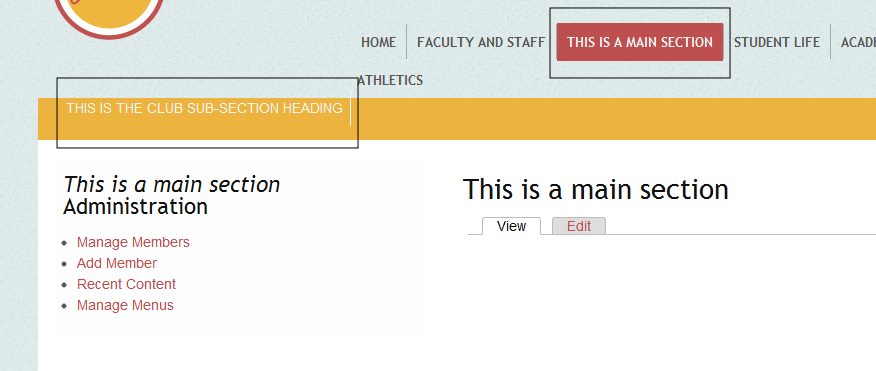
Should the sub-section menu entry not appear in location shown in image with group posts listed on the left menu section if desired
Comment #20
mobcdi commentedSub Section Menu locations:
Comment #21
lightsurge commentedThis is more of a proof of concept feature than a proper feature yet.. there more than likely might be valid reasons that the maintainers didn't build Julio this way.
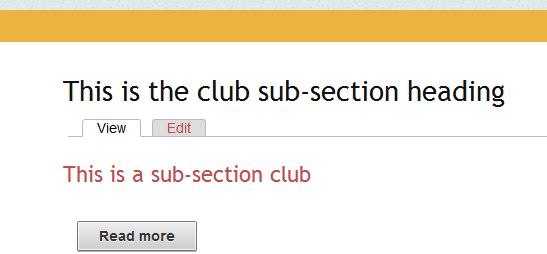
But did you set the 'sub-section heading' field? When you're creating a sub-section it's just a tag reference which creates the sub-section heading in the menu in your screenshot. So if you think in terms of the Clubs link in Student Life, when your adding a sub-section you give it a title of whatever the Club is, like Sports Club, and you assign it to a sub-section heading, i.e. Clubs. If you wanted to create a sub-section to a main section that didn't need sub-sub-sections as with Clubs, i.e. just a static page, you could just use a group post and put it in the main section group menu.
It's definitely not a usable feature yet, need to create a view which lists the sub-sections under a heading need tuning, currently it's just the taxonomy view, but it needs to also refine items to the main section (otherwise if you had the sub-section heading 'Clubs' under two main sections, the view would display items from both).
Comment #22
bonobo commentedIs there a reason that we wouldn't use a standard menu for the nav structure that cut across groups, and then use OG menus for the specific groups?
This would give more flexibility in plugging in multiple group types, in balancing the needs of the site nav against the group-specific nav, and in grounding site visitors in a consistent nav structure.
Or am I missing something about the feature request?
Comment #23
lightsurge commentedWouldn't you have to have a menu per node that's in the main section (as currently with the feature nodes), rather than one menu that cuts across?
In this feature request I just want to be able to have custom feature nodes, essentially.
So I can have a menu structure like this Home > School > Year groups > Year 1
And I want to be able to delegate administration of 'Year 1', as I can with each individual Club in Student Life currently.
It just seemed easier to create a 'sub-section heading' vocabulary and a View that displays such terms tagged in sub-sections in a main section submenu. Going the traditional menu way you would probably need a user to take 3 actions, create a Main section (School -user creates a School og_menu), Sub-section (Year Groups, put in School og_menu, parent group is main section), Sub-sub-section (Year 1, parent is Year groups).
Comment #24
mobcdi commentedI think the navigation via menu's could stand some improving as at the moment it appears to me that content can be created @ group level but there isn't a way to navigate to it via consistent menu structures from front page with the danger that content could get orphaned. Maybe breadcrumbs would help resolve this and also expand the flexibility for custom aggregation levels like "student life" as at the moment it doesn't feel like menus, sub menus or the items in them are appearing in the order expected when content is created or that sub menus are consistently shown at various sublevels
Comment #24.0
mobcdi commentedlinguistic tweaks