Closed (cannot reproduce)
Project:
LDAP integration
Version:
6.x-1.x-dev
Component:
Code
Priority:
Minor
Category:
Bug report
Assigned:
Unassigned
Reporter:
Created:
18 Apr 2012 at 09:25 UTC
Updated:
4 May 2012 at 21:23 UTC


When using the latest dev build of the ldap_integration module, the links to change the theme inside the block list simply don't do anything, it always uses the default theme.
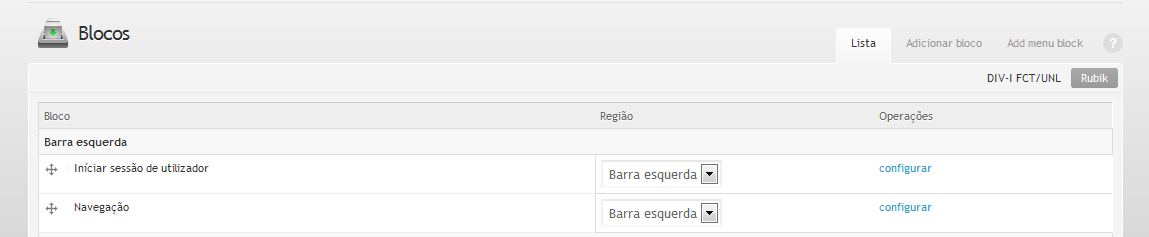
Default Theme
Any Other Theme
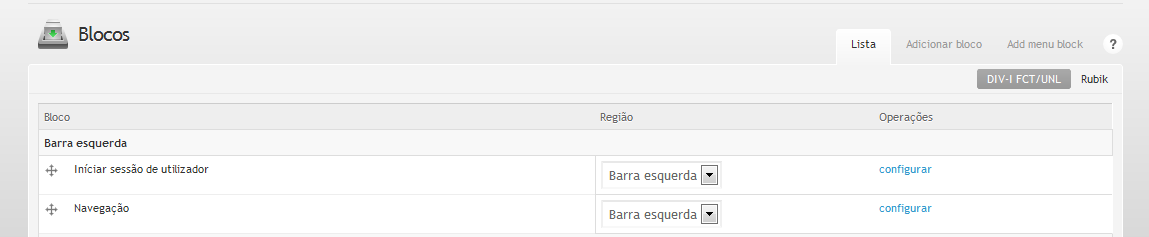
As you can see, with the second theme selected of the top of the blocks page, the page still appears with the Rubik theme, if I disable the LDAP modules, this problem disappears.
I tried to look into the code of the module to find what changed since the last stable release and the development one but there were too many changes, and I couldn't find what causes the problem.
Regards,
Pedro de Oliveira
| Comment | File | Size | Author |
|---|---|---|---|
| blocks-other.png | 14.02 KB | falsovsky | |
| blocks-rubik.png | 13.84 KB | falsovsky |


Comments
Comment #1
cgmonroe commentedHmm, I can't reproduce this in my test environment so it's hard to debug.
I can't see any way that the ldap modules would do this. They don't include css, there is a bit of Javascript but that's only loaded on the ldap admin page, and the only theme code is for ldap admin screens.
One thing you might try is to run update.php (the current dev requires it). Then clear the caches (Admin->settings->performance).
Most likely this is do to something else. There are various issues out there about this, but ldapauth does not do any of the reported things that can cause this. I could be wrong, but enough info to reproduce this would be needed to figure it out.
#288148: Can't change block settings from admin with another theme
#374501: Administration Theme doesn't apply to Blocks pages (admin/build/block)
Comment #2
cgmonroe commentedComment #3
cgmonroe commentedClosing because I can't reproduce and no other information supplied for 2 weeks. Re-open if needed / more information can be supplied to duplicate problem.