

Closed (outdated)
Project:
Open Enterprise
Version:
7.x-1.0-beta7
Component:
Code
Priority:
Normal
Category:
Bug report
Assigned:
Unassigned
Reporter:
Created:
19 Apr 2012 at 19:56 UTC
Updated:
16 May 2025 at 22:27 UTC
Jump to comment: Most recent


Comments
Comment #1
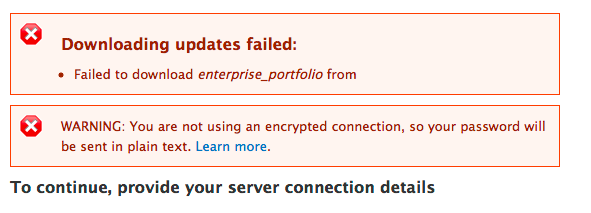
August1914 commentedThe ftp connection screen does have to do with a lack of rights/permisssions. Maybe it has to do with directories which are created after you ran chmod... Try installing oe, but skipping the "Apps" page; then, once the site is up, go to the Apps page, and try installing. If you get the ftp connection screen, then try changing directory permissions; I think that will sort things out.
The error on the careers and portfolios apps I suspect is a problem in oe or the app server.
Comment #2
aangel commentedThat worked better, thanks.
Comment #3
jjmonterey commentedI'm somewhat unclear about Install on local machine. I'm running Acquia-Dev Desktop on a PC and also can't get past the FTP login.
Comment #4
August1914 commentedOn initial install, I'd suggest skipping the Apps and Demo Content [Skip this step]. Verify you have a successful base install. Afterwards, set file attributes on on the sites and sites/all/modules folders to writable (windows I guess is properties -> uncheck readonly, apply, Apply changes to this folder, subfolders and files.) Then try installing apps from /admin/apps/levelten.
Before you deliver anything to a public server, be sure to review http://drupal.org/node/244924.
Take a look at http://drupal.org/project/quickstart. You can set up a lamp environment in a virtual machine on your Windows system, configured with drush, eclipse and xdbug; might make it easier to follow examples.
Comment #5
Mechanical Fruit commentedI also had problems with Aciquia Dev. I skipped the steps you said. Maybe have a notice during setup about this.
I like what you guys do and it looks ropey to get errors on a clean install.
Comment #6
ezra-g commentedRetitling the issue to reflect what seems like the larger problem here: If you have any issues with the FTP phase of the install, there's no way to recover from it.
I can imagine this frustrating new users in particular who may not recognize the connection between installing apps and needing to configure FTP.
Comment #7
TechDust commentedI'm also unable to get past this FTP error stuff ?
Also tried skipping the Apps installation during the initial installation. However, I'm unable to add any of the Apps ;-(
Comment #8
TechDust commentedTo get the around the FTP issue, I went ahead and downloaded all the "enterprise_xxx" modules (AND all other modules they require to work - about 30+ different ones) from G.O and added them to the profiles/openenterprise/modules directory. (Thank you Drush)
Then I went ahead and did a clean install (local MAMP installation) and skipped the Apps installation page.
I still get "getimagesize()" error mentioned elsewhere.
Comment #9
Anonymous (not verified) commentedI also was unale to complete the Open Enterprise installation because my server requires an SFTP connection. I deleted all the files and database and started again. This time I skipped the step to install the applications. It worked!
I then discovered that the additional modules had already been added to my installation. Now to update all the modules and to begin the real work.
Comment #10
droopy_pal commentedToday, 9/10/2012 the problem still exists - see http://drupal.org/node/1508136
Comment #11
fizk commentedchmod 755 sites/defaultworks for me.The need to fix directory permissions comes from the apps module, and a fix was committed on August 15, 2012:
http://drupalcode.org/project/apps.git/commitdiff/d43a25c4dce3a329782a51...
I would not recommend upgrading the apps module to 7.x-1.0-beta7 yet because it produced some errors about duplicate images.
Comment #12
aangel commented