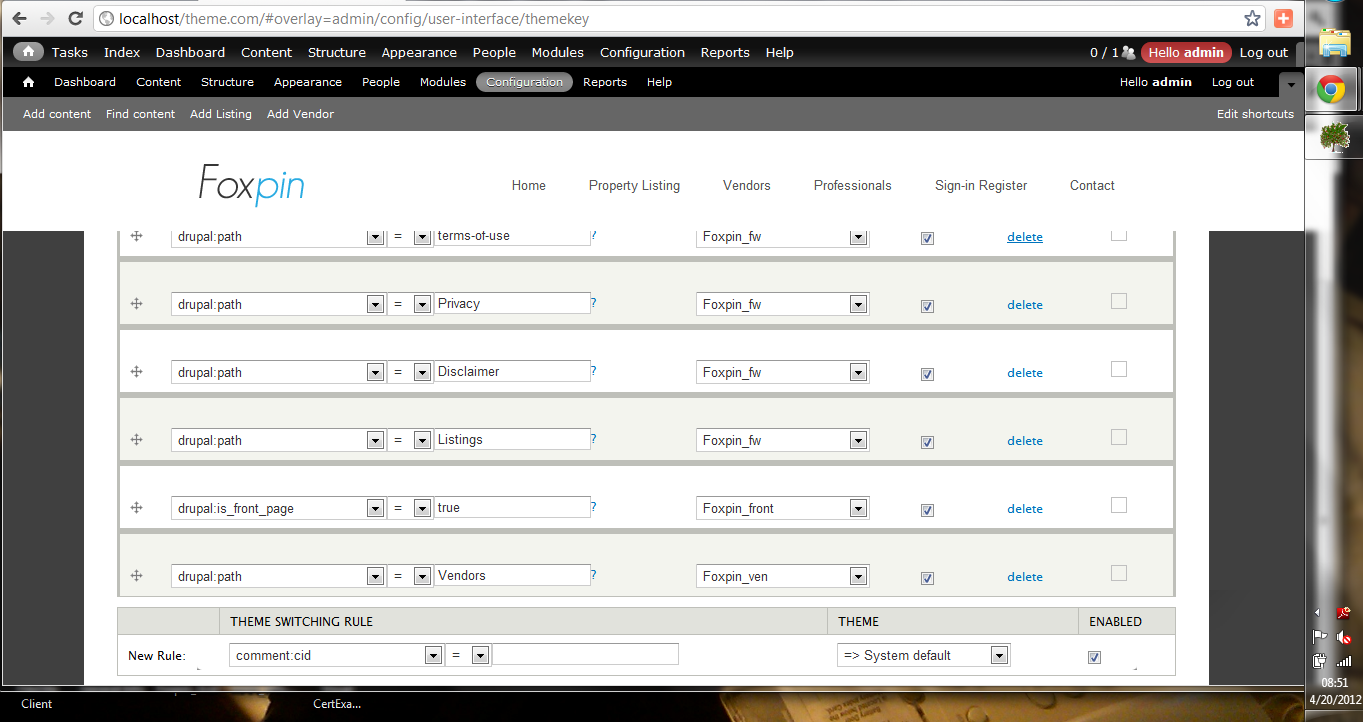
Using Themekey 7.x-2.0, I’m trying to figure out how to get the most rules in a small space with Themekey in Drupal 7, mainly driven by a limitation on how many rules I can put on the Themekey Switching Rule Chain (seems to be ~4-5 max, (the 'Save Configuration' button is getting pushed off the bottom of my monitor at about this limit, so I can't save any more rules).
My site has ~4 themes, ~40+ pages(moderate complexity. What I was looking for was a way to pack more choices into one rule (e.g., "if path = A or B or C...... use theme 1" (except I haven't seen any way to do it in a rule)). My paths don't appear to be amenable to wildcarding at the moment (e.g., drupal:path = Page%, etc) at the moment. Other thoughts I'd had about approaches:
a) use node:type = Type... and make each Theme a different node type
b) put the theme switching rules into a file, read in when the site starts up, so all the rules are put in w/o the Rule Chain - I don't know where you might put such a rule file, & it is kind of counter to the system philosophy to do things w/o the API.
Because of some theme selection difficulties(i.e., a page using the default theme instead of the one I told it to use in the Switching Rule Chain) I’d like to be able to initially explicitly specify all themes, until I can get them all at least called up properly, then I’ll want to try to simplify the Rule Chain, so being able to specify a rule for each page has appeal here also.
Any ideas on how to handle this in Themekey??



Comments
Comment #2
mkalkbrennerCan you provide a screenshot for that? I've seen sites using about 30 or 40 rules without such a problem.
Comment #3
fejn commentedThis problem appears to be partially a result of my use of the Administration Menu Toolbar, which pushes the whole screen down (There,s probably a setting to fix that, but I don't know what it is either). Pictures were made on a Win 7 Pro system, using Chrome (Mozilla gives similar problems, & I just never use IE); the other thing you will notice is that the Windows toolbar gets in the way also (I can work around this by moving it out of the way any time I need to get to the 'Save Configuration' button). Another thing I have noticed is that the .... button is sometimes there, but you can't see it well (the top edge of the button appears, but none of the label, & you can't find it because all you see is the white edge of the button on white background.
I'll try to make a longer list w/o the Admin Menu Toolbar, & see if that is all that's causing the problem.
2 pictures attached:
Thanks,
Jeff
Comment #4
fejn commentedI was able to get 10 rules in the Switching Rule Chain, & could still put more in there since I know where the 'Save Configuration' button hides; I was able to do it only after disabling the Administration menu Toolbar (whose functionality I really like, but is dispensible if it is completely keeping me from working on some theme conversion projects). This issue should probably be moved over to Administration menu Toolbar issues (or I need to understand better how to control the toolbar positioning).
Thanks for your help.
Comment #5
mkalkbrennerYou're welcome. Please move this issue to the Administration menu.
Comment #6
fejn commentedDone. Recreated the issue in Admin_menu.
Comment #7
fejn commented(Reset status to closed - done as far as necessary in this forum)