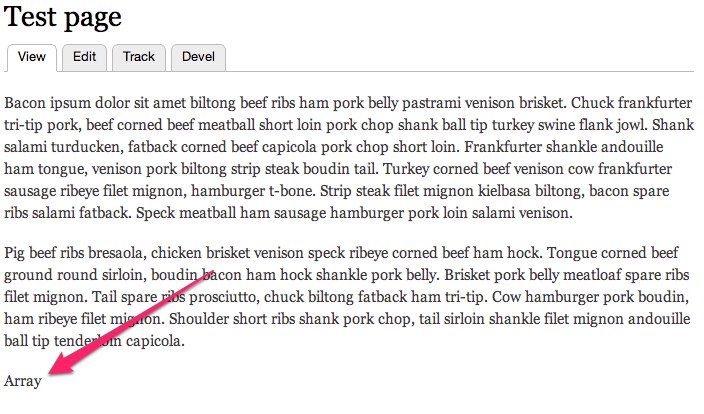
Not sure where the issue actually lies here, but when I create a view using either editablefields or DraggableViews the view result is reduced to the word "Array".
What I am trying to do is create a view of photo nodes that will display on the album node and can be sorted. I tried using DraggableViews first, but when that resulted in "Array" I tried using edtiablefield with a "Weight" field but that resulted in the same problem.
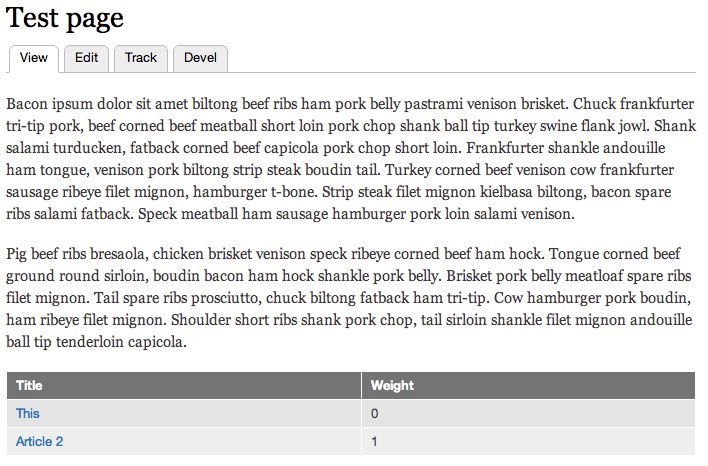
To demonstrate this issue, I add a "weight" field to the default Article content type and created a simple view to display every article on the full node display of all pages. I then changed the display for the weight field to be editable. You can see the different results below:
Without editable field:
With editable field:
I have attached an export of the view.




Comments
Comment #1
bamberjp commentedI had setup something similar and was able to get it functioning, the settings were as follows,
Enabled modules "Views", "View UI", "EVA", "Draggableviews", "References", "Node Reference" and "Node Reference URL Widget".
Two content types, "page" and "page content". The "page content" contains the field "field_page_reference" which is "Node reference" with the widget "Reference from URL", that only references content of type "page".
Created view "EVA Page Contents" with two displays,
"Entity Content"
Format
Format: Unformatted list
Show: Rendered entity, View mode: Full Content
Filter Criteria
Content: Published (Yes)
Content: Type (=Page Content)
Sort Criteria
Draggableviews: Weight (asc) [added after second display created]
Entity Content Settings:
Entity type: Node
Bundles: Page
Access: None
Pager
Use pager: Display all items (Offset: 0)
Contextual Filters
Content: Page Reference (Provide default value, Type: Content ID from URL)
Caching: None
"Page" (second display)
Note: Make sure "For" setting is set as "This page (override)" on all additions to this display.
Format: Table
Fields
Content: Title
Draggableviews: Content (Uncheck "Create a label", Set label as "Update", Check "Ajax")
Filter Criteria
Content: Published (Yes)
Content: Type (=Page Content)
Sort Criteria
Draggableviews: Weight (asc)
Page Settings
Path: /node/%/order
Menu: Tab: Order
Access: None
Pager
User pager: Display all items (Offset: 0)
Contextual Filters
Content: Page Reference (Provide default value, Type: Content ID from URL)
Caching: None
Results:
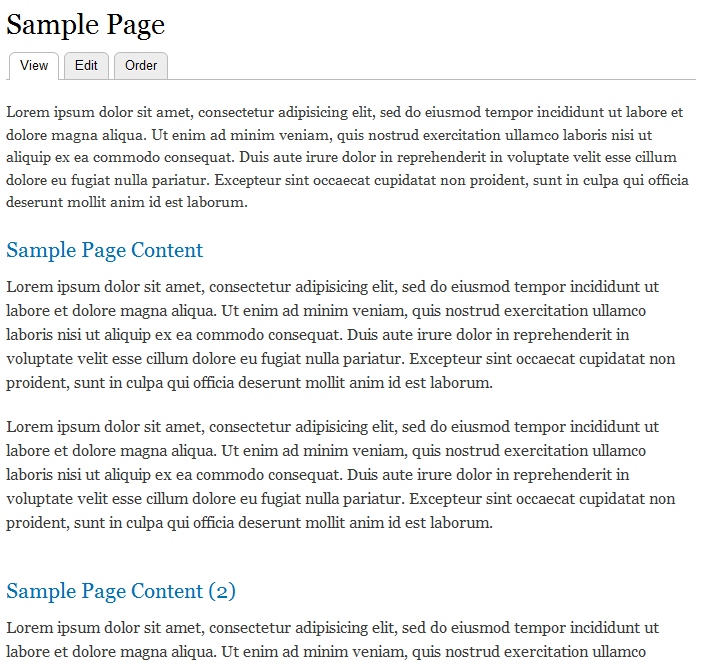
On the "View" of a sample "Page" node:
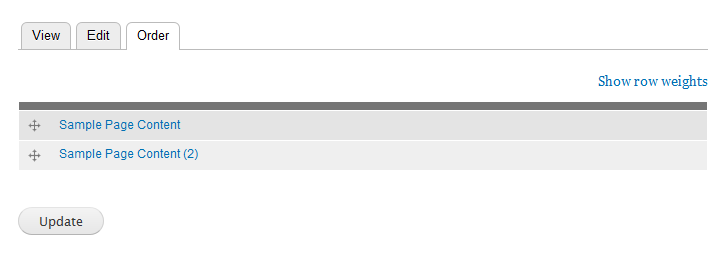
The "Order" page view:
The only issue I have not yet been able to resolve is if the "Ajax" setting is unchecked in field "Draggableviews: content", changes to the order of view rows are not committed when I click "Update".
Hope this helps :)
- John
Comment #2
BassistJimmyJam commentedI have done something similar as a work around to the issue, but I don't want a separate page for ordering the photos. I would like to be able to order the photos in the Entity content display, but adding the draggablefields field to the view on that display results in the "Array" output from my original post.
Comment #3
bojanz commentedDuplicate of #1551468: Adding VBO or Draggableviews field to EVA view breaks it.