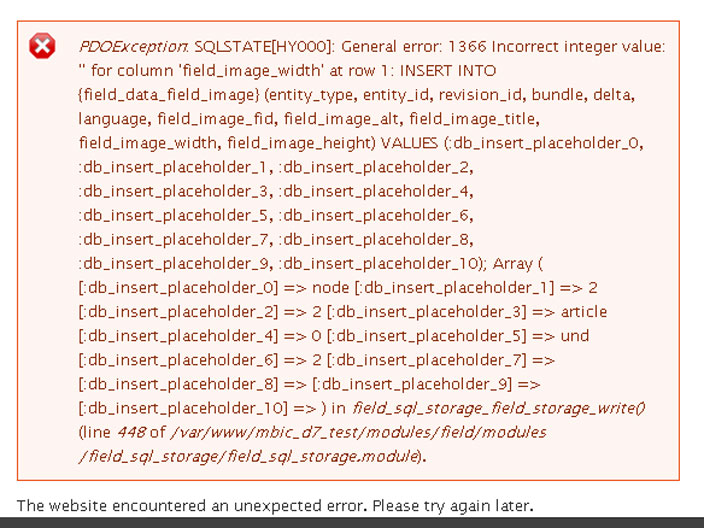
With a clean D7 install (using standard install profile), I can upload certain .jpg images and drupal will throw the following error:
PDOException: SQLSTATE[HY000]: General error: 1366 Incorrect integer value: '' for column 'field_image_width' at row 1: INSERT INTO {field_data_field_image} (entity_type, entity_id, revision_id, bundle, delta, language, field_image_fid, field_image_alt, field_image_title, field_image_width, field_image_height) VALUES (:db_insert_placeholder_0, :db_insert_placeholder_1, :db_insert_placeholder_2, :db_insert_placeholder_3, :db_insert_placeholder_4, :db_insert_placeholder_5, :db_insert_placeholder_6, :db_insert_placeholder_7, :db_insert_placeholder_8, :db_insert_placeholder_9, :db_insert_placeholder_10); Array ( [:db_insert_placeholder_0] => node [:db_insert_placeholder_1] => 2 [:db_insert_placeholder_2] => 2 [:db_insert_placeholder_3] => article [:db_insert_placeholder_4] => 0 [:db_insert_placeholder_5] => und [:db_insert_placeholder_6] => 2 [:db_insert_placeholder_7] => [:db_insert_placeholder_8] => [:db_insert_placeholder_9] => [:db_insert_placeholder_10] => ) in field_sql_storage_field_storage_write() (line 448 of /my_directory/modules/field/modules/field_sql_storage/field_sql_storage.module).
Steps to reproduce the error:
1. Download the file "Problem.jpg" below (this is critical because only certain images generate this error)
2. Log in to your fresh install, click the "Add Content" link, and create a new Article
3. Enter a title and then browse for the image you just downloaded
4. Save the node (notice you don't see the image when you view the node)
5. Click the node's Edit tab (notice you see the file name/icon but again no image thumbnail)
6. Save the node and you'll see the error
Additionally in the watchdog I see this error:
Unable to generate the derived image located at public://styles/thumbnail/public/field/image/Problem.jpg.
I installed Devel and the uploaded "Problem.jpg" image has NULL width and height values whereas other images show these values correctly and work just fine (for example "NoProblem.jpg" which I've uploaded for reference). All images were output by Adobe Photoshop and I've had no problems with them in other image manipulation environments. I think there is something wrong with Drupal because it appears to be unable to determine the height and width of some images.
I am willing and able to provide more examples of images that provoke this error.




Comments
Comment #1
pingers commentedThe problem is null values being converted to empty strings. This is happening when you click the upload button, then hitting save. Clicking save directly does not trigger the bug.
So the problem is that when the form is submitted, the hidden elements have no values
Problem.jpg
NoProblem.jpg
This means that when drupal_build_form() collects post variables, we end up with empty strings.
Of course, when we just save without using the widget to upload, this isn't an issue and NULL's are properly preserved.
I see in image_field_widget_process(), we initialize these to NULL, so I think we should just do that same for empty strings in the case that image size detection fails.
Please find the attached patch.
Comment #2
mlncn commentedGreat fix, Pingers! This patch also fixes Drupal 7's oversensitivity to malformed images, applies with an offset using
patch -p2 < drupal-image_get_info_failure-1546024-1.patchComment #3
k.skarlatos commentedI have the same bug, and patch #1 fixes it (i just needed to use the method in #2 to apply it to D7). Can this patch be included in a future update?
Comment #4
andymartha commentedWith patch drupal-image_get_info_failure-1546024-1.patch, everything uploads fine!
Drupal 8.x-dev without the patch:
I've tried this 4 times with problem.jpg on different content types in Drupal 8.x-dev, but all I get are error message:
"Exception: Serialization of 'Closure' is not allowed in serialize() (line 153 of/Applications/MAMP/htdocs/drupal8/core/modules/dblog/dblog.module).
The website has encountered an error. Please try again later."
http://drupal.org/node/1872690
http://drupal.org/node/1934738
Other images work fine.
Comment #5
tim.plunkettThis should have automated tests.
Comment #6
jcisio commentedDuplicate of #1330952: Saving an Image field with an image that has undeterminable dimensions throws PDOException.
Comment #7
jcisio commentedI mistakenly did not change the status.
Comment #8
j0rd2 commentedSame problem on D7 . Needs fix.