My platform: WinXP SP2, Apache 2.0.55 (virtual host on localhost), PHP 5.1.1 (xsl and tidy are enabled) .
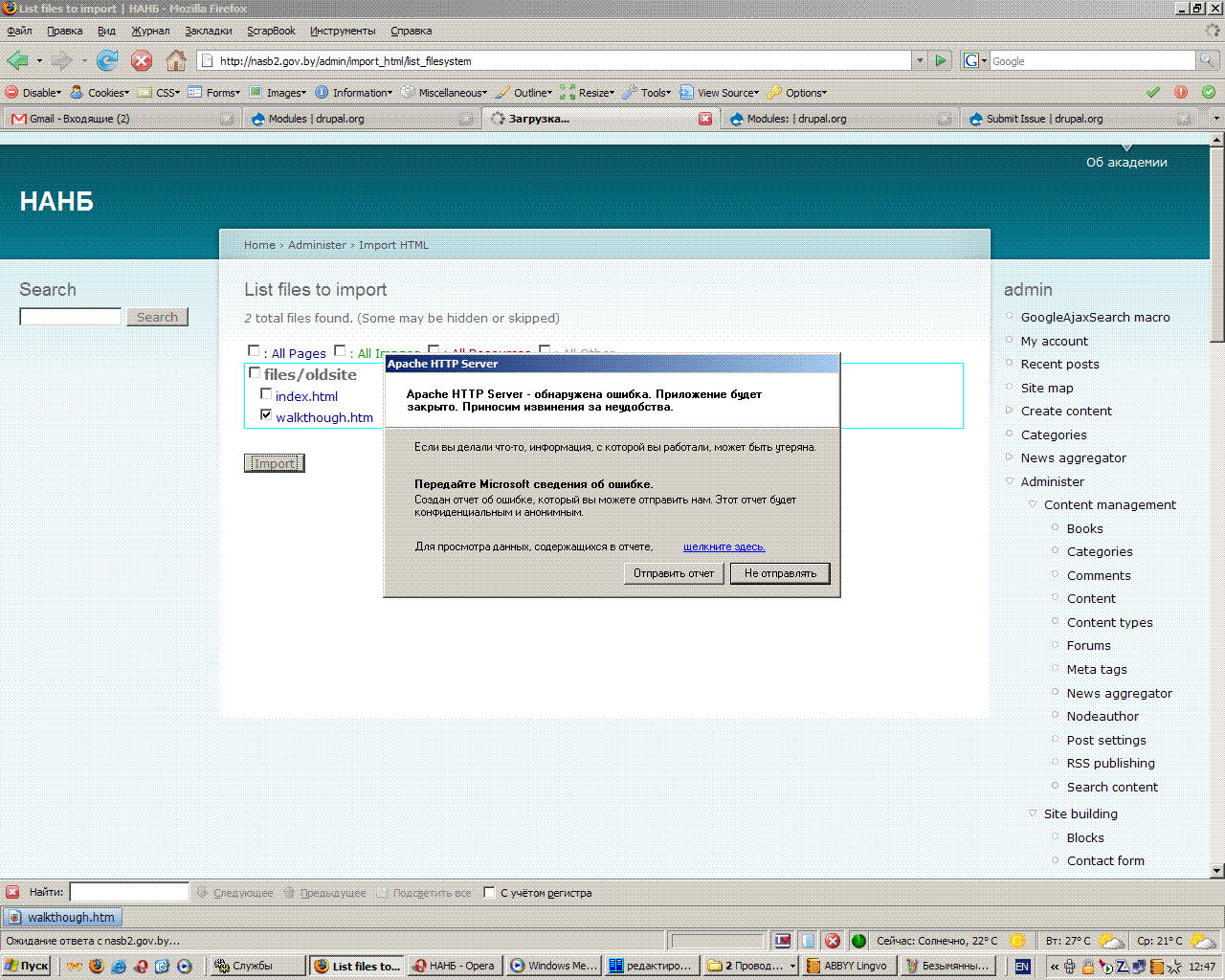
Case: I go to 'Import HTML Site', the 'Currrent configuration' seems to be Okey, I point to the HTML files source and then press 'Next'. On the next page I see the tree of html files (only two files are there), I choose one of them and press 'Import' — computer then starts 'thinking' and after a few seconds standard WindowsXP application error window pops up, saying that Apache HTTP Server will be closed due to error, and asking me to send the report to Microsoft.


Comments
Comment #1
dman commentedThere are one or two serious (but ridiculous) sudden-death errors on PHP/Windows that I've seen in the past. Not strictly with import_html, but just as seemingly random (albeit replicatable) causes.
Believe it or not, I've usually been able to solve then by finding the offending point in the code and inserting:
/* this comment does nothing, but stops PHPx.x on Windows from borking */... yea.
You'll probably see a line in your apache error log saying 'Error #659989' (I can't recall the actual number) and a search on that will throw up some hair-pulling but no actual answer.
So, turn on debugging for import_html (uncomment the debuglevel line at the top of the module)
Try again, and note how far it got.
Place
die('got this far OK '.__FILE__ .':'. __LINE__);in the code just after that, then shift it down a few lines, repeat until apache dies.You will find a piece of innocuous code there. possibly to do with DOM manipulation, but possibly totally harmless.
Scream.
Exactly which distro did you get the PHP from? XAMPP/bin/exe/zip/other? I've got, um, 5.0.4 on a windows XP box, but may try an alternate if you can refer to the exact thing.
You may find it worthwhile to try a slightly different build yourself.
Comment #2
arthur78 commentedThank you for the quick response. I will do the things you said right away, but one urgent question: starting to inspect your code i noticed that there are some include/require statements which are trying to read files like 'debug.inc' or 'xml-transform.inc'. Are you sure you have the right filepaths to them (don't we need to append 'coders_php_library/...')?
Comment #3
dman commentedFair question, but don't worry.
The library directory gets pushed into the include path somewhere really early on.
You'd see bigger errors if that was the problem.
Comment #4
arthur78 commented1) php-5.1.1-Win32.zip — this is my PHP distro :).
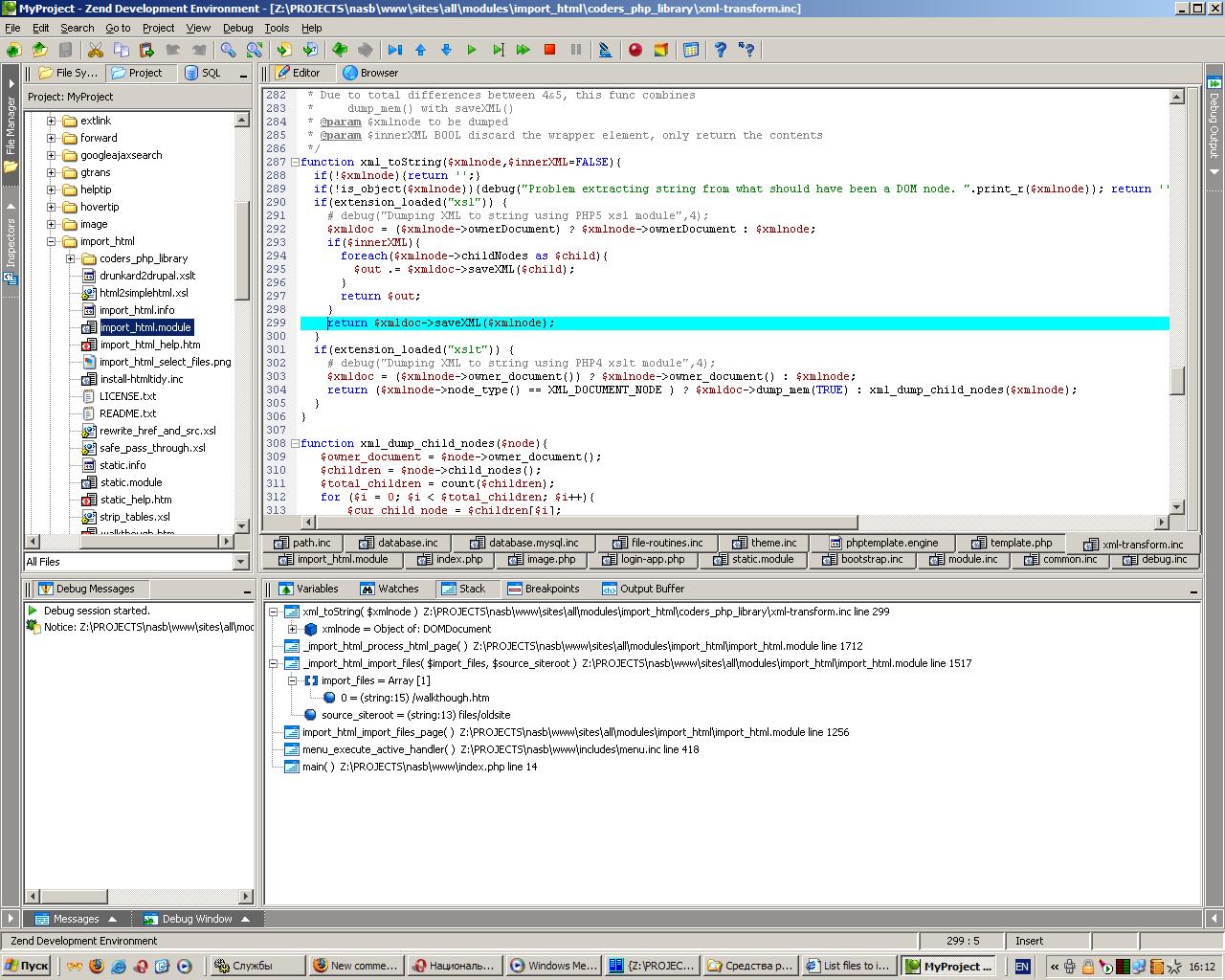
2) Apache crashes here: line: 299, file: xml-transform.inc
Please see the screenshot attached for additional details from the Zend-debugger.
Comment #5
dman commentedAh well, good going on the debug!
I've never succeeded in getting a real debug environment going.
Well, actually, I have, several times, but it always took me longer than it should and I could never remember how to do it again the next morning...
Anyway. It would appear that it is again something with the XML engine. It's changed several times through minor PHP versions already, and I've tried to accomodate it (as you can see in that lib :-{
I can say that PHP 5.1.2 (Ubuntu) doesn't have the same issue, but that probably doesn't help you :(
Sorry, to track that down would mean getting friendly with the horrible beast that is PHP XML support.
Things to looks for would be - what is the node type of that $xmlnode? It seems that this code allows it to be an xmlDocument itself, and that may not be allowed.
... Actually I see that in your data! That's handy!
So, the Node is itself the root Document. Hm.
(This also means that there was some problem with the page parsing, but we'll soon see.)
I'd try adding
just before the problem
... That may stop fatal crashes, but may also return slightly wrong results.
Pure guesswork for me.
I gotta go to bed. Have fun!
Comment #6
arthur78 commented:) The logic of your xml/xslt transformations is not known for me at the moment, but omitting $xmlnode in 'saveXML' method led the script working without (visible) errors.
The only messages in the apache's error log generated by your scripts are the repeating strings like:
How your 'walkthough.htm' (located in 'import_html' directory) is imported into my drupal you again can see in the attached screenshot. Is that correct?
One more question to ask. What if my old site pages are in 'charset=windows-1251'? I was unsuccessful importing a page in this charset, in result I got imported content full of '?????' symbols. Can we solve this (maybe slightly updating your module)?
Thank you for your help. Good night. :)
Comment #7
dman commentedCleaning up issue queue by closing stuff from the Drupal-5 branch and over a year old.