Thanks for the cool distro! I'm anxious to try it out, but I've run into the following problem.
Installation environment:
Panopoly 7.x-1.0-beta3
Linux (Ubuntu)
Apache
MySQL
Steps to reproduce:
1) Install Panopoly files
2) Change /sites directory and subdirectories to be writable (hack because I'm on localhost and don't have ftp or SSH configured)
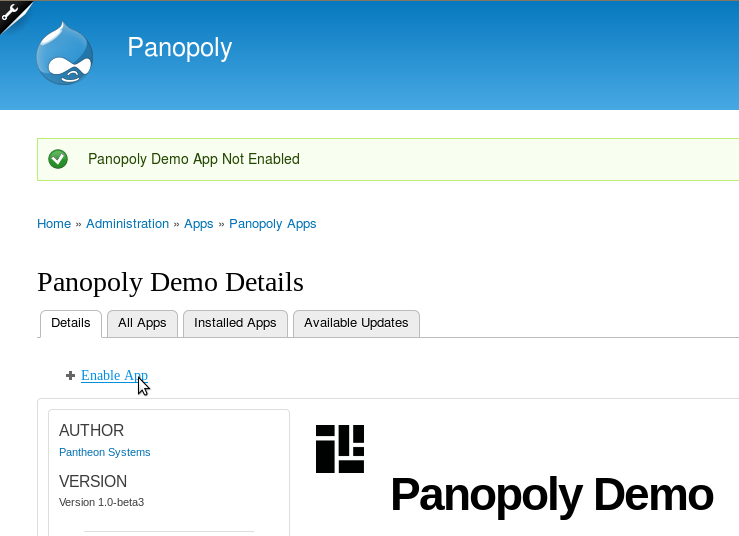
3) Choose a Panopoly App to install such as Panopoly Core or Demo
4) System installs the App but does not enable
5) Click on "Enable App"
6) Still not enabled
Expected result: App should be enabled
No error message. System thinks install was successful (green message). There are no error messages in the log.


Comments
Comment #1
jeremiahtre.in commentedKristen Pol,
In addition at this step, try to install/select panopoly_magic and panopoly_widgets, as they seem to be dependencies. However, they could be greyed-out anyway, and selected - not certain.
Try it out :-).
Peace Easy,
jtreinau
Comment #2
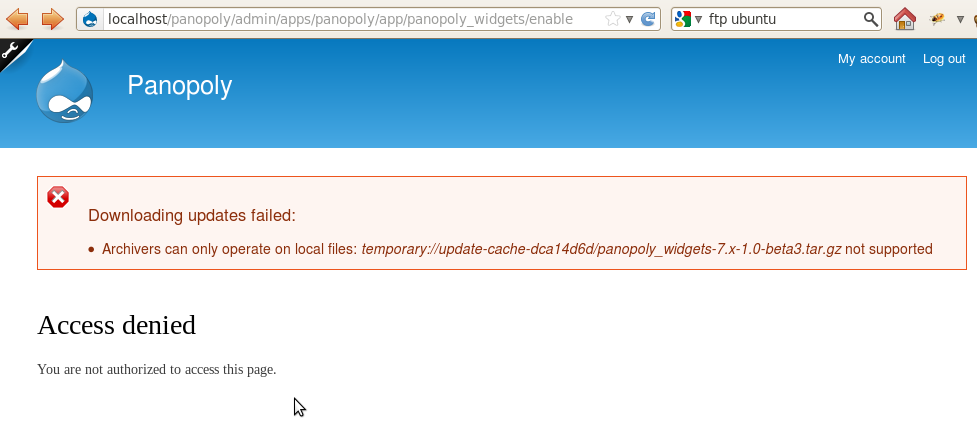
kristen polThanks for the quick response. I tried installing both of those and get this error:
==
Downloading updates failed:

    Archivers can only operate on local files: temporary://update-cache-dca14d6d/panopoly_magic-7.x-1.0-beta3.tar.gz not supported
==
I've attached a screenshot. I verified that I am logged in.
I am hoping to use Panopoly for a new project that is starting this week so I'm anxious for it to work ;)
Comment #3
jeremiahtre.in commented@Kristen Pol
Had something similiar to this happen, yesterday!
I'm not sure if it's the best method for the solution, but I went into my
/tmpfolder on my local server and$ sudo rm update-*. Then, attempted again.I can't be certain it is the exact same issue, but worth giving a shot.
Hope this helps!
-jtreinau
Comment #4
kristen polThanks for the fast response! The removing of the tmp files did the trick for that error... but I find that I can install Widgets and Magic but not enable them either :(
Comment #5
kristen polI have figured it out! The installation process wasn't actually completely finished... it had stalled on the ftp stuff (which I didn't have so I went on to just hacking it by making /sites writable). Upon running install.php *again*, it was able to finish up its business and now things are working as expected. I was able to enable the Users app with no issues.
Thanks for your help!!!
:)
Comment #6
jeremiahtre.in commentedYou rock. Great job.
Glad it's working!
Comment #8
ressaThanks guys, I had the same problem, stalling on FTP stage, on my localhost machine.
sudo chmod -R 777 sites/fixed it, maybe it should be included somewhere during the installation process?