

Closed (duplicate)
Project:
Node clone
Version:
7.x-1.x-dev
Component:
User interface
Priority:
Normal
Category:
Support request
Assigned:
Unassigned
Reporter:
Created:
11 May 2012 at 09:41 UTC
Updated:
8 Oct 2015 at 11:40 UTC
Jump to comment: Most recent, Most recent file


Comments
Comment #1
fejn commentedI like the idea of what this module is supposed to do, so I installed it, but now I can't figure out how to use it. I don't see any "Clone content" tab anywhere, and when I went to admin/config/content/clone to get to settings, I didn't see anything that looked like it needed changing. I am running as admin, & have permissions to clone the content.
I often use the Administration Menu (toolbar) module; I don't know whether that is causing a problem - I don't see a "Clone link anywhere. Maybe if someone could post a screenshot of what they see when they work with the module i'd be able to figure it out.
Thanks in Advance,
Jeff
Comment #2
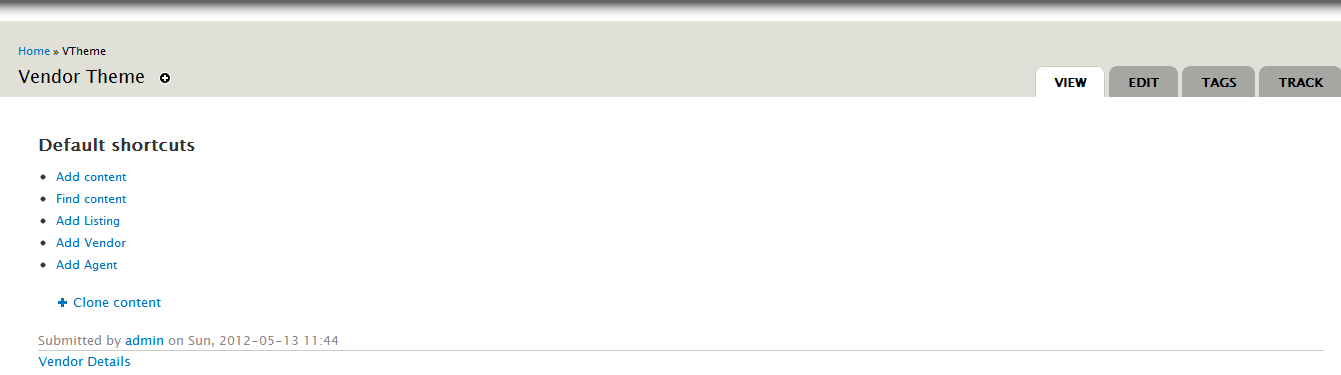
DrupalDan commentedHi Jeff, here's a screenshot. Hope this helps.
Comment #3
fejn commentedThanks, Dan: that did help some.I'm beginning to suspect that my problem is theme related.
a) I would guess your screenshot is using Bartik, or some such.
b) I notice there is no '+' next to the 'Clone content' entry (see attached screenshot - it uses Seven as a theme).
c) When I use a custom theme, the 'Clone content' link doesn't appear; is the link put out as a block or something that I need to enable for the theme?; if so, what area does this link come out in?
Jeff
Comment #4
DrupalDan commentedIt's not a block. And I don't think you need to do any extra configuration at all to use it, as I didn't do anything and the 'Clone content' is just there to use.
I use a custom theme; it's based on some default theme but I don't remember if it is Bartik for sure. I viewed the source and the 'Clone content' is displayed within the div "page".
Comment #5
kingandyOh, the functionality is a Link now? That's annoying, I preferred the Tab. (For one thing, I often don't have Links enabled on my sites.)
For what it's worth, if your theme doesn't display Links (typically underneath the node content), the Delta Blocks module provides it (among other useful page elements) in a handy block that you can position wherever you want on the page.
Comment #6
kingandyMarking this as a duplicate of #1328682: Add a link to the contextual menu / or a tab for cloning the node.
Comment #7
omar commentedFor the record, one can also use the https://www.drupal.org/project/node_clone_tab module.
Comment #8
asxnot commentedFor the issue concerning tab alignment, I looked how menu works in module Nodequeue whose tab is aligned correctly instead.
So, I solved by replacing lines 56-57 of file clone.module :
with:
Yet, I don't know if this has drawbacks on other parts of the module but it works.