

Closed (won't fix)
Project:
Geolocation Field
Version:
7.x-1.x-dev
Component:
Geolocation Field / Backend
Priority:
Normal
Category:
Feature request
Assigned:
Unassigned
Reporter:
Created:
11 May 2012 at 21:41 UTC
Updated:
12 Apr 2022 at 09:33 UTC
Jump to comment: Most recent, Most recent file


Comments
Comment #0.0
jensimmons commentedlinking up images
Comment #0.1
jensimmons commented.
Comment #0.2
jensimmons commentedaaaaaa
Comment #1
jensimmons commentedAttempting to post the photos again.
Before:
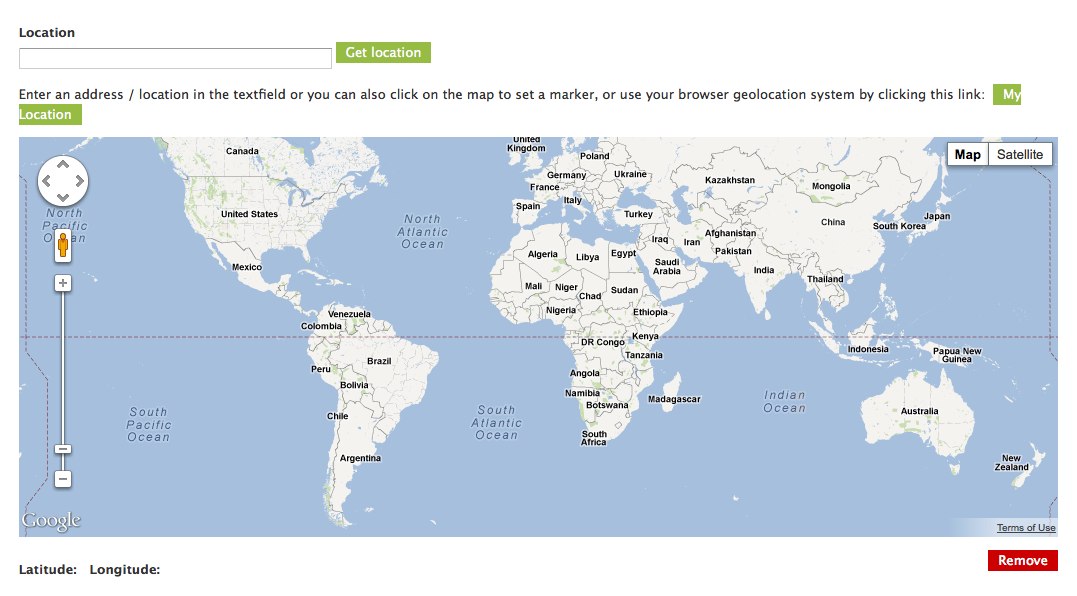
After:

Comment #1.0
jensimmons commentedgrr
Comment #2
derjochenmeyer commentedThanks for the mockup jensimmons. I like the idea of simplifying things. I'd vote for a little more information though:
"Enter an address or click the map: [Map this address]"
"Or: [Use my browsers' location]"
Comment #3
jensimmons commentedYou suggested:
I believe this confuses things — placing two choices that aren't related to each other into the first choice listed. Each choice should just have one choice. 1, 2, or 3. (Not 1or2, or 3).
This could work to make the option to simply click on the map more obvious.
Like this:
I still like the original screenshots above better. It's simpler. Advanced users will likely already know they can zoom in the map and click on it. Although, since that interface does require zooming in, I expect it will be used less often than the other two choices.
It's important for tools to be super easy to use. Especially for beginners.
Comment #4
jensimmons commentedOh, I see why it's not possible to alter most of this help text sung String Overrides — it is all wrapped in t(), but much of it never goes through Drupal's translation system. It's injected into the page DOM using javascript, directly from the module's js.
Comment #5
Sinan Erdem commentedI really like jensimmons's suggestion about UX. Please consider making the widget more user-friendly with this suggestion.
Comment #5.0
Sinan Erdem commentedomg STOPIT
Comment #6
christianadamski commentedClosing all 7.x issues. It's time.