

Active
Project:
Views (for Drupal 7)
Version:
7.x-3.3
Component:
User interface
Priority:
Normal
Category:
Bug report
Assigned:
Unassigned
Reporter:
Created:
3 Jun 2012 at 15:40 UTC
Updated:
12 May 2016 at 21:41 UTC
Jump to comment: Most recent, Most recent file


Comments
Comment #1
dawehnerJust a guess, try to setup a node: nid field and use node/[nid] as the path, though to tell you more it might help if you could provide an export of the view.
Comment #2
pietrocap commentedThank you! Using node/[nid] as the path read-more link works fine.
Anyway I attach the exported "old" view, using token [path] .
Comment #3
kalbert036666@gmail.com commentedhey guys need help!!!
am using views in drupal 7, i have trimmed my content to 300 chars and also added a Content:Link to my fields.. and it works very well in the views preview but wen i get out of the view and reload my page my readmore link is not displayed but the content is trimmed yet in the view preview it works ...... wat cud be the problem..???? thanks in advance
Comment #4
stevenpatzOpen up a new issue, please
Comment #5
kalbert036666@gmail.com commentedmake sure you have u add path to yo fields, also make sure that in your views content= to that in yo filter criteria u add content type which is equal to yo content type u are working with.i.e if u are working forms make sure yo content type = forms..
Comment #6
goldlilys commentedI have the same problem when a node title has symbols or apostrophes such as Dad's Car, the [path] it creates becomes http://example.com/dad%25E2%2580%2599s-car . And when I click on that link, it takes me to a page not found.
Using [nid] is not really a good solution because we don't want visitors to be linked to that kind of url. Is there another way to get the right link for trimmed results other than adding the [path] or [nid] token?
Comment #7
kalbert036666@gmail.com commentedu'v have to add the [path] field and then u have to check re-write output of that field in the options then add this
readmore.... hope that will help
Comment #8
chsanch commentedHi, I solve this issue (I've a multilingual site also) doing this:
- Adding the "path" field to the view.
- Then check the "Use absolute link (begins with "http://")" in the rewrite results options
- To use this field in the replacement patterns, it needs to have a low weight to be one of the first fields showing up, this can be done with the rearrange option.
- With this you can use the [ path ] pattern directly and it'll show the right url alias for the multilingual site.
And that's it, I have the more link path working correctly. I think this is better than use the node/[nid] option, mostly because it'll use the clean url.
Hope this helps you.
Comment #9
64 questions commentedIt did help me, chsanch. Great solution. The unwanted http://sitename/en//en/... links are gone now. Thanks.
To be complete in your instructions: In views -> configure field: content: path -> Check the checkbox: "Exclude from display".
Comment #10
sreehari.annam commentedhi. i have a basic page with large amount of content so that i want a "Read more" button after two or three paragraphs so that when ever user click on that button it will have to display all the content .
how can i achieve that, please tell me.
Comment #11
Valens rwakageyo commentedhow to add read more link in node
pls somebody tell me
Comment #12
Valens rwakageyo commentedhow can i add read more link in danland in preface region?
Comment #13
dspcore commentedTo chsanch
Thanks for your good answer
Comment #14
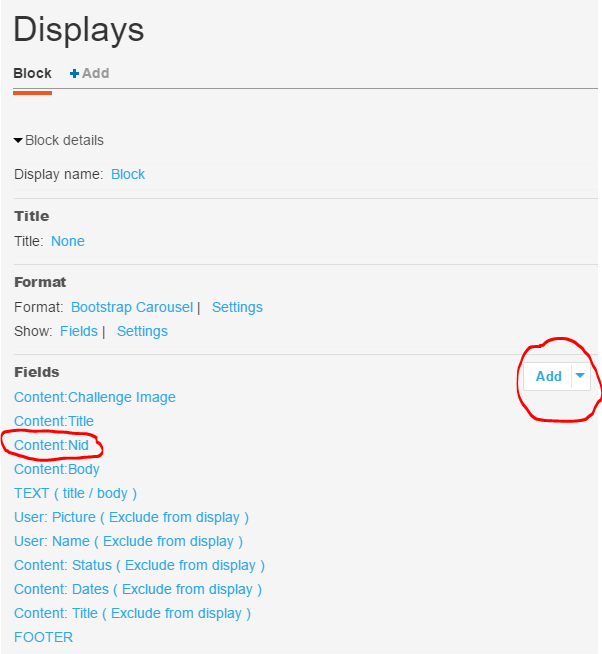
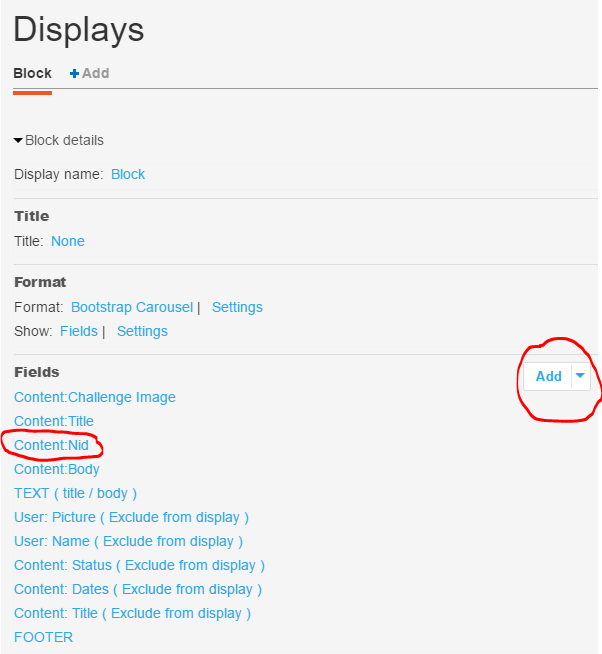
colorado commentedTo add a Read More link in a view, remember to add the field to the view and then move it above the field where you want to use it as a replacement pattern.
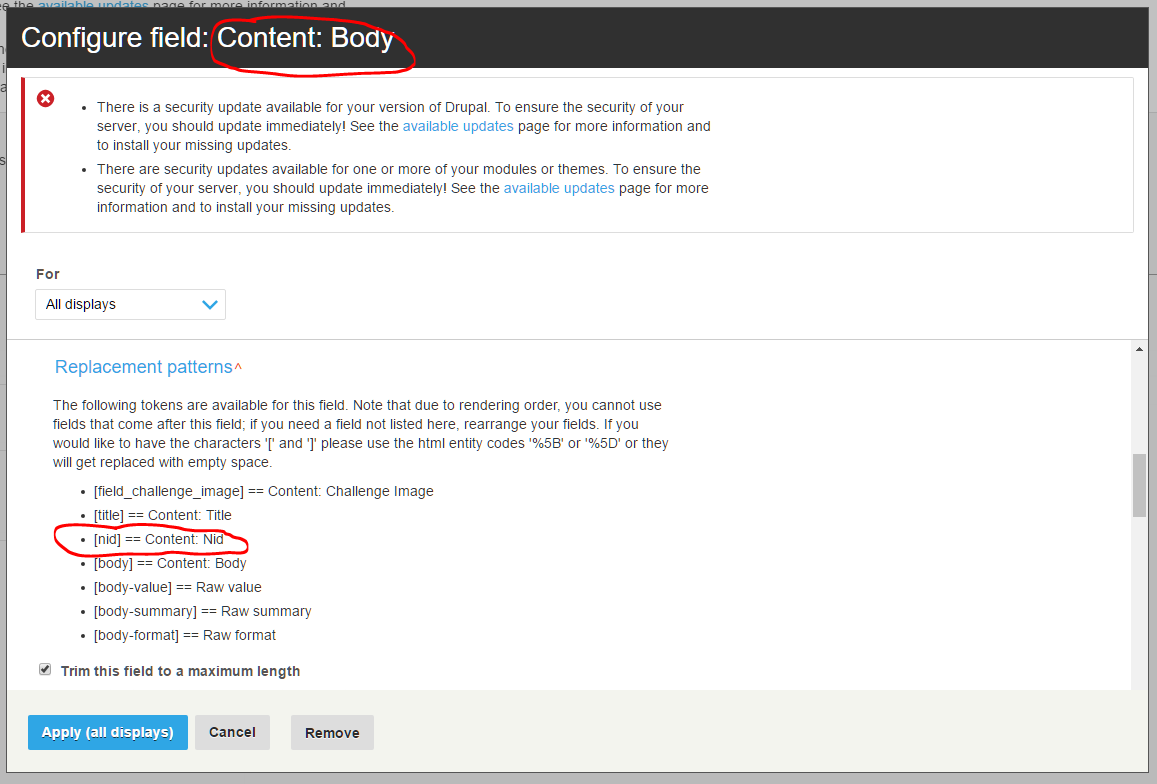
For example, if you want to create a Read More link in a truncated body in a block:
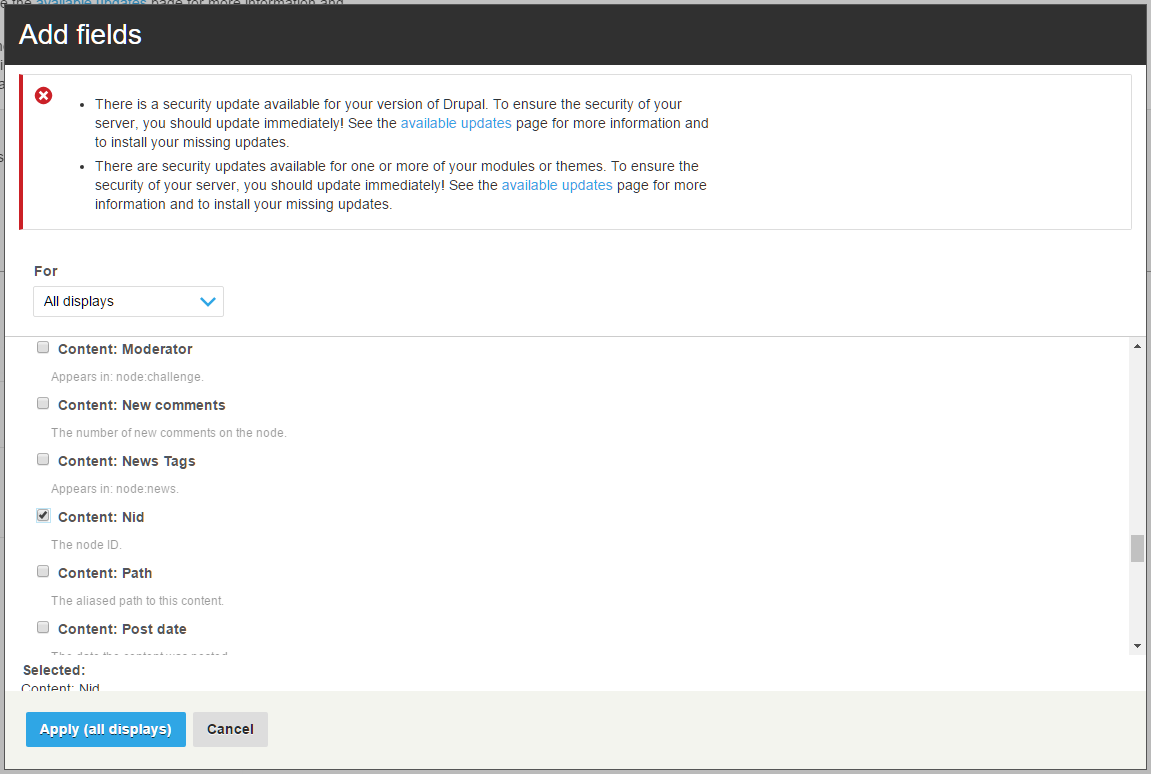
1) use Add in the drop-down menu for the view to add the [nid] == Content: Nid field to the view, and then
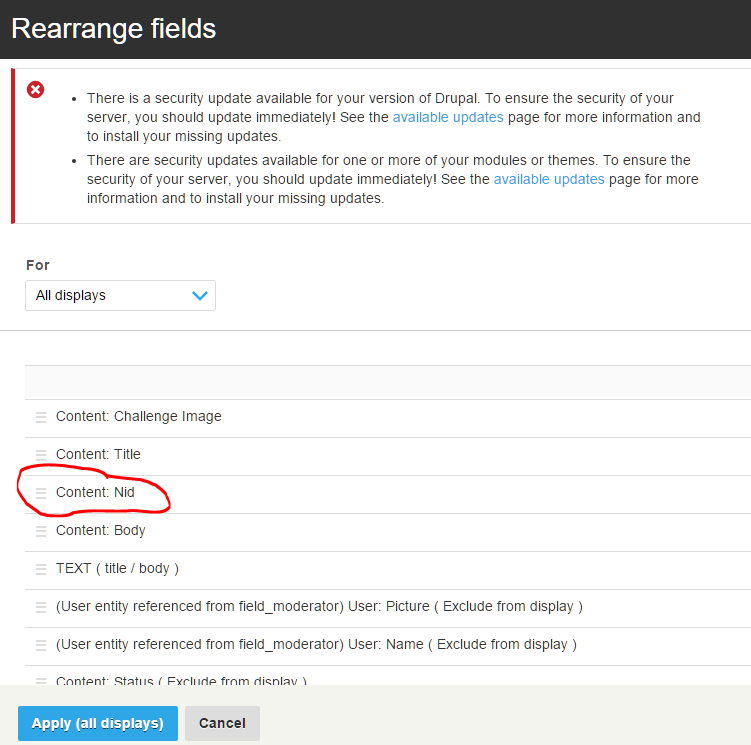
2) use Rearrange in the drop-down menu for the view and drag the Content: Nid field above the Body field.
3) Then you should see the Content: Nid as a Replacement pattern when you edit the Body field in the view.
See attached images in Comment #16 below.
Comment #15
colorado commentedComment #16
colorado commented