

Active
Project:
Geofield Alimap
Component:
User interface
Priority:
Normal
Category:
Support request
Assigned:
Unassigned
Reporter:
Created:
7 Jun 2012 at 02:39 UTC
Updated:
9 Jul 2015 at 10:31 UTC
Jump to comment: Most recent, Most recent file





Comments
Comment #0.0
rogical commented啊啊
Comment #1
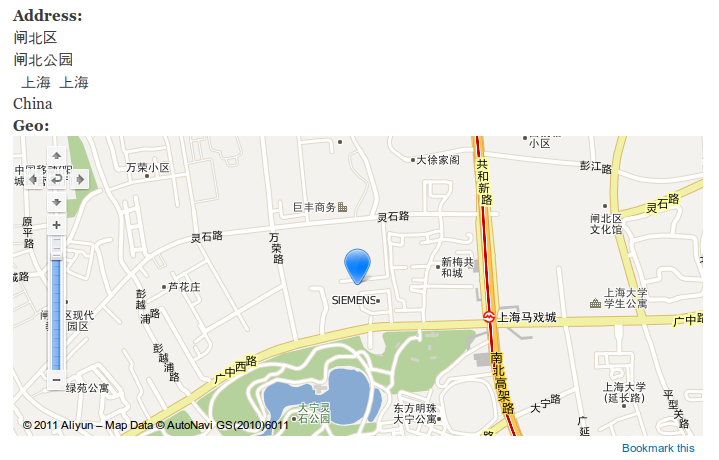
iwhy commentedthis is great, but when display the address,how to make it like this:
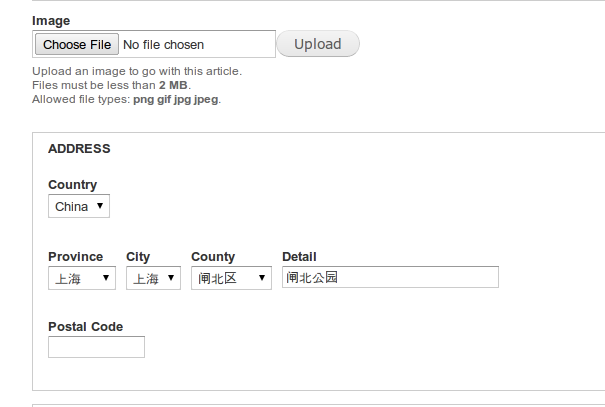
中国 上海 上海 闸北区 闸北公园
222222
Comment #2
rogical commentedNeeds make a address formatter for this, but I'm using panels for render node.
You can create a issue for this on project 'China address field'.
Comment #2.0
rogical commented443
Comment #3
Fingerlinck commentedHey. I have some troble with baidu_map.
I made all steps same with your issue. But on node page I only see the gray baidu box. Without any graphic map. Just any points nearly my address point.
When I try to save node, I get a message on screen:
"Sorry, a critical error was returned by Baidu Geocoder for the requested query and no geocoded information could be saved. Error code: 220.
Please check on Baidu Geocoder API reference website for more information on this error code."
Anybody have any ideas how to fix this problem?
Please see attachment.
Comment #4
aolaze commented我这里有碰到3个问题:
1.我的数据库没有安装,我后面手动增加的。
2.我在用ueditor 1.4.32,在Body中设置为filtered HTML,选择地址中的省份时报了个错误,无法跳出市级的地址项:
An error occurred while attempting to process/?q=system/ajax wysiwyg module has no information about field ""。
我把body改为Plain Text 没有问题。
3.我设置的地址后,也没有地图显示,只给了个point.
POINT (105.00725 31.91937)
There is currently no content classified with this term.