

 The 2026 Drupal Business Survey is open. Your response will help shape the future of the Drupal business ecosystem.
Hello,
the video doesn't start on Firefox.
no problem on chrome and internet explorer.
| Comment | File | Size | Author |
|---|---|---|---|
| #21 | notplaying.gif | 15.28 KB | HappyJiyoung |

Comments
Comment #1
enjoylife commentedHi, could you provide more details? Was the video you are referring to working fine before you upgraded from Firefox 12 to 13? What video file format is it? Is it an external link or a file on your server? What dev version are you using?
Do you mean that the file does not automatically play by itself when you load the page or do you mean the file no longer plays at all? Could you provide an image or a link? Thanks.
Comment #2
drakythe commentedI can confirm this on is also the case for me on FF 13 in Windows. My Co-Worker's Mac plays it just fine, though. I'm using the Media: Youtube module to snag the URL and then Views to pull in the playlist and mediafront to display it.
edited: changed facebook to youtube. Not really sure what I was thinking when I originally typed that...
Comment #3
enjoylife commentedOkay. I'm having a similar issue with Youtube videos using the text field method: #1630932: Update breaks Youtube videos. The same nodes and views display fine in IE 9, but not in Firefox 13 with Windows 7. I'm only experiencing this problem with the the dev release from June 12. Going back to beta4 fixes the problem.
Was your co-worker using Firefox on the Mac? Or was it a different browser? If they used FF, was it FF 13? I'm trying to determine if this is a Windows 7 issue or a Firefox 13 issue.
Comment #4
drakythe commentedSorry I should have been more specific. My co-worker was using FF, and I believe it was FF 13. I will double check when he gets in today and verify that that is the case.
Comment #5
enjoylife commentedI believe the problem is in Adobe Flash 11.3.300.257. IE 9 worked fine until I updated flash to 11.3 (IE had been using the latest 11.2 version). Then IE 9 stopped working like FF 13.
Comment #6
enjoylife commentedI've marked #1630932: Update breaks Youtube videos as a duplicate of this issue, as I believe they are related to each other.
Comment #7
drakythe commentedI just did some more testing this morning and discovered that Chrome, with the same flash plugin as firefox, works just fine. So I think the firefox/IE distinction is still somewhat important to the issue.
EDIT: Also, just for note's sake, the issue still exists in FF 13.0.1
Comment #8
enjoylife commentedUsing the most recent versions of Flash (11.3.300.262), Google Chrome (19.0.1084.56), Firefox (13.0.1), and IE (9.0.8112.16421) on Windows 7, I am unable to load and play Youtube videos in a node using the text field method using MediaFront 2.0-beta5. I have another video link from a different server that uses the text field method. This flv file plays fine on all browsers.
Comment #9
BertVK commentedI just upgraded to MediaFront 7.x-2.0-beta5 in Drupal 7.14 and I have the same problem.
I tried with FF 13.0.1 and Chromium 18.0.1025.168 on Linux Mint 12.
Updated Flash to 11.2 r202 with no results.
Tried with both browsers with all plugins and extentions disabled with same result.
The source was always a local MPEG-4 file.
Comment #10
drakythe commentedI can confirm that the problem persists into Beta5
I did notice something I failed to report earlier though. if I full size a video playlist, the first video in the list begins playing, without any problems. However I cannot get past that first video.
Comment #11
travist commentedSo, I was able to get a fix in for #1630932: Update breaks Youtube videos, but I am not completely sure that the issue here is related. However, I would like to have a fresh test with the latest dev version and see if this issue goes away. If it does, then I will get a new release out as soon as possible.
Comment #12
drakythe commentedUnfortunately the issue did not resolve with me. I will ask some folks around my office to test a bit more and see if other items are fixed/broken.
Comment #13
vincentko89 commentedSame deal here. Can anyone send me the link to the version that actually work for FF 13?
Comment #14
enjoylife commentedI am using the most recent dev version of MediaFront (7.x-2.0-beta5+7-dev). I have Youtube videos and a Vimeo video set up using the text field method. With the new dev version, videos play in Firefox 13.0.1 and IE 9. My settings remain the same as they were before in #8. The only change was updating to the latest dev release.
drakythe, you mentioned that your setup is with the Media: Youtube module, correct? vincentko89, how are you pulling in videos?
Comment #15
drakythe commentedI'm sorry for being ignorant, what is "the text field method" of pulling in media? I'll attempt to use that method if you would explain it and see if it works for me better than my current method.
Comment #16
enjoylife commentedFollow this to set it up: http://drupal.org/node/1563590.
Comment #17
travist commentedI am trying to reproduce this but cannot using FireFox 13. I need some more information....
1.) What format of files are you trying to play?
2.) What operating system & browser version are you using?
3.) Do you have a url that I can navigate to see for myself?
Thanks,
Travis.
Comment #18
drakythe commentedOh you're going to love this. My uninstall/re-install of firefox seems to have fixed my video issue as well. Arrrg!
Comment #19
refman1073 commentedIn my case it failed to load video on Firefox on any platform (Windows, OS/X, Linux). I defined both mp4 and web files. In looking over the console log I found a message that a media type of "text/plain" was not supported.
To remedy this, I simply needed to add the following statements to the .htaccess file in Drupal's home path:
AddType video/webm .webm
AddType video/mp4 .mp4
Comment #20
kitling55 commentedI can confirm that his fixes my problem of FF and ie8.
Comment #21
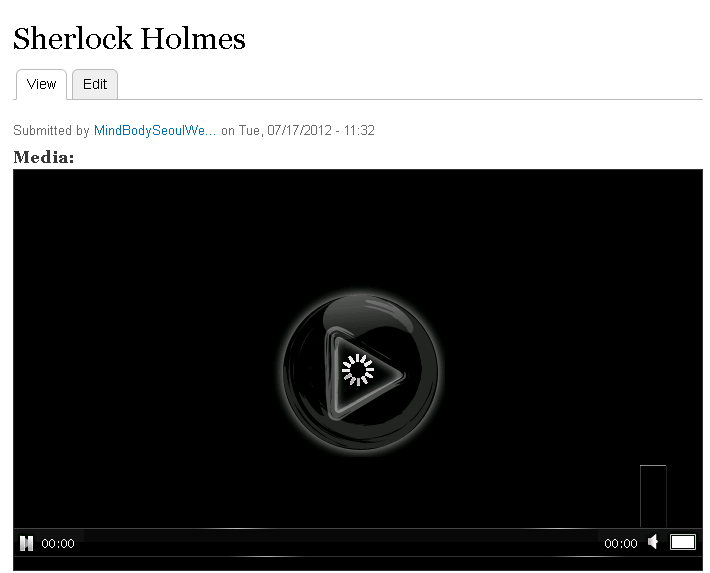
HappyJiyoung commentedI just installed and did "drush en media_content"
The views grid with thumbnails are all published but when I clean to see the video then no video displaying.
My system is WindowsServer 2008 IIS 7.5. Firefox, chrome, IE 8...all doesn't show the video in the node.
http://localhost:772/node/9
Sherlock Holmes
Readme info " - crush fr media_feature" Is this typo?
Except this I followed instruction and everything went fine.
Except I had to change code line 14 of file_styles.install
For above reply saying adding type to .htacces
Would it be possible to share exact code for web.config version for IIS?
Thank you!
Comment #22
drakythe commentedHappyJiyoung, A couple of things.
1. Where are you getting these directions?
2. I think if this is related to the mediafront module you will want to create a new issue, since it is not just firefox that is malfunctioning for you.
Comment #23
rwilson0429 commentedI am having the same problem using mediafront 7.x-2.0-rc1+3-dev (2012-Jul-15). Video plays fine in IE and Chrome but only the audio (no video) plays in Firefox. This happens for YouTube and videos uploaded from local file system. #19 did not fix the problem for me.
Content Configuration:
Modules:
Comment #24
SirBlogaLot commentedSince Firefox is now at version 17.0.1 (and this report is for version 13) and it is not reproducible in the current FF browser; I think this issue should be closed.
Comment #25
rwilson0429 commentedAre Drupal sites only useful for those who use the most current version of browsers? We develop web sites to be compatible with not only current browser versions but the not so current ones as well. Would be great if most folks upgraded to the latest and greatest but, that just doesn't happen (just ask those ie8 users). So, while the issue is not reproducible in the current FF browser, it is reproducible in version 13.
Comment #26
mark@redhorseinteractive.com commentedI am running firefox 18.0.1 on a mac and I also only have sound playing for mp4 and mv4. uploading a .mov does work however... I haven't yet ventured to test in IE.
Comment #27
mark@redhorseinteractive.com commentedrwilson0429, did you every figure out how to get the video to play properly in Firefox with this? Any pointers would be appreciated.
I'm thinking it is a video compression thing. not all mp4's are created equal. :)
Cheers.
Comment #28
drakythe commentedmark,
Many of my coworkers are running into general problems with firefox and video in version 18. It is particularly apparent on youtube, where they typically only get the first few seconds of video before it freezes. When you say you only have sound, is it a black screen and sound, or a frame of the video? If it is a frame of the video, then it may just be FF18 on Mac being stupid for videos.
Comment #29
drakythe commentedChanged the name, since this now encompasses more than just one version of firefox.
Comment #30
travist commentedIf you go to http://mediafront.org, do the videos work in Firefox 18? I just updated my firefox and those videos are YouTube and it seems to be working for me. You?
Comment #31
enjoylife commentedFirefox 13
#24 and #25 did not agree whether this issue should have been closed for FF13. MediaFront did work with FF 13 by #24. Those who couldn't get it working (#21 and #23) had specific issues that were beyond the scope of simply getting MediaFront to work with FF 13. #23 was using CCK, instead of Views, and the Media and File Entity modules, which were both unstable at the time. #21 appeared to need help setting MediaFront up. Everyone else confirmed that FF 13 worked after #11 once they worked out the kinks with their own specific configurations. I tested mediafront.org through BrowserShots and FF 13 looks like it loaded fine. Because of this, I do believe MediaFront is compatible with FF 13 and we can consider that that part of the issue is closed.
Firefox 18
There may still be issues with FF 18. We only had one user (#30) confirm that they got this working. No one replied when travist asked for people to confirm that it worked for them. The BrowserShots test I did appears that there might be FF 18 issues, but their test computers are a Windows 2008 Server and Mac OS X 10.7. The best way to test this would be some real world examples. So if you have FF 18 and can test the videos at http://mediafront.org to make sure they are working, that would be greatly appreciated.
I'd love to get this issue closed. But as #25 said, if the issue is still reproducible in an old browser, we can't close the issue just because it works fine in the current browser. So if it's working in FF 18, let's get this issue closed. Thanks all.
Comment #32
pixelsweatshop commentedI was going to reopen this as I found I was having the same issue in Firefox 22+. However, upon further investigation it turned out be be one of my Firefox addons. (either Adblock or Flashblock). This might explain the inconsistencies in the reporting. While in hindsight this might seem obvious, there are a large number of firefox addons that do this sort of thing, so I thought I would post this as a possible area for others to look at. I am also going to add this a possible debug option in the docs.
Comment #33
pixelsweatshop commentedSorry, changed status back.
Comment #34
stevensunsunsun commentedDoesn't work for me after updating Firefox on a Windows 7 machine – now running the latest FF 24.0
Not using any Addons.
Works fine with all other browsers and across platforms. Also works with older versions of Firefox.
I tried adding this to .htaccess but no good:
AddType video/webm .webm
AddType video/mp4 .mp4
AddType video/x-m4v .m4v
Just stuck with the play icon and the three grey dots.
Comment #35
pixelsweatshop commented@stevensunsunsun have you placed the moov atom at the front of the mp4 file?
Comment #36
stevensunsunsun commentedHi nicoz,
Sorry – thank you for getting back to me – have decided to move away and embed YouTube instead.
Comment #37
bfeltman commentedWe've updated our version of Silverlight and that seemed to fix the same issue that we were seeing. Might be worth a shot.
Comment #38
srikanth.g commentedhttp://www.dgsnd.gov.in/index.php?q=node/941
There is a youtube embed video on the above page,Title and description are visible but why can't see the video? its IIS server,but these moduls working fine on my local APACHE.
.I am using 3 modules emfield,media_vimeo,media_youtube for embedding videos in my drupal6.