

 Come together with the global Drupal community in Rotterdam, 28 Sept – 1 Oct 2026. Sessions, contribution, connection, and Early Bird savings until 8 June.
Case A: If I create a "Services" display, and set the path option to create a resource. The output will be available at http://example.com/<endpoint path>/<resource name>
Case B: Also, after enabling "views" resource in your services endpoint I can do GET request to: http://example.com/<endpoint path>/views/<view name>
But the two outputs are different from each other. Why is this the case? Some fields appear blank and have unexpected values. I've pasted the output of the two cases below.
Case A Output: http://pastebin.com/FZ1NK12x
Case B Output: http://pastebin.com/jpRXNdbv
| Comment | File | Size | Author |
|---|---|---|---|
| #4 | Screenshot_2017-08-19_21-35-10.png | 178.57 KB | generalredneck |
| #4 | Screenshot_2017-08-19_21-35-41.png | 170.26 KB | generalredneck |


Comments
Comment #1
ygerasimov commentedCase A and Case B are not related to each other. There is no connection between them and outputs should not be the same.
Please advise what values are "unexpected" so I will understand whether it is bug or not.
Comment #2
dayson commentedLook at the values of "project_description": "", "project_thumbnail": "" in case B, they are blank!
This makes the views/ endpoint useless as I can't get any data besides nid, title in the raw format. This used to work previously. Hope this brings more clarity?
Comment #3
Darren Shelley commentedFor anyone else finding this issue:
If you are experiencing a difference between the "views" resource and the "services" display you will most likely need to stipulate the display_id.
e.g in Daysons example:
http://example.com/<endpoint path>/views/<view name>?display_id=services_1By default if you do not specify a display_id, the master display will be loaded which may not in this case use the same logic to fill out "project_description" and "project_thumbnail".
Comment #4
generalredneckWhile working on #2900460: Make the Views Resource enforce better security practices.. I have found that this is actually true in regards to the output of the property labels. I have a view that shows title and nid.
If I create a services display, and forgo setting the labels... I get "title" and "nid" as the proprieties.
If I access that same display via the views resource, I get "node_title" and "nid" as the properties.
You can see the output here:
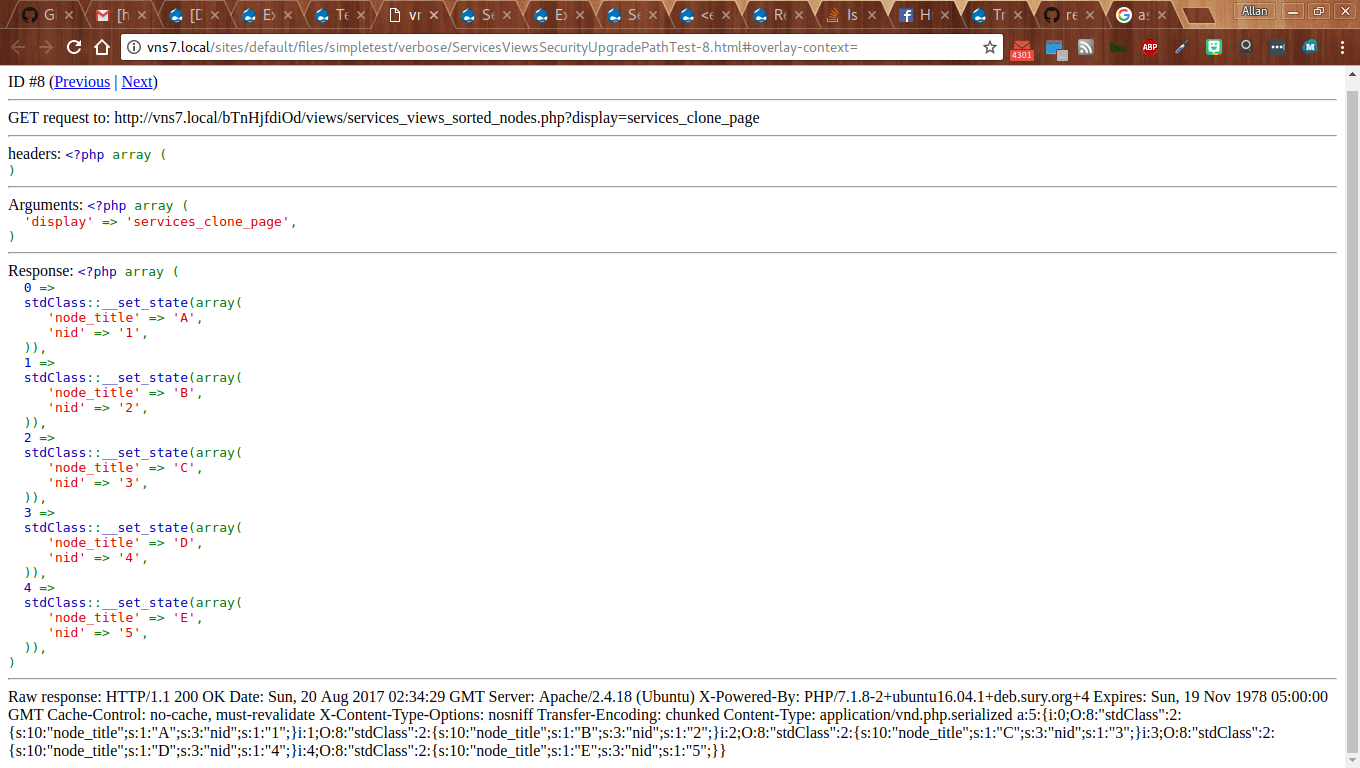

The view looks like this:
The reason is because for the views resource we go through the whole services_views_retrieve() function before we even talk about displaying the results. In the Service display plugin, we forgo all of that and just display what ever we have. This means that we notice big differences particularly when we use the 'node' row plugin (Render as Content) [which is a whole another issue of why we make an exception for just node] vs fields which we use the "result" row indexes versus the labels that people use for fields. This also means we get a lot more stuff at times because of relationships and stuff.
Comment #5
generalredneck