

In order to upload a file with the Drupal upload.module, you need the "upload files" and "view uploaded files" permissions.
My module, OG User Roles (http://www.drupal.org/project/og_user_roles) assigns roles to users based upon the group(s) they are in. So, if a user has the "upload files" permission for Group A, he should be able to upload a file in Group A.
What is now happening is that:
1. Group A user with the "upload files" permission in Group A is attempting to upload a file in Group A. In node "create" or "edit" screen, he goes to "File attachments" section.
2. User clicks on "Browse" button. He locates and selects file.
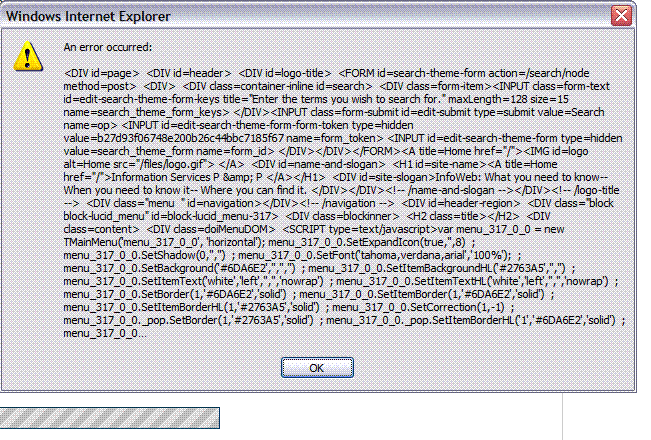
3. User clicks on "Attach" button to upload file. File appears to upload, then this error message pops up in a separate window: http://drupal.org/files/issues/og_user_role_errmsg_0.gif
4. User clicks on "OK" button to clear error message. Attached file doesn't appear in "File Atachments" section. "Attach" button also disappears.
5. User clicks on "Preview" button. Node previews, WITH the attached file.
6. User clicks on "Submit" button. Node is saved with the attached file.
So, the problem isn't that the file isn't uploaded or attached, the problem is the annoying message.
Does anyone know:
a) Where this error message is coming from, and;
b) How to stop it from appearing?
Thanks for any assistance.

Comments
Figured out a resolution to
Figured out a resolution to my problem here: http://drupal.org/node/166566