Closed (cannot reproduce)
Project:
Panels
Version:
7.x-3.2
Component:
Panel pages
Priority:
Critical
Category:
Bug report
Assigned:
Issue tags:
Reporter:
Created:
3 Jul 2012 at 17:05 UTC
Updated:
22 Mar 2013 at 18:16 UTC


I'm using Panels 7.x-3.2 with Chaos Tools 7.x-1.0+31-dev on a site we're about to launch.
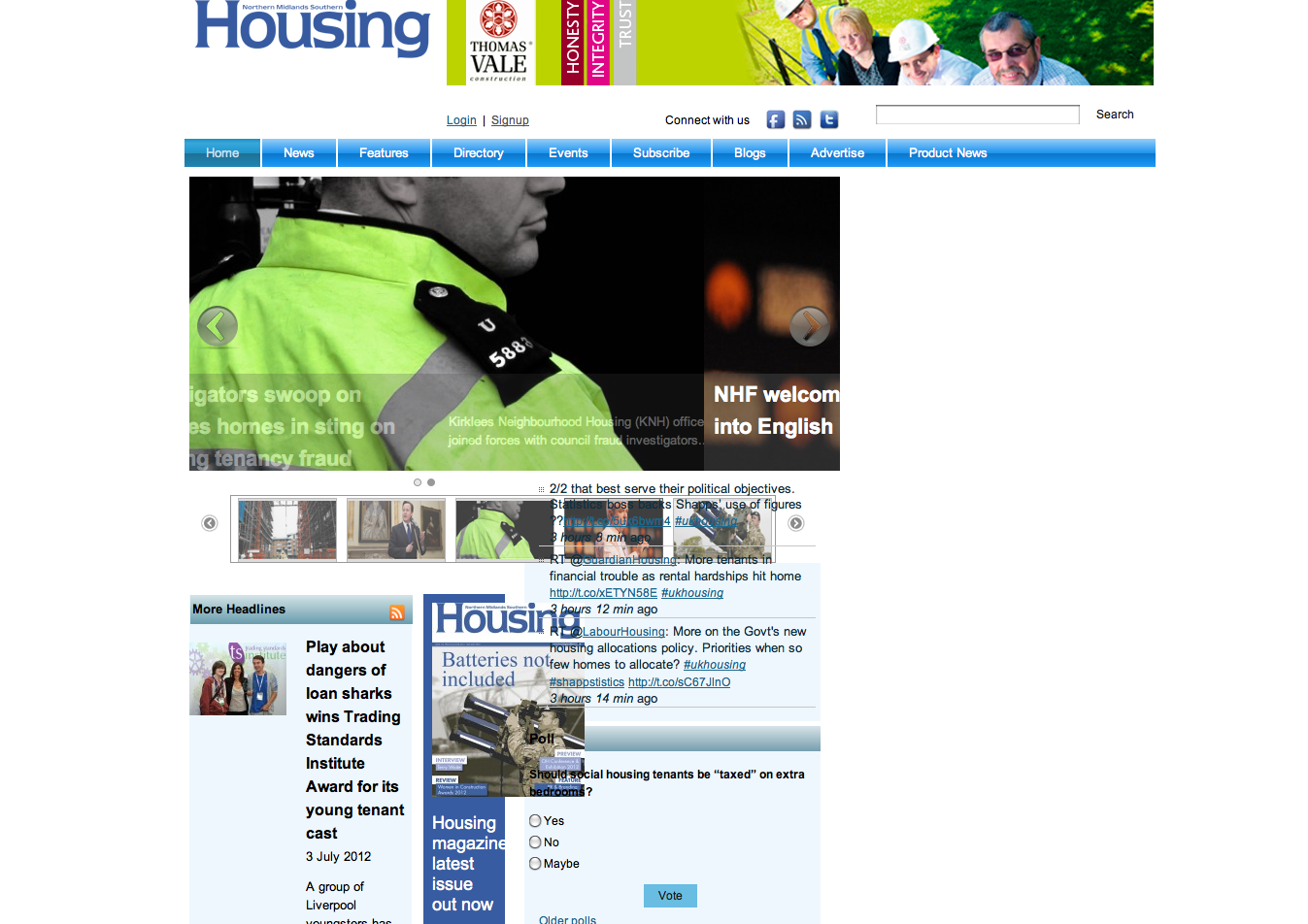
I'm using Flexible layouts for my panel pages. The layouts are suddenly all broken throughout the site as the content in the right hand sidebar (which are Drupal region blocks) is now displaying away from the right side and into the centre of the page. The content on the left (which is a panel page) is now squashed into a much narrower space - see attached image.
I've read other articles and forums, some suggest flushing the site cache or making sure there are 'write' permissions for the: sites/default/files/css directory so Chaos can write to this correctly. I've done all these things and still the problem exists.
When I 'Disable Drupal blocks/regions' from the panel page I can get the page to display correctly. But then the problem reoccurs when you click through to a full article, and once again the blocks on the right hand side crash into the middle of the content.
Does anyone have any ideas on how to solve this, I'm desperate to find a solution.
Any help would be gratefully appreciated
| Comment | File | Size | Author |
|---|---|---|---|
| housing-website-error.png | 624.12 KB | artworker |

Comments
Comment #1
merlinofchaos commentedTHere are two possible problems i see here.
One is that somehow you're somehow rendering your flexible layout in a space that's way too small for what's in it, possibly by having an empty region to the right. That seems kind of odd.
What seems more likely, especially since the checkbox fixes things, is that there's an error in your page or region theming that is breaking the output. There's no way to really debug this for you without seeing the actual HTML produced.
Comment #2
esmerel commented