Hi Everybody,
Sorry for the cross-post. I wasn't sure which was more maintained, here or the mailing list.
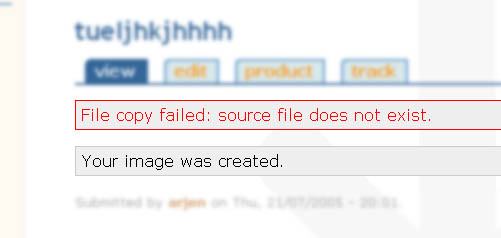
I recently installed the banner module on a clean Drupal 4.5.2 installation. However, whenever I try to upload a jpg, I get the error, "File copy failed: source file does not exist.". I can confirm that my files and tmp directories
exist, and are readable by the webserver. To help with debugging, I've chmoded both to 775, and changed the ownership to the webserver user.
I'm using PHP version 4.3.9 on Linux (RH 7.3).
Any ideas? Thanks in advance!
Geoffrey McCaleb


Comments
Comment #1
jeremy commentedCan you upload files with the upload.module that comes with core? I suggest you try to get that working first, then try using the banner module...
Comment #2
jeremy commentedNo further updates. I'm assuming the user focused on core uploads and resolved the problem.
Comment #3
(not verified) commentedComment #4
arjenz commentedI still have this problem.
It's hosted on FreeBSD 5.3-RELEASE-p5 Apache, PHP 4.3.10 (safe mode)
It occurs (until now) when i try to upload in anyway, be it with the image mod or via upload.
Keep getting the message "File copy failed: source file does not exist."
Drupal version 4.6.2
thx in advance!
grz Arjen
Comment #5
arjenz commented....and active again! ;) Still having this prob.
Anyone with ideas?
Thx! Arjen
Comment #6
Bèr Kessels commentedarjenz: please elaborate on why yuo moved this issue from banner to image. I doubt anyone likes such a 'hijack' of an issue.
Comment #7
jeforma commentedYah well me it's almost the same problem, but instead of copy its upload.
It says, File upload failed: invalid data. everytime a anonymous user clicks on different pages, sometimes it's there and sometimes not? You think somebody has a suggestion?
www.gamebgs.com
Comment #8
bomarmonk commentedSame problem: safe mode is off. Permissions and directories appear to be working and set properly until I upload a file. Then I get the message: source file does not exist. What? I turned off my firewall just in case, but still have the same problem when using the basic upload module and Drupal 4.6.5.
Comment #9
pembeci commentedI just tried to use the Image module and I am getting the same error (4.6.5, PHP 5) when I try to create an image node. The upload module works fine. Safe mode is off. The permissions are 777 (owner www-data on debian) and download mode is public. I changed the temporary directory from /tmp to files/tmp but it didn't solve the problem. At the code line where the error is invoked $source's value is bool(false) for some reason. I don't see any files in the tmp directory during the preview or even if I submit the node directly. I'll investigate more and report back later.
Comment #10
dmjossel commentedI haven't found any workaround for this at all yet-- which is a shame, since I have a dozen sites or so using Drupal 4.5.x and they are going to end up staying there because image.module is central to nearly all of them and the image databases are much too large to consider doing a manual update to another module such as acidfree.
I would keep trying but it doesn't seem as if image.module has been repackaged at all in about a year, so I may just leapfrog 4.6.x and see what happens when 4.7 comes out of beta.
Except that... oops, there's no 4.7.x image.module.
Comment #11
yched commentedI think this is a duplicate of this bug.
I posted a (naive ?) patch there, it's still awaiting reviews.
NB : there is indeed a 4.7 image.module, but you have to get it directly from cvs/contribs.
The patch I submitted is for 4.7, but i guess it applies quite straightforward to 4.6
Comment #12
RonaldPagan commentedI am using the banner module and I get the same error message as the title. Image works but banner does not. Any ideas?
Comment #13
drewish commentedi'm cleaning out the image issue queue. hopefully this has been resolved.