Currently, the Flag module is used to allow users to add items to a personalized schedule. However, the link for doing so is only listed within the Session Schedule View at /program.
The individual nodes for BoFs, Sessions, and Schedule Items should also display this link. The link should only be displayed if the node has been Approved (not pending approval).
Currently, the Flag field is called session_schedule and is associated with schedule and schedule_item nodes. We could also associate this Flag field with the bof content type. However, there has been discussion about whether using the same field across multiple content types is a good architectural decision.
Let's make a decision and then I should be able to create a patch.
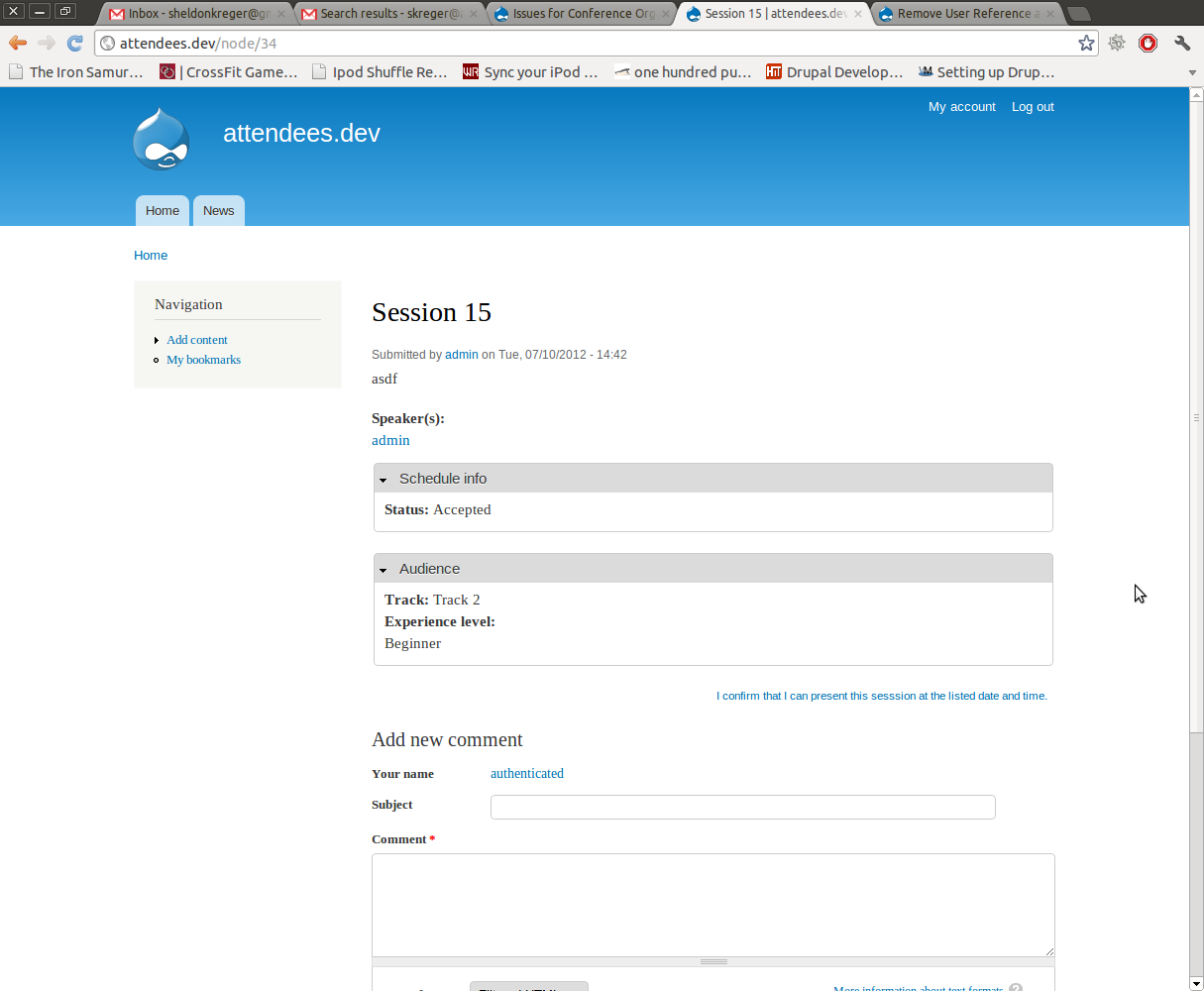
Below is an image of a Session node being viewed by an Authenticated user. This is an example of where such a link should display.


Comments
Comment #1
coltraneSince the bof_session is an optional feature I couldn't set it to use the session schedule flag as well, cause it altered the session feature, IIRC.
IMO this may just be something that's delegated to manual steps rather than being automated into the feature, unless we get a COD scheduling wizard developed to understand different states and what features are enabled.
"The link should only be displayed if the node has been Approved (not pending approval)."
Another way to solve this would to only grant the permission to flag once sessions are approved, and unpublish or otherwise hide unapproved sessions.
"there has been discussion about whether using the same field across multiple content types is a good architectural decision"
What are those discussion points?Those reasons should be listed here if this issue is also about the name/reuse of the flag.
Comment #2
sheldonkreger commentedThe main argument is that using the same field on multiple content types causes conflicts in Features. Therefore, we are discussing using different fields for different content types, even if the functionality is the same. Avoiding conflicts within Features can save site builders a lot of time down the road.
There are two scenarios I can think of where site builders will be using Features:
1. A company builds lots of event sites for different clients.
2. An organization, such as the Drupal Association, builds lots of similar event sites several times a year.
Either way, developers and site maintainers will most likely need to have custom configurations - Content Types, Roles, etc. - that they want to deploy quickly across multiple sites. Anything we can do to save work in these regards will pay off big time.
But, since we can't use this Flag field here anyway, it is going to need its own Flag if we decide to automate.
Comment #3
ezra-g commentedI'm not sure that's accurate. If we wanted to share a single flag without having overidden features, COD_BOF could override the Flag export provided by COD_Session, to add the BoF Session content type to the list of flaggable types.
Absent a use case where we need two separate flags for the session schedule, I suggest altering cod_session's export in COD_Bof.
Comment #4
tim.plunkettOnce I've finished paying my money for a conference, this is the only reason to ever use the site again. Without it, sites like http://portland2013.drupal.org are completely useless.
As this is a regression from previous versions of COD, I'm changing the metadata here.
Comment #5
tim.plunkettThis was miscommunicated by the Drupalcon account. No problem here.
Comment #6
dyannenovaWe have a flag now that's shared between BoFs, Sessions, and Schedule Items in COD 7.x