

Postponed (maintainer needs more info)
Project:
CKEditor 4 - WYSIWYG HTML editor
Version:
7.x-1.x-dev
Component:
User interface
Priority:
Normal
Category:
Bug report
Assigned:
Unassigned
Reporter:
Created:
12 Jul 2012 at 09:46 UTC
Updated:
26 Oct 2012 at 17:06 UTC
Jump to comment: Most recent file

Comments
Comment #1
mkesicki commented@anrikun,
which version of CKEditor library do you use ?
What theme in Drupal and which version of drupal ?
Do you have this problem in all browsers ?
Do you see any errors in Firebug or similar tool ?
Please check server error logs and admin status page if there are any errors reported related with Ckeditor.
Can you check if this issue exists in latest release ?
Comment #2
mkesicki commentedComment #3
jlockhartI'm having this issue as well. I was playing with the various skins to show to our team when I noticed they weren't changing.
Found this issue in Win Firefox, Chrome and Mac Chrome. Didn't bother checking all browsers, since I noticed the js error.
Platform:
Acquia Dev Desktop
Drupal 7.14 (not acquia)
Ckeditor 7.19
CKEditor plugin/library 3.6.4
Drupal Seven Theme
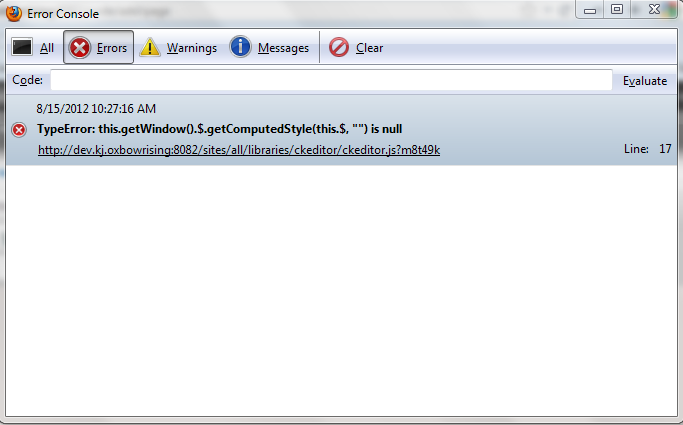
I did get a js error in Dev toolbar. I'm including the screen shot. I'll also try to track down what the issue is.
Comment #4
DrJedd commentedAre you sure you're not being fooled by the skin settings you set in your user menu?
First check that you have the permissions to administer CKeditor appearance, then go to:
yoursite.com/user -> edit -> rich editor text settings (at the bottom of the page)
and try switching it there.