

Closed (fixed)
Project:
Internationalization Views
Version:
7.x-3.x-dev
Component:
User interface
Priority:
Normal
Category:
Bug report
Assigned:
Unassigned
Reporter:
Created:
16 Jul 2012 at 10:42 UTC
Updated:
22 Jan 2017 at 11:06 UTC
Jump to comment: Most recent, Most recent file

Comments
Comment #1
jmix commenteddifferent issue but it can be related: content-type names are only translated in the admin pages, impossible to print it in a view or a node...
Comment #2
bart.hanssens commentedSeems to work (using latest git version + views 3.x-dev + i18n 1.x-dev + variable 2.x-dev)
Comment #3
Frando commentedThis is indeed not possible at the moment: In views, the node type labels in exposed forms and as a field are translated with t(). This is bad, because node type labels are user defined strings and therefore need special handling and not just t().
The attached patch fixes this.
It copies the node type field and filter handlers over to i18nview and properly translates the node type label there. The new handlers are registered in place of the default handlers, so it works without changing the concerned views (caches have to cleared, of course).
Comment #4
dawehnerThis is really looking fine in terms of views code!
Even I haven't tried the code, but that is RTBC, when you don't consider the 100% strict core documentation/code style requirements.
Comment #5
nicolas bouteille commentedHi,
I just carefully applied the patch manually and it did not work. The filter by content type said its handler was broken. Since this code dates from Feb 2013 and it is now May 2014 this might be due to changes in Views making this code break now. Which also means this patch is not suited for the long run...
By the way, how come this RTBC patch never got committed?
Comment #6
cs_shadow commentedSince it was never committed, this patch needs a reroll against latest HEAD.
Comment #7
ptmkenny commentedRe-rolled against HEAD. All credit should go to original submitter.
Comment #8
ptmkenny commentedComment #9
webflo commentedi18nviews provides additional views handlers. We do not overwrite existing views handler to avoid conflicts with contrib. Please follow this pattern. Check out i18nviews_views_data_alter_i18n_taxonomy for examples.
Comment #10
pfournier commentedAdding the handlers, instead of overwriting them.
Added a node type argument handler.
Comment #11
pfournier commentedComment #12
devad commentedI have applied patch (manually), and it works.
The new "Content: Type (translated)" option is available in both fields list and filters list, and they both works as expected.
It would be nice to have this commited.
Comment #14
webflo commentedThanks @pfournier and @devad for the final patch/review.
Comment #16
kbrinnerIt looks like this patch has been committed to the alpha1 branch but I don't see any option in the Translation Interface at admin/config/regional/translate/translate to translate content type names. If I search for 'Articles', one of my content types, I don't see anything under "Content: Type (translated)" or any possible string that would relate to a Views exposed filter or a content type name. I have il8n_views (v7.x-3.0-alpha1) enabled and have been translating most of my views successfully.
Other translation modules that are enabled:
entity_translation
i18n_field
i18n_menu
i18n_panels
i18n_string
i18n_translation
locale
Is there something else that should be enabled or what am I missing?
Comment #17
devad commented@kbrinner
This issue is about exposed views filters.
You have problem translating content type names with Entity Translation.
Try to "google" for: "entity translation" "content type" name
Comment #18
kbrinnerThat is what I was asking about - I have exactly the same issue as the original post:
Comment #19
devad commented@kbrinner
I am not sure I understand your issue completely, but I will try to help.
From your first post I could understand that you were expecting to find "Content: Type (translated)" option at admin path: admin/config/regional/translate/translate.
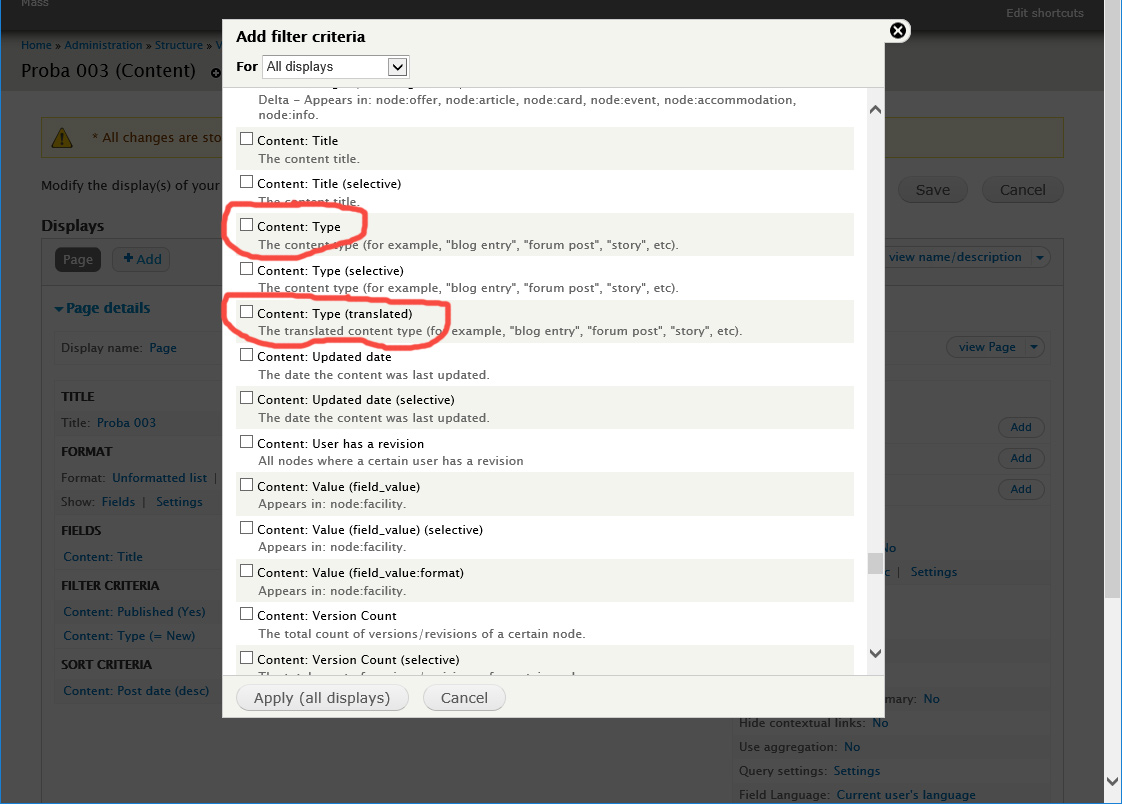
However, this is not the place where "Content: Type (translated)" option is added. It is added inside the views "Add fields" and "Add filter criteria" sections.
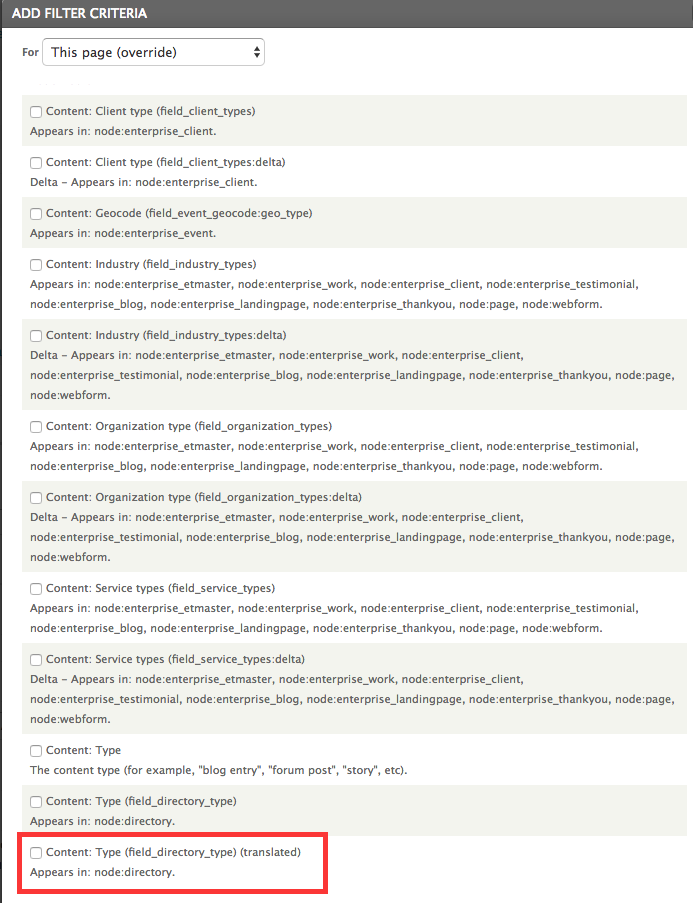
Please, see attached image. Beside standard "Content: Type" option i18n_views module now adds a new "Content: Type (translated)" option as well. Both are marked red in image.
Do you have these two options available inside your view?
Comment #20
kbrinnerOH. @devad thank you for taking the time to explain. I do have the option available inside my view for Content: Type (translated). I misunderstood where you were supposed to see that option. THANK YOU.

Comment #21
devad commented@kbrinner
You are welcome.