

 The 2026 Drupal Business Survey is open. Your response will help shape the future of the Drupal business ecosystem.
Latest version 3.0-rc3 worked for a few days after updating then caused WSOD for all /admin/ functions.
WSOD page included this info - Fatal error: Exception thrown without a stack frame in Unknown on line 0
Managed to trace some more info eventually. No info found in error logs!
PDOException: SQLSTATE[HY000]: General error: 1016 Can't open file: './semaphore.frm' (errno: 24): DELETE FROM {semaphore} WHERE (value = :db_condition_placeholder_0) ; Array ( [:db_condition_placeholder_0] => 557424863500bdee685f184.91441023 ) in lock_release_all() (line 269 of /includes/lock.inc).
Had to delete module to access site admin.
| Comment | File | Size | Author |
|---|---|---|---|
| #6 | error MySQL.png | 59.93 KB | Swebmas |

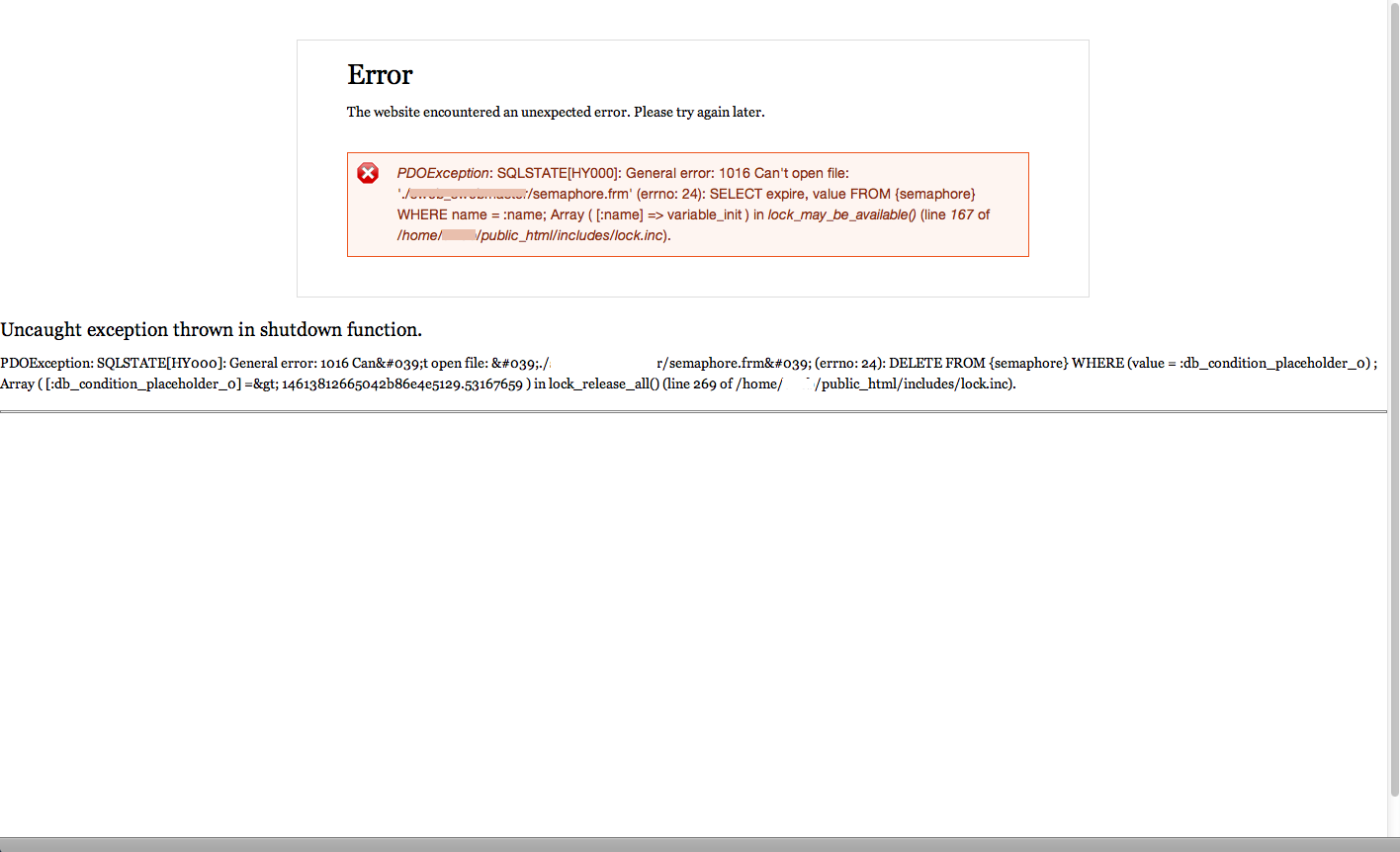
Comments
Comment #1
sunThe error means that your 'semaphore' database table is physically corrupted on disk and your (MySQL) database is not able to access the file.
Comment #2
jhelou commentedi am randomly getting the same error, mostly at noon every day. i looked into a few posts online, most suggested increasing the max_allowed_packet in my.ini (or my.cnf in my case) which i did, but it did not help.
so far to fix it i have to restart mysql every time it happens.
the database is not corrupted i ran a check, it's all clear!
Comment #3
mikeotgaar commented@sun
Thanks for that info - will look into it
Comment #4
Swebmas commentedI had this error only on my web server. My local server is good. I don't use administration menu so it might be something else.
I have about 10 sites on my web server and when it crash, my 10 sites get that same error. It's not an easy job to find what web site cause that. After 3 weeks of investigation and upgrading some modules I tough the problem was resolved because it was ok for 5 days. Yesterday I uploaded a new site and the error came back after an hour or two. I have remove the web site and I will wait to see if it crash again.
FYI These are some modules installed on the web site I upload before the crash.
Drupal 7.14
Zen 7.x-5.1
Colorbox 7.x-1.3
Equal Heights 7.x-2.0
Nice Menus 7.x-2.1+3-dev
Views Column Class 7.x-1.0-alpha1+1-dev
Does someone with this error use similar modules?
@jhelou: Do you still get the error?
Comment #5
Swebmas commentedAfter deleting the web site the error keep coming and I have to restart MySQL server.
Comment #6
Swebmas commentedThis is what MySQL documentation says about this error.
http://dev.mysql.com/doc/refman/5.5/en/not-enough-file-handles.html
When it says:
OS error code 24: Too many open files
Does it mean that a module open to many file by mistake or by default I should increase the number of files descriptors available in MySQL?
I hope this information can guide someone to an answer.
Comment #7
Swebmas commentedFor my self this error was caused by ctools 7.x-1.0. After upgrading to ctools 7.x-1.2 the MySQL error stopped.
For more details of the ctools error see: http://drupal.org/node/1661578.
Comment #8
jhelou commentedin my case i changed three settings in the my.cnf file.
key_buffer = 100M
open-files-limit = 10000
max_allowed_packet = 16M
i'm not sure what triggered the problem but these changes fixed it. hope this helps someone.
Comment #9
zil0484 commentedChanged my.ini files as above but I still got the same issue. Please help.
Comment #10
szubkov commentedzil0484, please don't forget to restart mysql after my.ini OR my.cnf is changed!
sudo /etc/init.d/mysqld restart
OR
sudo /etc/init.d/mysql restart
OR
sudo service mysqld restart
OR
sudo service mysql restart
Something like this in linux.