We have an image as well as a link in our Mobile Tools block for users to click to our mobile site. However sometime in the past few months (I think), the image has been stripped from the block when it's included on our pages.
The image is still in the same place on the server, and it doesn't matter if I change to a direct link rather than a relative one. Checking the page source shows that the image is utterly gone. Our default input format is Filtered, but the filter allows img tags.
<a href="!mobile_url"><img src="/sites/all/themes/asuzen/images/icons/phone.png" /></a> <a href="!mobile_url">Mobile Site</a>
outputs to
<div class="content">
    <a href="/mt/mobile/admin/settings/mobile-tools"></a> <a href="/mt/mobile/admin/settings/mobile-tools">Mobile Site</a>  </div>
Please let me know what other information I can provide.
Thanks


Comments
Comment #1
devin carlson commentedYou'll want to use an input format which does not strip any code (most likely full_html).
Comment #2
dflitner commentedThank you for your response.
Perhaps I'm missing it, but I don't see any place to change the input format of these boxes. Setting the site default format to Full HTML doesn't help. At any rate, our filtered HTML filter actually does allow all of the HTML elements that I'm trying to include in these blocks.
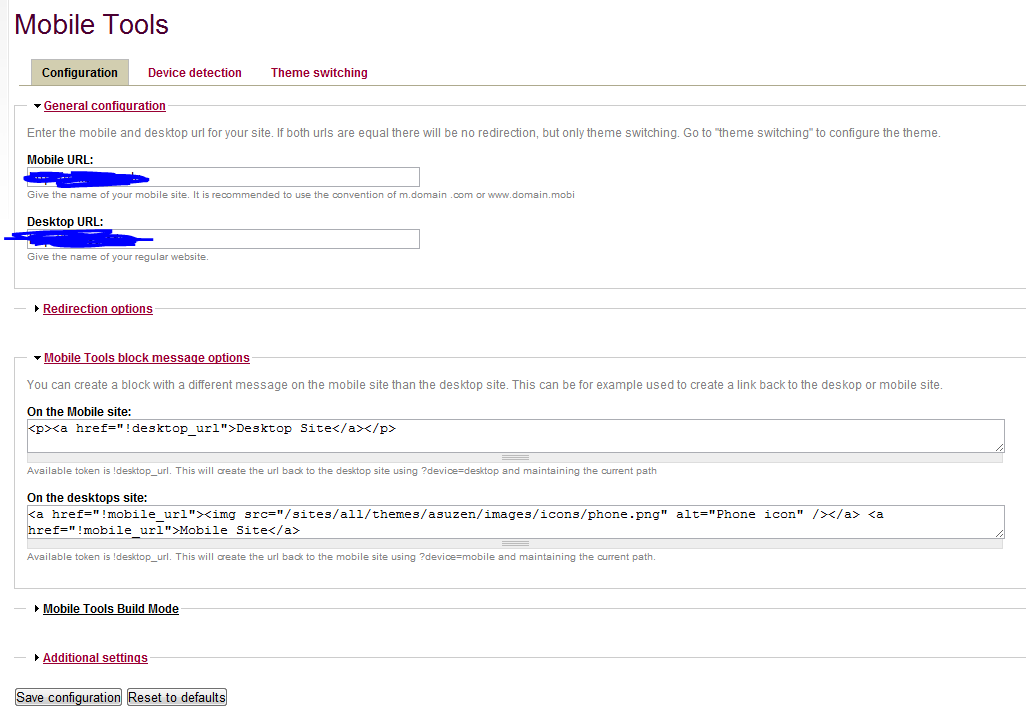
I've checked that the image is still in the same place, and it doesn't matter if I use a relative or direct url for the image source. Attaching a screenshot of my settings page in case one of our settings is missing.
Thanks
Comment #3
Anonymous (not verified) commentedHi dogmatix,
This confused me too, until I realized that the "block" is actually rendered as a link. If you hover over this code, you'll see the entire thing is a link.
So it's really not a normal block, where you could adjust the input format. It's more of a "box where you can insert text that becomes into a link."
It seems to be designed for a bit of text, not images, or any HTML at all.