Closed (works as designed)
Project:
Module Filter
Version:
7.x-1.7
Component:
User interface
Priority:
Major
Category:
Bug report
Assigned:
Reporter:
Created:
7 Sep 2012 at 05:58 UTC
Updated:
8 Aug 2013 at 19:28 UTC


I love this module, very nice but just a design fault ...
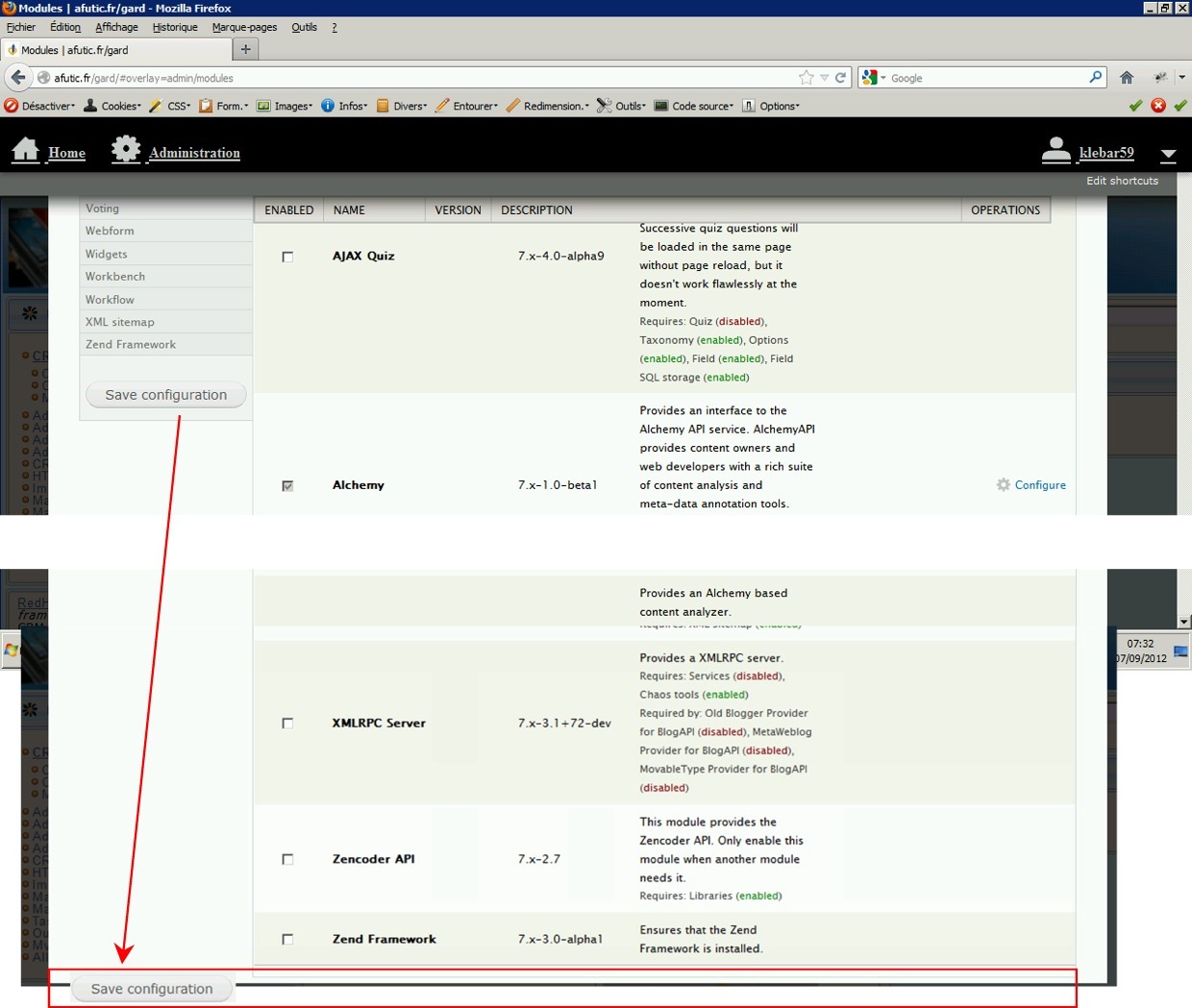
When we have right column longer than left one, and have scrolles many page we have to scroll back to the page showing the save button !
In fact you should always put this button at the end of the pagge and then when we are ready to save our job, whatever we are place with alt shift end keys we go to the end of the text and should point directly the save button !
Better, i have already mentioned that before, use F12 (either F8 not too close of return key to avoid mistake) function key to directly point the "save configuration button".
I have used this function key in my own industrial designs and have save many hours ...
I hope that somebody from your development team can understand what I mean ????
| Comment | File | Size | Author |
|---|---|---|---|
| Module_filter_01.jpg | 197.22 KB | klebar59650 |

Comments
Comment #2
manhalt commentedRather than moving the Save Configuration button to the bottom of the screen it may be more useful to include it in the filter box and have it float alongside as you scroll up or down through the modules so that it is always visible and accessible. Just a thought - this is a most useful module either way and is the first one I install and enable when I start a new site.
Comment #3
Syntapse commentedlooks like this has been implemented now. check admin/conf/module_filter.
Comment #4
greenskin commentedYes, as @laurencefass has stated there is an option on /admin/config/user-interface/modulefilter that enables the Save button to dynamically position itself, allowing it to always be accessible.