

Closed (outdated)
Project:
TinyMCE
Version:
5.x-1.9
Component:
Code
Priority:
Normal
Category:
Support request
Assigned:
Unassigned
Reporter:
Created:
25 Sep 2007 at 20:42 UTC
Updated:
14 Jan 2021 at 19:28 UTC
Jump to comment: Most recent, Most recent file


Comments
Comment #1
imrook commentedOkay, so I had a chance to do some debugging on this and I found the cause of the problem and a possible solution. The problem stems from the fact that drupalbreak's editor_plugin.js is calling 'mceInsertContent' which inserts the break tag within the current tag set. My patch is mostly code from mceInsertRawHTML, however rather than calling mceInsertContent it uses insertAfter to add the new content after the current node. I have tested this on Firefox 2 and IE6, however, I am not a javascript expert so I would appreciate it if someone who knows TinyMCE or javascript better than I do to take a look at the patch.
Comment #2
tangent commentedThis issue affected my sites as well so I set out to patch the drupalbreak plugin. Instead I ended up rewriting it from scratch.
The main issue is that the break is allowed to be added inside html elements so that the teaser will always have incomplete (not well-formed) markup. Simply making sure that the break is added at the editor root level is insufficient though because the break may be moved around with drag-n-drop afterwards. This also doesn't resolve nodes which already contain breaks and are edited later.
My plugin includes the following improvements.
It has been tested with Firefox, IE, and Safari and works well. The only imperfection is that drag-n-drop isn't handled immediately (break may be dragged inside an element) but this is corrected on article submission or when toggling out of "rich text" mode.
Comment #3
tangent commentedHere is the very large patch.
Comment #4
holydrupal commentedthanks a lot for the plugin it works fine.
Comment #5
komodo_1 commentedI have a little problem.
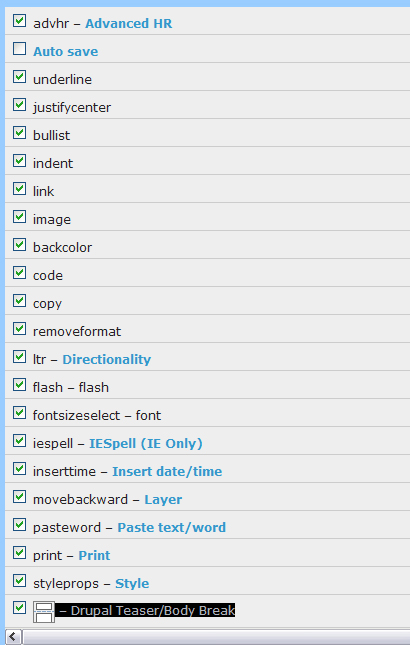
I apllied patches, and – Drupal Teaser/Body Break - selection appears on tinymce buttons and plugin's page,
but the drualbreak button dosen't show up on editor.
This the way i added it on plugin_reg.php.
$plugins['zoom'] = array();
$plugins['zoom']['theme_advanced_buttons2'] = array('zoom');
$plugins['drupalbreak'] = array();
$plugins['drupalbreak']['theme_advanced_buttons3'] = array('drupalbreak');
return $plugins;
}
Could anyone give me an idea? I checked many times patched files and all seems well done (to me).
P.S. I'm attaching my modified files, if anyone could give them a look. and the screenshots of the plugin selection page ad of the tinymce editor bar.
Many thanks for support.
Comment #6
komodo_1 commentedI forgotten to say many things.
sorry.
i try to complete my support request:
I'm using drupal 5.6 and last tinymce module release for tinymce (5.x-1.9)
And i'm showing the content in homepage using panel2+views.
I tryed to apply manually the
command inside post using html button, but it dosen't still works.
Sorry for re-posting to add this.
thanks again
Comment #7
jazzitup commentedHow could I use this patch for TinyMCE 3.x (for my Drupal v5.7)? I succeeded with enabling TinyMCE3 to work with my Drupal5 installation, but this feature of a teaser adjusting seems essential to me.
I've tried the patch mentioned from above and it does show up in my "Buttons and plugins" section of a TinyMCE settings, but it doesn't show up in my rich-text editor as an icon...
Comment #8
seutje commentedI have pretty much the same problem:
I need to use tinyMCE 3.x so the spellchecker would work properly, but I also need drupalbreak to work, which doesn't seem to want to in 3.x :(
Comment #9
tflmike commentedYes... same problem here too! I have Drupal 5, TinyMCE3 and I've tried to use the Drupalbreak module to no avail!
Anyone have any clue how to make this work?
Comment #10
nicoloye commented