

Closed (fixed)
Project:
FileField
Version:
5.x-2.3-rc4
Component:
Code
Priority:
Normal
Category:
Bug report
Assigned:
Unassigned
Reporter:
Created:
1 Oct 2007 at 17:35 UTC
Updated:
17 Jun 2008 at 19:15 UTC
Jump to comment: Most recent file

Comments
Comment #1
jpetso commentedFilefield doesn't submit this query or even cause it, this is the domain of CCK. It seems that the $field variable is NULL where it should be set instead, but no idea why it's missing.
I find it unlikely that either CCK or filefield have an error here, I rather suspect some server settings problem. (Is your webserver configured to allow 9MB uploads at all?)
If the server is innocent, please provide a backtrace (for example, by enabling devel.module and setting the "backtrace instead of simple errors" option) so that I can see where the error really happens and if filefield is involved at all.
Comment #2
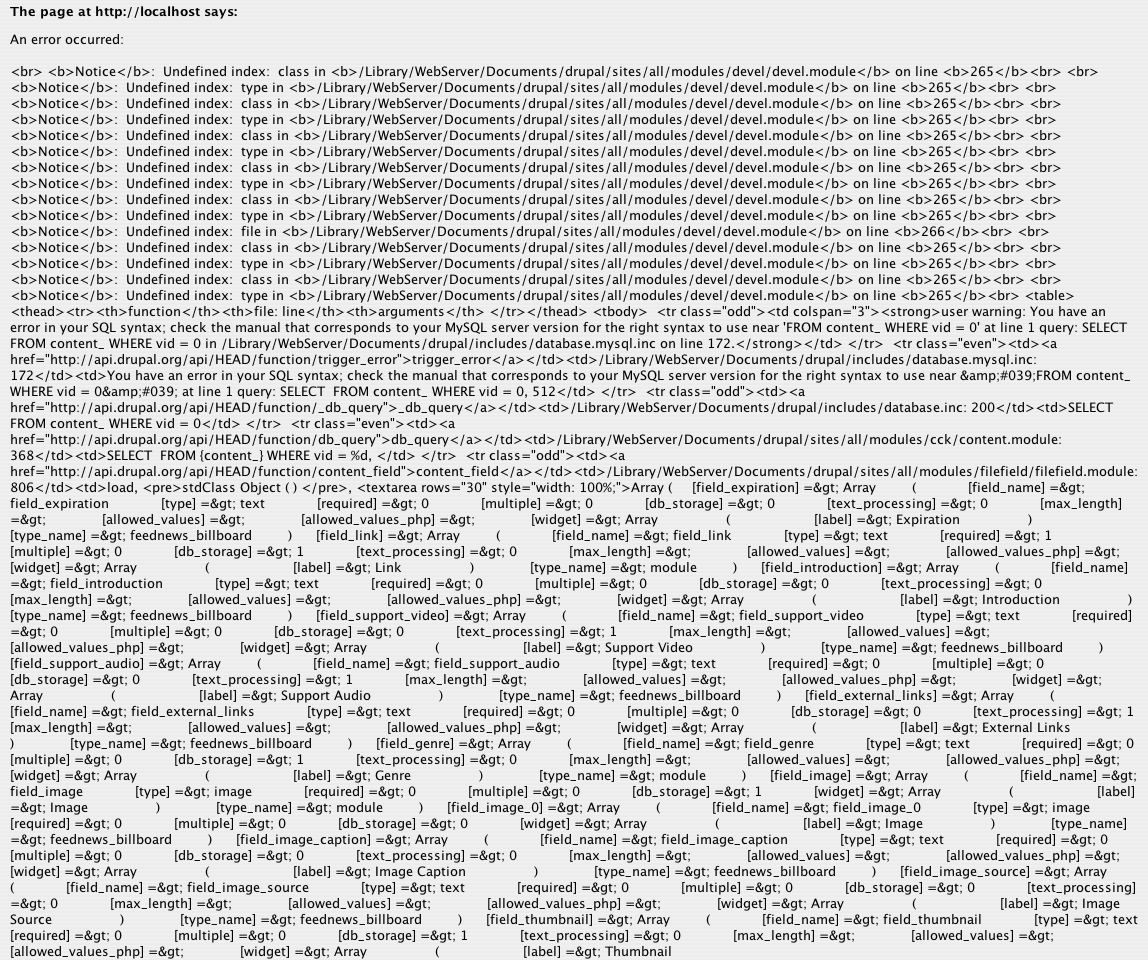
chaverde commentedThe upload works with files ranging from 3MB to 7MB. The php.ini has upload_max_filesize set to 20M. Attached the error.
Thanks!
Comment #3
jpetso commentedThanks a lot! It's a bit confusing on first look (and on the second as well) but it does tell where the error occurs, which makes the whole thing debuggable.
Now I just need to find time and motivation to debug.
Comment #4
chaverde commentedThanks!
I dug more into the issue. The problem is inside the function filefield_js() the variable $_POST is empty when the file is too large.
Any ideas?
Comment #5
jpetso commentedHm, that's bad. $_POST is nothing that filefield or even Drupal can repair if it's missing. If $_POST is empty, we're pretty much out of luck... the best that I could do would be to check for an empty $_POST so that filefield fails gracefully instead of throwing an error. For anything better, you need to fix the server directly.
Comment #6
chaverde commentedIssue solved.
The upload_max_filesize was set to 20M, but the post_max_size was 8M. Changed the post_max_size to 20M and it works now.
Comment #7
jpetso commentedGiven that this seems to be a problem for more people (duplicate issue), degrading gracefully is obviously necessary. In order to avoid more duplicates, I'm changing the issue title to a more appropriate name.
Comment #8
dopry commentedHmm... we need better error reporting in core where this is concerned... in file_save_upload... it should be there in D7... as for refilling the values... there is nothing we can do about an empty _POST... it's just going to break... I don't see this getting fixed any time soon... Maybe if _POST is empty will be able to use the previous form state in D7, but there will be no token to verify... Maybe some js magic to save the old form and check what is returned in the ajax submit for the value of node before replacing the content.....
any ideas?
Comment #9
dopry commentedWe should indicate max_upload_size on the form maybe? min(max_post_size, max_upload_size) - 1MB?
Comment #10
jpetso commentedOk, I added the maximum allowed file size to the upload element description. That will probably multiply the requests for per-field file size limits (yeah, I look at you, #183864: Limit file size per file and node) - but as this is important not to get SQL errors, we'll have it unconditionally for now. Whoever wants not to show that indicator will do a form_alter() anyways.
Comment #11
dopry commentednice lets call it closed for now... this is actually more of a core issue and should disappear in D6 hopefully.
Comment #12
Anonymous (not verified) commentedAutomatically closed -- issue fixed for two weeks with no activity.