Active
Project:
MediaFront
Version:
7.x-2.0-rc3
Component:
Code
Priority:
Normal
Category:
Bug report
Assigned:
Unassigned
Issue tags:
Reporter:
Created:
5 Oct 2012 at 18:37 UTC
Updated:
18 Nov 2012 at 02:06 UTC


I have attached a jpeg of an error message I can't get rid of. Also see message below:
Notice: Undefined index: raw in mediafront_get_view_field_value() (line 588 of /home/clients/websites/w_iyo707/public_html/iyo707/sites/all/modules/mediafront/mediafront.module).
Warning: Invalid argument supplied for foreach() in mediafront_get_view_field_value() (line 591 of /home/clients/websites/w_iyo707/public_html/iyo707/sites/all/modules/mediafront/mediafront.module).
I was having a problem with getting content to load using the URL method for YouTube videos. After updating MediaFront 7.x-2.0-rc2+6-dev to MediaFront 7.x-2.0-rc3 the content is loading correctly but the error message will not leave the page.
Any help is greatly appreciated.
Using Drupal 7.14
Thanks
| Comment | File | Size | Author |
|---|---|---|---|
| mediafront-error-msg.JPG | 117.6 KB | macmaci |

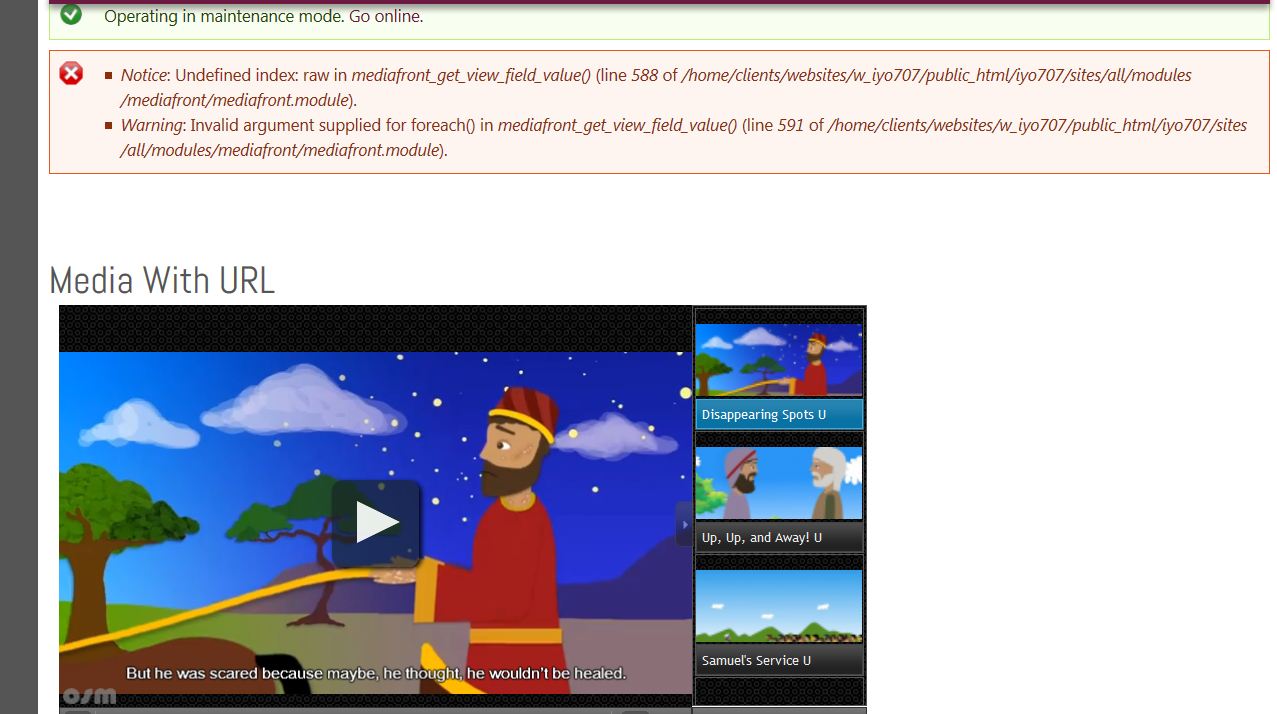
Comments
Comment #1
travist commentedWhat do the settings look like on the view? I am interested to know what fields you have marked as media player fields.
Comment #2
mediaformat commentedI got the following error, repeated 12x:
Comment #3
mediaformat commentedThe error message disappeared after disabling a second empty player on the page.
Comment #4
travist commentedJust committed a fix for this. Thanks.
Comment #5
drew reece commentedI saw this too after updating to 7.x-2.0-rc3. I have a view of fields & the mediafront player added to the view header with the fields linked to the player.
I had to resave the fields in the view to get the error to go away, posting this mostly for my reference.
[edit] corrected version no.
Comment #6
kobnim commentedI too am getting this error in both 7.x-2.0-rc3 and 7.x-2.x-dev:
It happens when I follow these instructions in your README file:
Thanks.
Comment #7
ultimikeAdding the "Novice" tag to this issue.
Comment #8
alauddin commentedHi,
I was getting a similar message - Undefined index: module in _field_info_prepare_instance_widget()
after upgrading from mediafront 7x.1.5 to 7.x-2.0-rc3 following the instructions from Travis walkthrough video.
Here is what worked for me.
Since there are no database updates there seems to be some leftover in the Open Standards Media Player module tables that need to be fixed.
1) remove your 7.x-2.0-rc3 module
2) reupload 7x-1.5
3) disable Open Standards Media Player module
4) uninstall Open Standards Media Player (this removes the data from the table)
5) remove 7x-1.5 mediafront
6) upload the 7.x-2.0
7) enable Open Standards Media Player
run database update - this should not display any 'indefined index' errors.
I was getting these errors on 2 sites after upgrading to the 2x version and the above steps worked on both.