

Needs review
Project:
jPlayer
Version:
7.x-2.x-dev
Component:
Code
Priority:
Major
Category:
Bug report
Assigned:
Unassigned
Reporter:
Created:
17 Oct 2012 at 16:28 UTC
Updated:
30 Mar 2015 at 20:02 UTC
Jump to comment: Most recent, Most recent file

Comments
Comment #1
kingfisher64 commentedI'm having a similar issue. It appears it's more than one format.
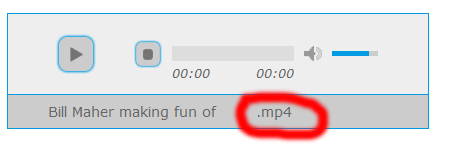
For me it's mp4 format.
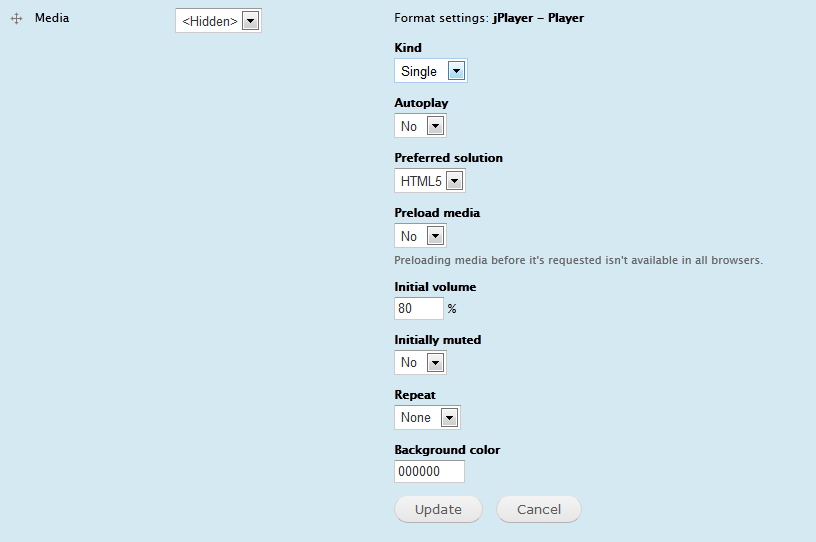
I've read readme.txt and the jplayer instance is set to single not playlist. (screenshot attached)
How do I get the player to display as a video player?
Comment #2
steveburge commentedHi nathan.zhu and kingfisher64
I wrote that original article. Since then, I think they've changed the way the Media module works. Choose the "file" field type, rather than ”Multimedia asset“.
Comment #3
valthebaldThere are several issues with video displaying
1. jplayer expects m4v in playerSettings.supplied, but jplayer.module sends file extensions "as is". As a result, *.mp4 files are opened with audio (which is default)
2. jplayer supports changing video size from default 480x270, but there are no appropriate settings
3. (PHP5.3+ specific?) When jplayer_sort_files() gets $item_type = null, it does not treat it as default value ('file'), so setting file url fails
Attached patch solves these problems
Comment #4
kingfisher64 commented@ #2 SteveBurge - I did use file field not multimedia asset. THought maybe i'd done something else wrong but given #3 comments...
thanks valthebald
Comment #4.0
kingfisher64 commentedupdate new description.
Comment #5
spgd01 commentedPatch works for flv and mp4. However theme is a little off and I get the following error:
Notice: Undefined index: cssStyle in template_preprocess_jplayer() (line 54 of E:\Websites\drupaltest-7\website\sites\all\modules\jplayer\includes\jplayer.theme.inc).
Comment #6
kylesmith commentedBig thanks to valthebald for patch #3. I couldn't apply the patch automatically with the current 2.x-dev code, but I could manually make those changes and it solved this issue for me. I am updating patch #3 so those changes can be automatically applied.
This patch can be used to set a video player size in the admin/structure/types/manage//display page, either by specifying a custom CSS class or by setting the width and height in pixels. With patch #3 (and also this patch #6), using a CSS class will prevent the width/height settings from being applied.
Video files with *.mp4 file extensions will also display in the video player.
I am making a few other modifications:
Reviewers would be appreciated. I haven't tested this patch with audio files, and as I mentioned above, I couldn't get the custom CSS class to work to define width/height for my video player.