I tried to use the *Example View, its works parfectly.
However, sometimes I wanna to keep a first item to displayed bigger after the second pages like Demonstration Website.
(views-view--fontfolio.tpl.php assume to remove it from inner pages, I wanna keep the big one)
When I remove the "fontfolio" from the view tag, inner pages also appear the same big box first item of the first page(not change the first item). I would like to put the big box on the inner pages moving with pager togeather, demonstration website looks fine, the second page also big box and it shows different items.
I checked view so many times, but I cannot solve this problem.
your kind regard


Comments
Comment #1
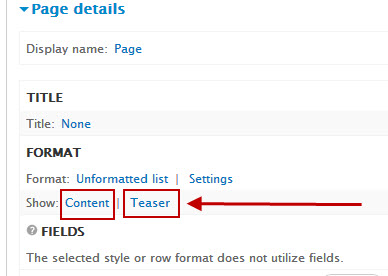
israelshmueli commentedThe simplest way to achieve that is not with fields view but with teasers view + slight modification inside template.php code.
In fontfolio's template.php file, Inside fontfolio_preprocess_node function (currently lines 188-190) there is a condition that limits the "big-post-box" to apear only on frontpage(s).
You can remove (or comment out) lines 188 & 190 and let line 189 stay .
Remember that this change will affect only Views that list teasers.
Comment #2
clementb commentedHello,
Thanks for theses informations. I don't know why, but it appears a problem with the "example view". When i upload the images and choose content / teaser, i have very very small images. I use image style "thumbail" and "medium" overriden. I tried to change image styles in the content type teaser... nothing happens. I would like to use this example view to make another view not only in the front page. I cannot solve the problem.
Thanks a lot for your answer.
Your kind regard.
Comment #3
clementb commentedIt's ok, sorry. I found the solution, field_image of course... it's article type
Thanks