

 Come together with the global Drupal community in Rotterdam, 28 Sept – 1 Oct 2026. Sessions, contribution, connection, and Early Bird savings until 8 June.
This is a strange one. I've searched the queue but haven't found anything quite like this. I didn't mark it major because of that and since I can work around it with Chrome Developer Tools.
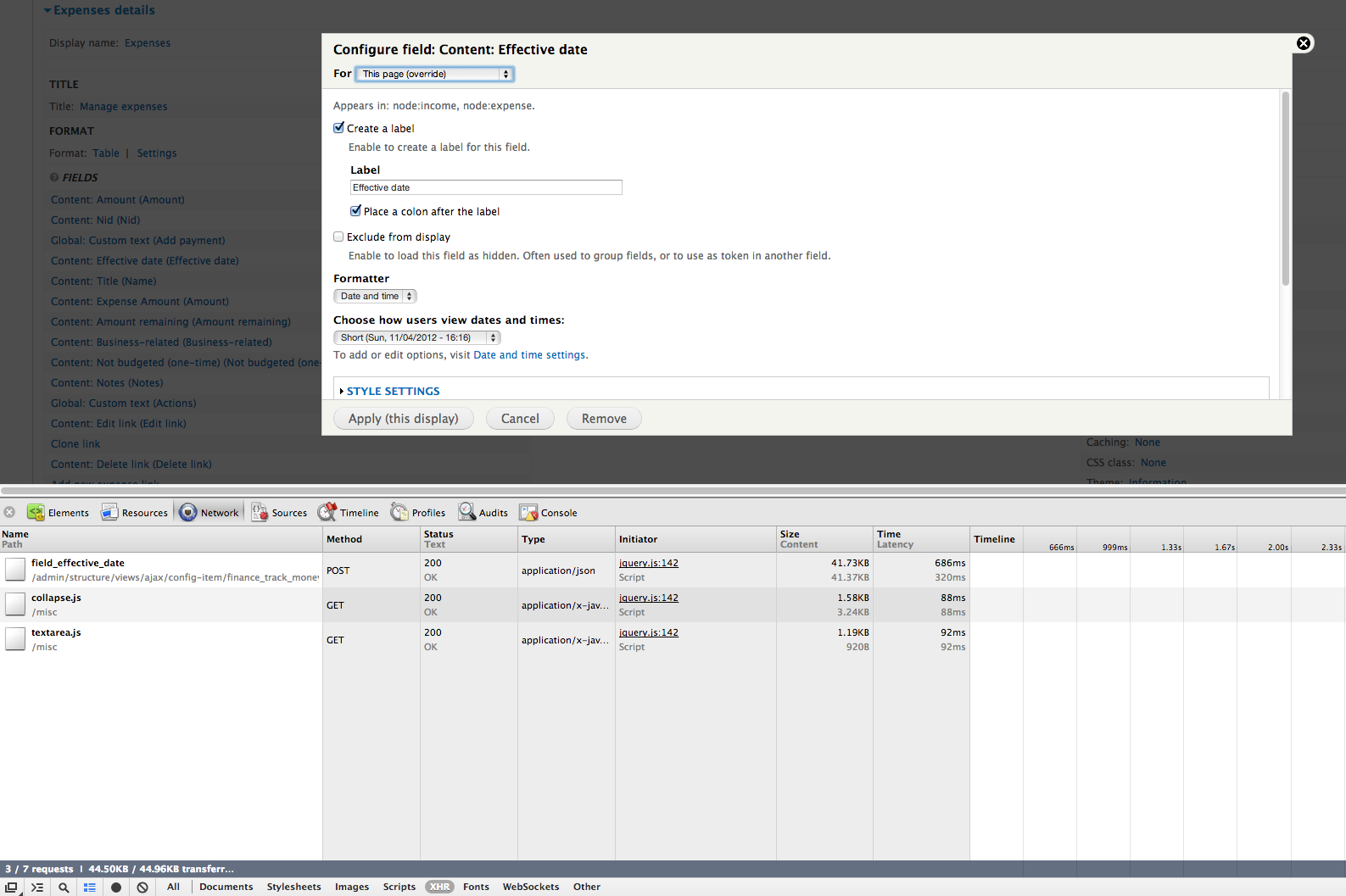
Anyway, basically, collapse.js isn't being loaded on one of my displays for any of the forms on which it normally would be. This happened after I removed a date field filter (against the field itself) and added the Date: Node filter with the same field selected. I have since removed that (since I thought it might be causing the issue) but the issue persists. I've also added a pager, but this applies to the working display as well. I've upgraded Drupal and all modules, cleared the cache a lot, and cleared my own browser cookies. And the browser cache also (as I wrote this, in fact - thought it was the magic fix, but alas not).
Attaching a couple screenshots to show what I mean. I'm happy to jump in with Xdebug, but I have no clue where to set the breakpoint. So thought I'd open an issue and take it from there.
Also my view (pastebin): http://pastebin.com/vb9L1dxr - dunno how helpful that is, but I've seen other people do it.
| Comment | File | Size | Author |
|---|---|---|---|
| non_working_display.png | 192.79 KB | wizonesolutions | |
| working_display.png | 206.16 KB | wizonesolutions |


Comments
Comment #1
mustanggb commentedClosing this as outdated, feel free to re-open with updated details if it's still a problem in the latest release.